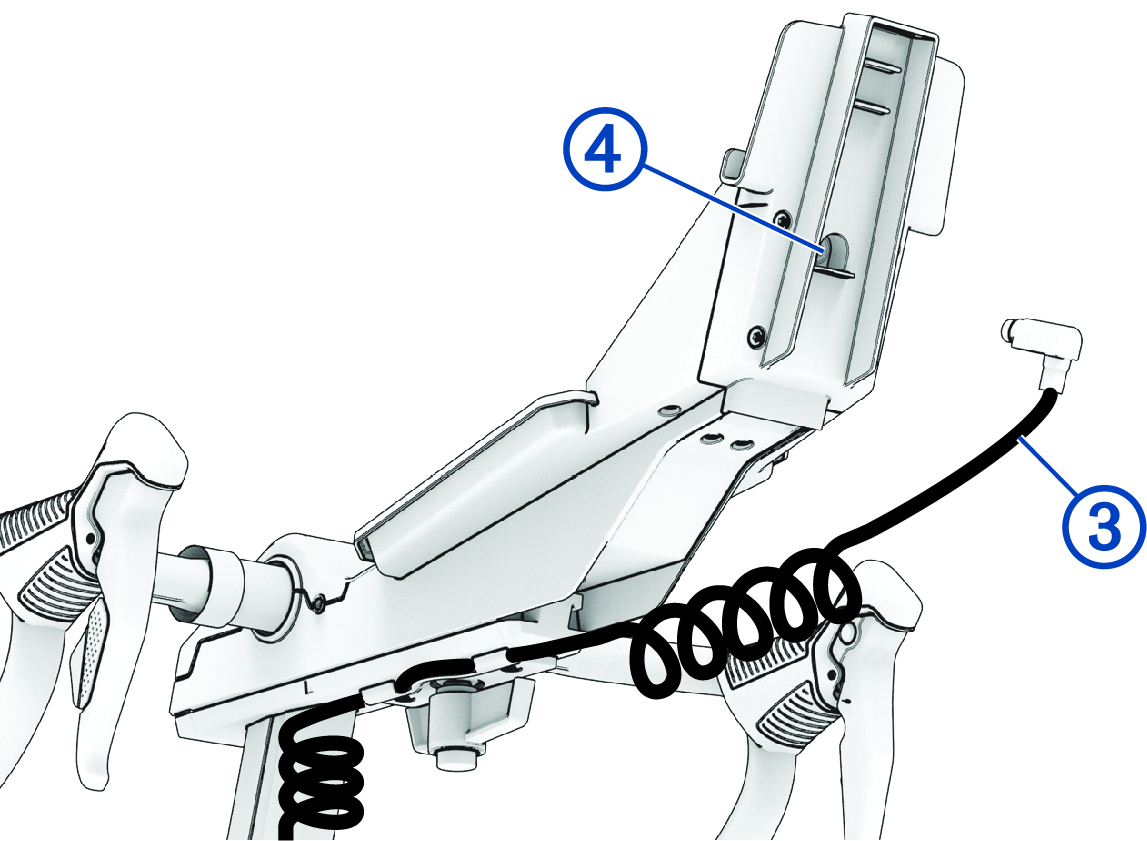
Installing the Tablet Mount
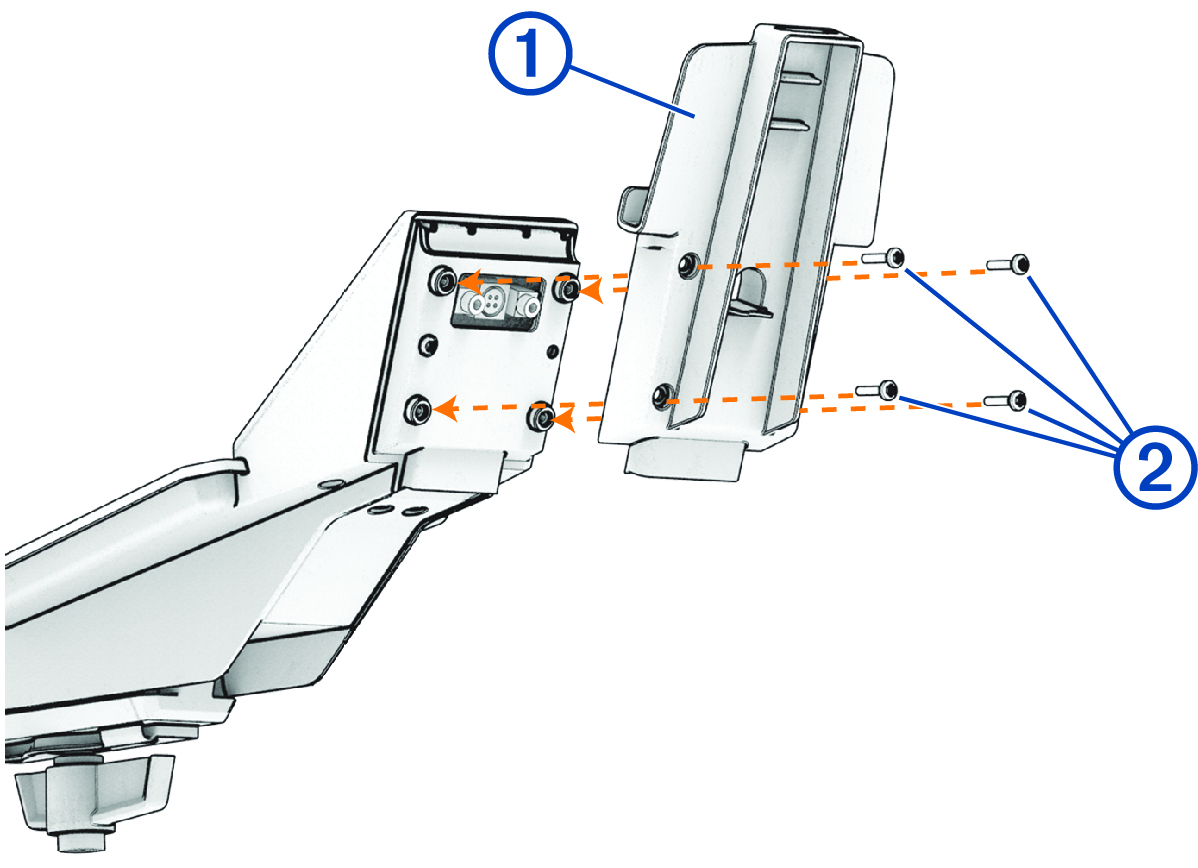
In the assembly kit  , there are M4 X 10 bolts (4) to install either the fans ( Installing the Fans with Tablet Mount) or the tablet mount.
-
Use the M4 x 10 bolts and the Torx 20 wrench to install the tablet mount.
-
Connect the display cable to the port .