Training with the Driving Range Feature
-
Select
 > Driving Range > Start.
The radar turns on.
-
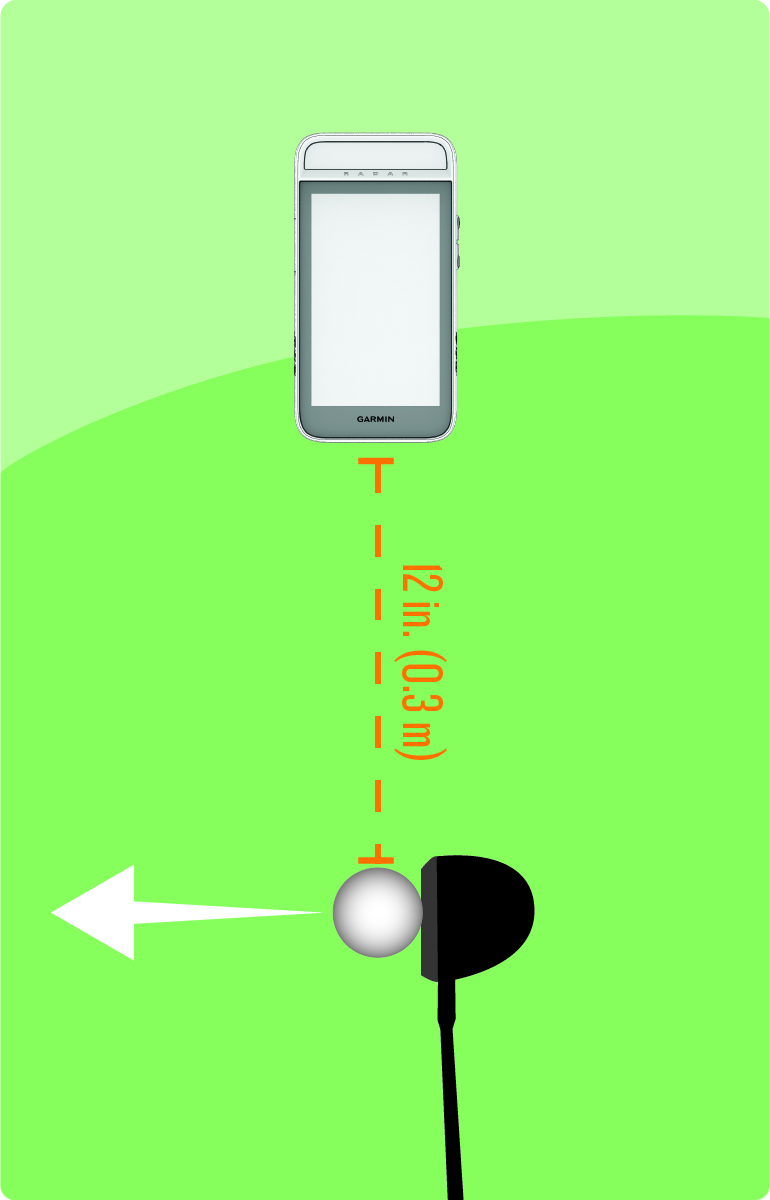
Prop the device on a golf ball
using the divot on the back of the magnetic clip.
-
Hit a shot.
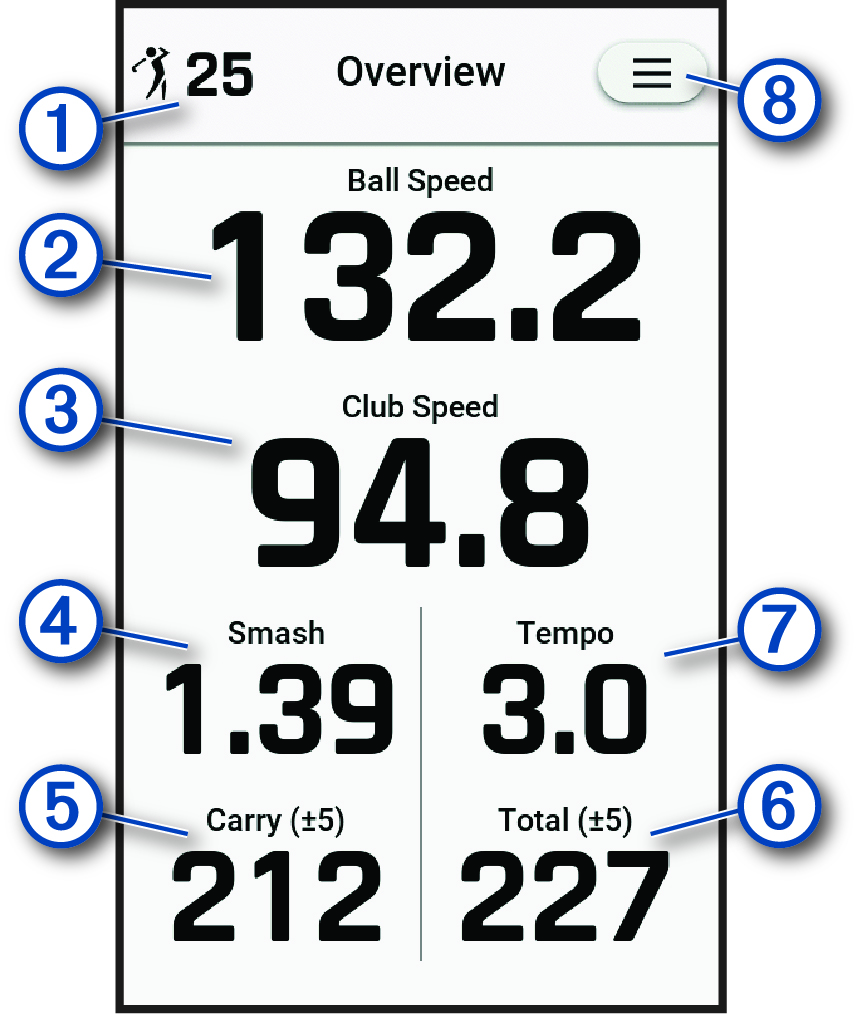
Displays the number of shots taken.
Displays the ball speed.
Displays the club head speed.
Displays the smash factor.
NOTE: The smash factor is the ball speed divided by the club head speed, and is used to indicate the efficiency of the club hitting the ball. A higher number is more efficient.Displays the estimated carry distance.
Displays the estimated total distance.
Displays the swing tempo (Tempo Training).
NOTE: The swing tempo is the backswing time divided by the downswing time, expressed in a ratio.Select to update driving range settings, view instructional tips, or end a driving range training session (Radar Training Settings).
-
When training is complete, select
 > End Session.