Big Numbers Mode
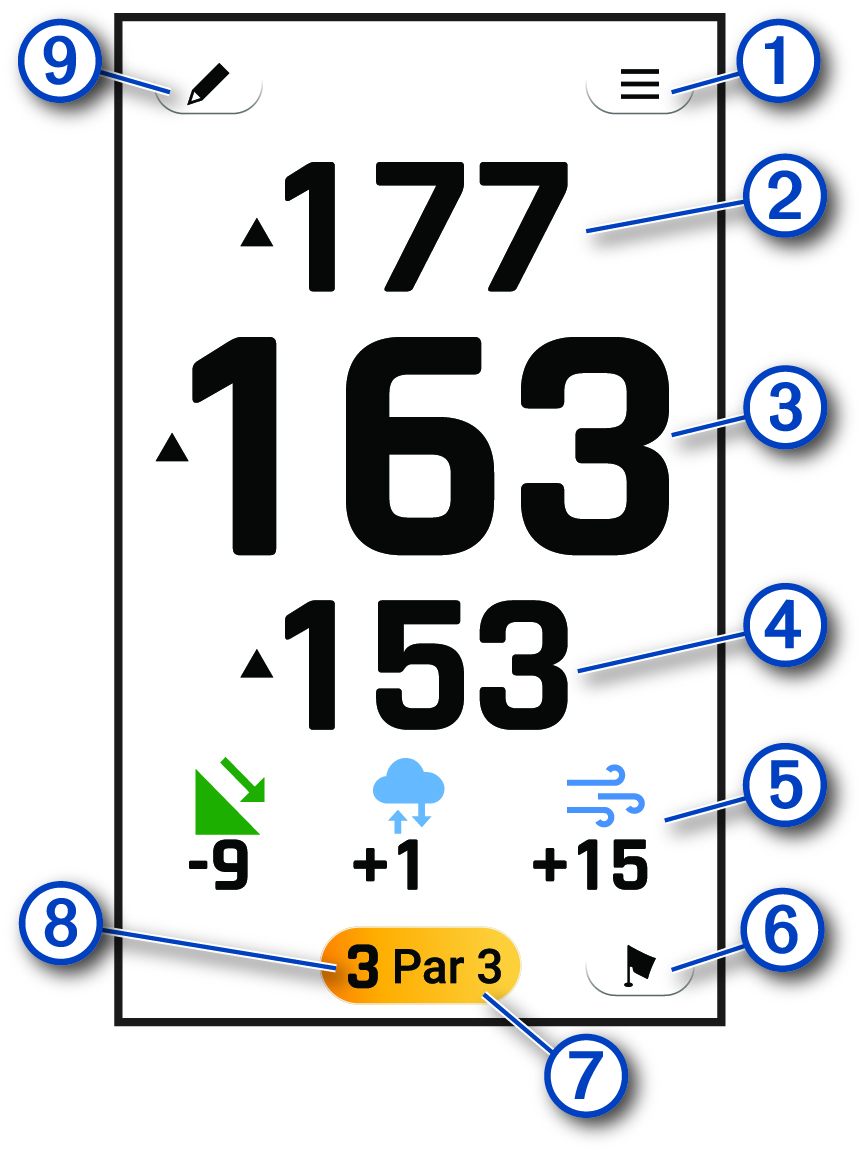
You can change the size of the numbers on the hole view screen.
During a round, select  > Settings > Big Numbers.
|
|
Select to view and update golf options and settings (Golf Menu). |
|---|---|
|
|
Displays the distance to the back of the green. |
|
|
Displays the distance to the middle of the green or selected pin position. |
|
|
Displays the distance to the front of the green. |
|
|
Displays the PlaysLike distance and icons when you tap a distance to the green (Viewing PlaysLike Distance). |
|
|
Select to display a close view of the green for adjusting the pin location (Viewing the Green). |
|
|
Displays the par for the current hole. |
|
|
Displays the current hole number. Select to change the hole number (Changing Holes). |
|
|
Select to view and update the scorecard (Keeping Score). |