Viewing the Green
While playing a round, you can take a closer look at the green and move the pin location.
-
Select
 .
.
-
Tap the screen, or drag the flag
to move the
pin location.
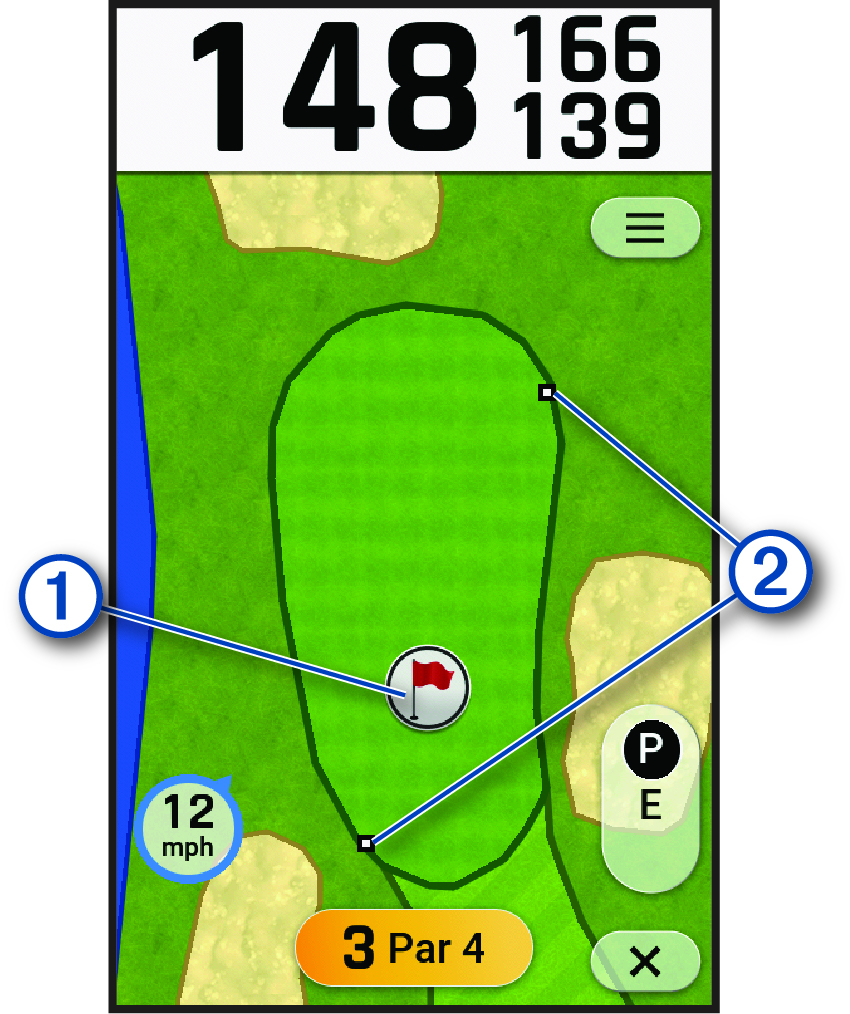
NOTE: As you move the flag, the front and back distance markers adjust to the new distance measurements.
The distances on the hole view screen are updated based on the new pin location. The pin location is saved for only the current round.