Using the Putting Training Feature
-
Select
 > Putting Training > Start.
The radar turns on.
-
Prop the device on a golf ball
using the divot on the back of the magnetic clip.
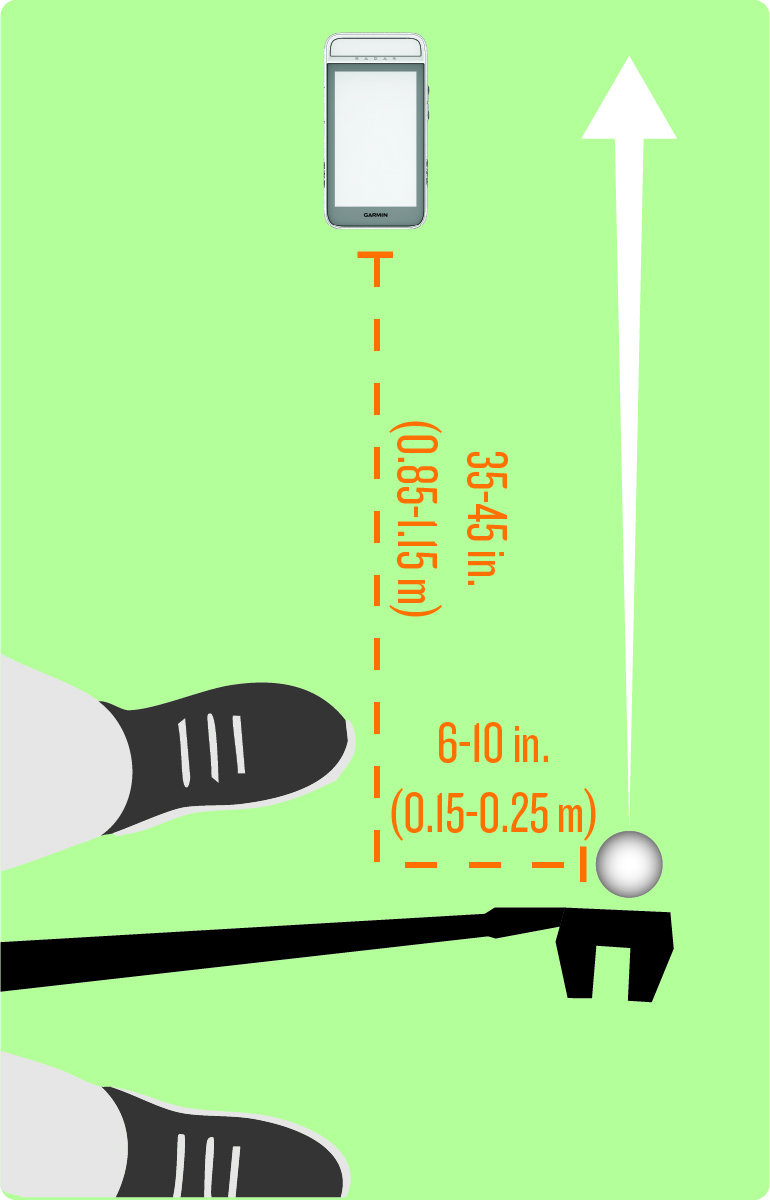
-
Hit a putt.
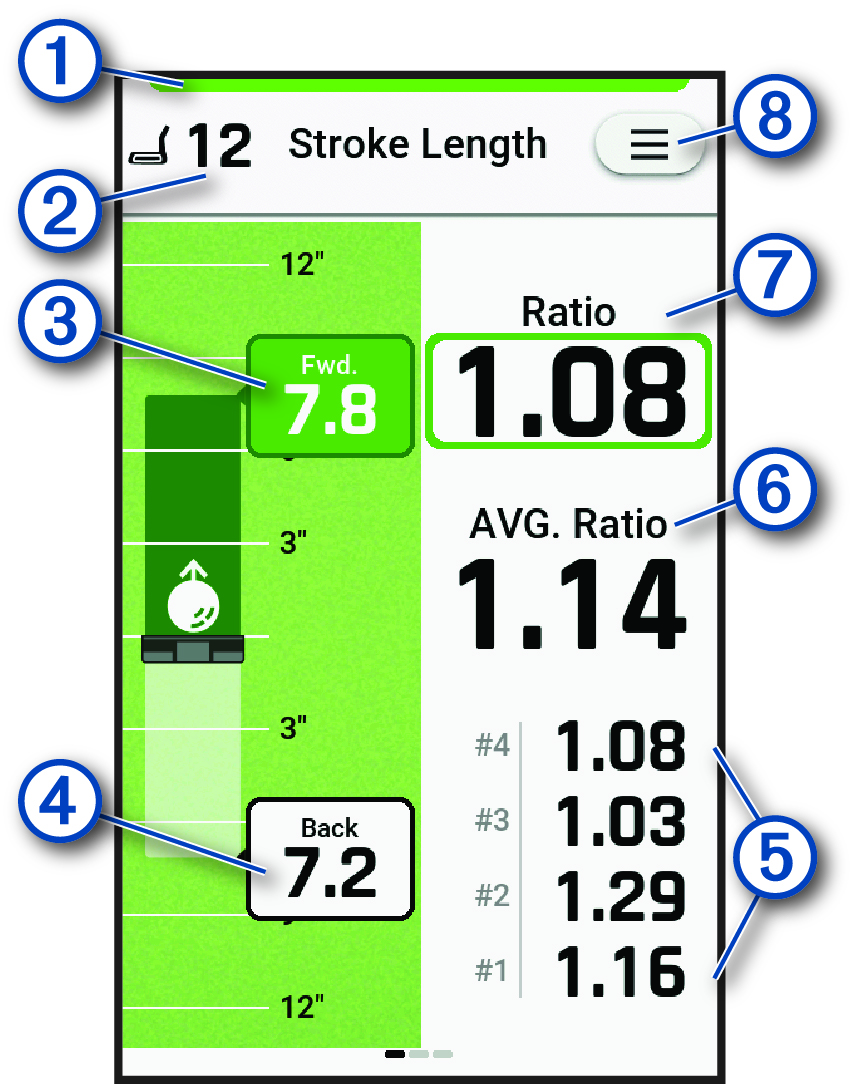
Indicates the radar status.
Green indicates the radar is ready. Red indicates that the device is unable to measure.
Displays the number of putts taken.
Displays your follow through stroke length.
Green indicates the stroke length is 0.95-1.5 times the back stroke length. Red indicates the stroke length is not within that ideal range.
Displays your back stroke length.
Displays the ratio for the previous four putts.
Displays the average ratio.
Displays your putting stroke length ratio.
NOTE: The stroke length ratio is the follow through stroke length divided by the back stroke length.Select to update your putting speed units, view instructional tips, or end a putting training session (Radar Training Settings).
-
When training is complete, select
 > End Session.