Removing the LNC and the Circulator
Before removing the LNC and the circulator/waveguide assembly, you must remove the antenna position sensor board (Removing the Antenna Position Sensor Board).
In most cases, you must remove the magnetron in order to access one of the screws that secure the LNC and the circulator/waveguide assembly to the antenna rotary joint (Removing the Magnetron).
The LNC and the circulator/waveguide assembly are secured to the antenna rotary joint by the same set of screws, so you must remove them both at the same time.
-
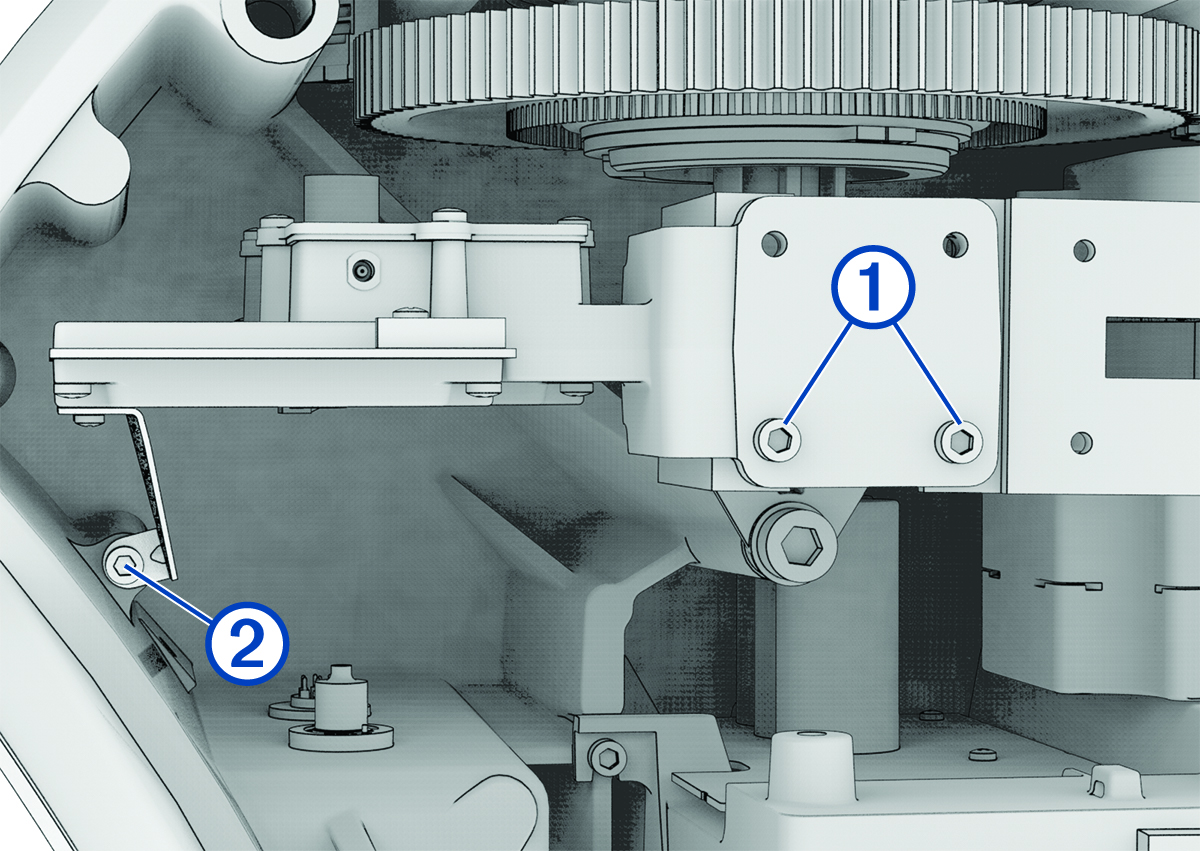
Supporting the circulator/waveguide assembly with your hand, remove the bottom two screws securing the circulator and the LNC to the rotary joint.