Replacing the Antenna Position Sensor Board
Removing the Antenna Position Sensor Board
The antenna position sensor board is mounted with two screws that also secure the circulator and the LNC to the rotary joint.
-
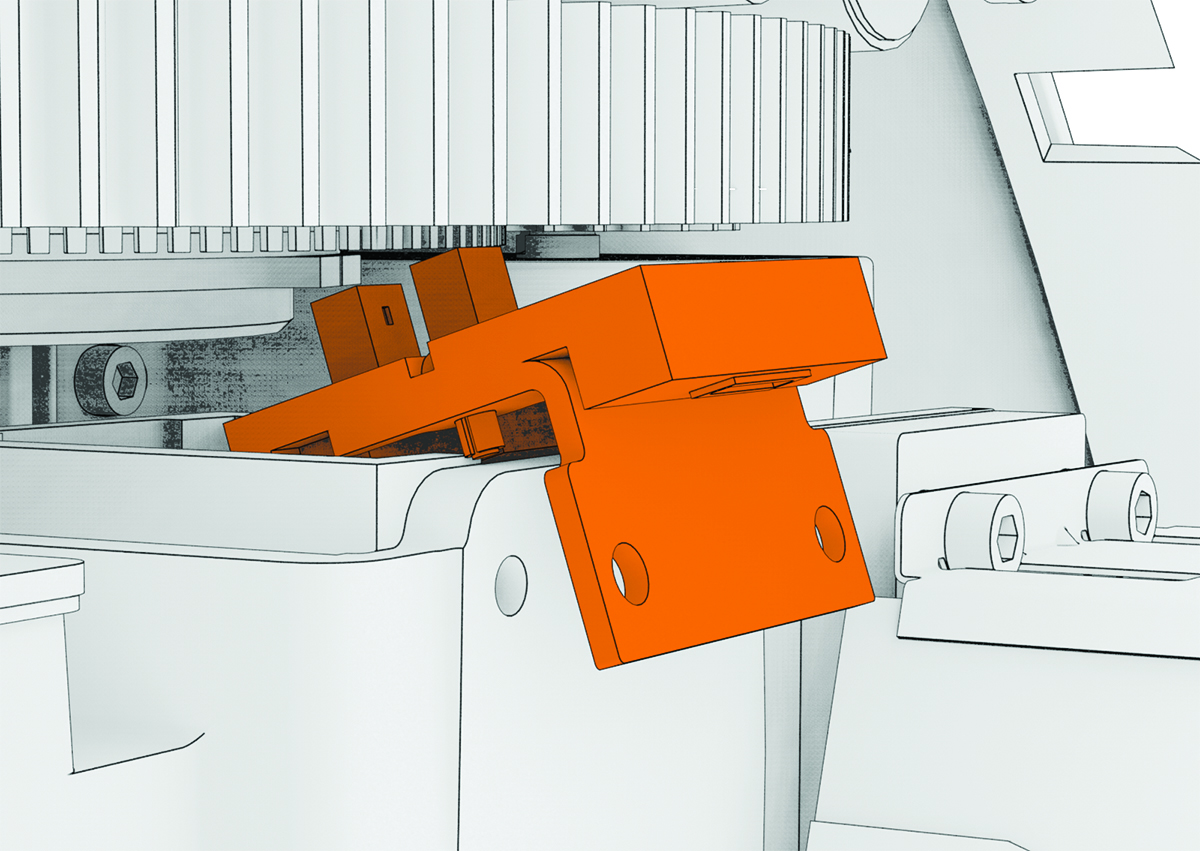
Tilt the antenna position sensor
board down slightly as you remove it, to make sure the sensor clears the encoder
ring on the underside of the housing gear.
Reinstalling the Antenna Position Sensor Board
- Place the antenna position sensor board on top of the circulator, with the two prongs on top of the antenna position sensor board straddling the encoder ring on the underside of the housing gear.
- Install the top two screws through the antenna position sensor board bracket, the plate on the right side of the LNC and the circulator, into the rotary joint.
- Connect the antenna position sensor board data cable to the port on the antenna position sensor board.