MOB Tag
The Man Overboard (MOB) tag is an included accessory intended to help ensure your safety when you leave the kayak. When the MOB tag is turned on and paired to the trolling motor, the propeller automatically stops when the MOB tag is submerged.
You must wear the MOB tag on your body and make sure it is turned on and paired with the trolling motor for the MOB automatic motor cut-off feature to work as expected. If the MOB tag is not powered on, paired and attached to your body, or if the MOB tag is not submerged, the trolling motor does not automatically stop the propeller. Leaving the kayak while the propeller is running may lead to serious personal injury or death.
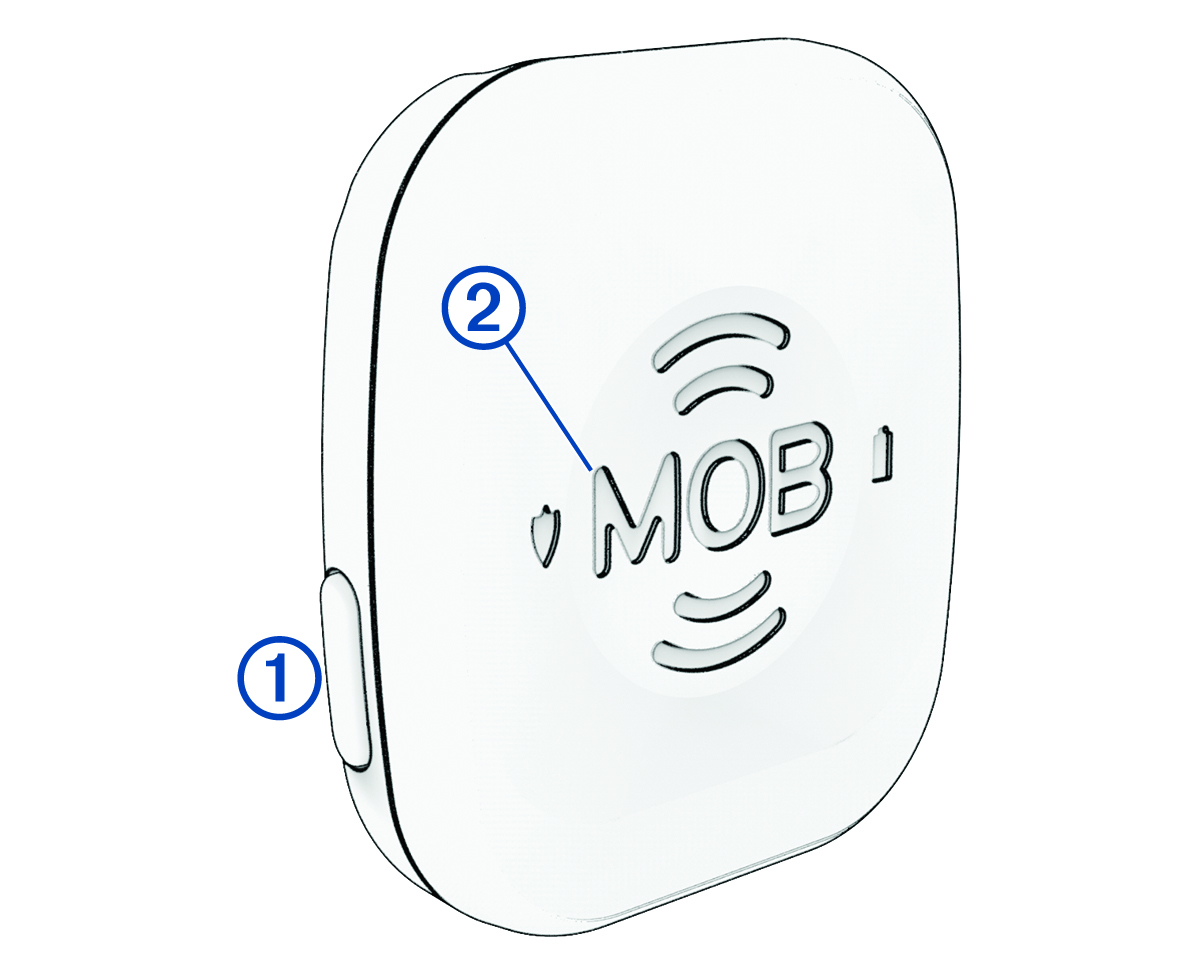
|
|
Power and interface button:
|
|---|---|
|
|
MOB button:
You must make sure the area around the trolling motor is clear before resuming normal operation of the motor. Resuming normal operation while others are near the trolling motor could result in serious personal injury or death. TIP:
You can also clear the MOB status by pressing the
MOB OVERRIDE on the trolling motor or by dismissing the status message on the remote control or on a connected chartplotter.
|
|
|
When you press the power button, the LED color indicates the connection status of the tag:
|
|
|
When you press the power button, the LED color indicates the battery status of the tag:
|

