Checking the Radar Angle

You can adjust the radar angle to provide the best view for your motorcycle.

  1. Ensure the system is facing straight backward from the motorcycle.
  2. Drive to a level area with a clear view behind your motorcycle.
  3. Use a 2.5 mm hex wrench to loosen the two screws that hold the radar to the mount.
  4. Tilt the radar left or right.
    NOTE: If approaching vehicles appear too far to your left side, adjust the angle so that the radar sensor points more to the left side. If the vehicles are too far to the right, adjust the radar sensor to point more to the right side.
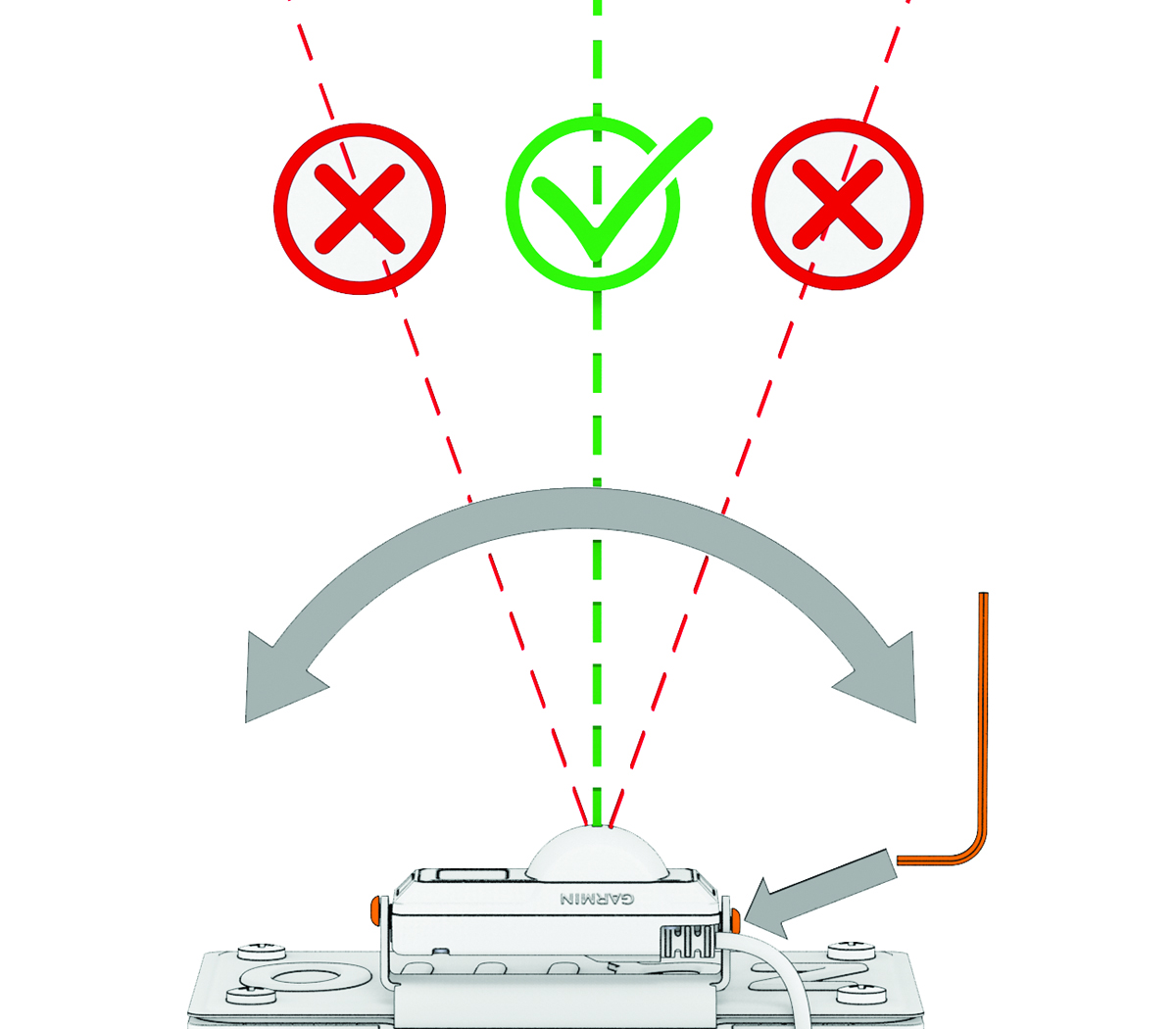
    Radar adjustment diagram
  5. Tilt the radar up and down so that it is level and parallel to the road.
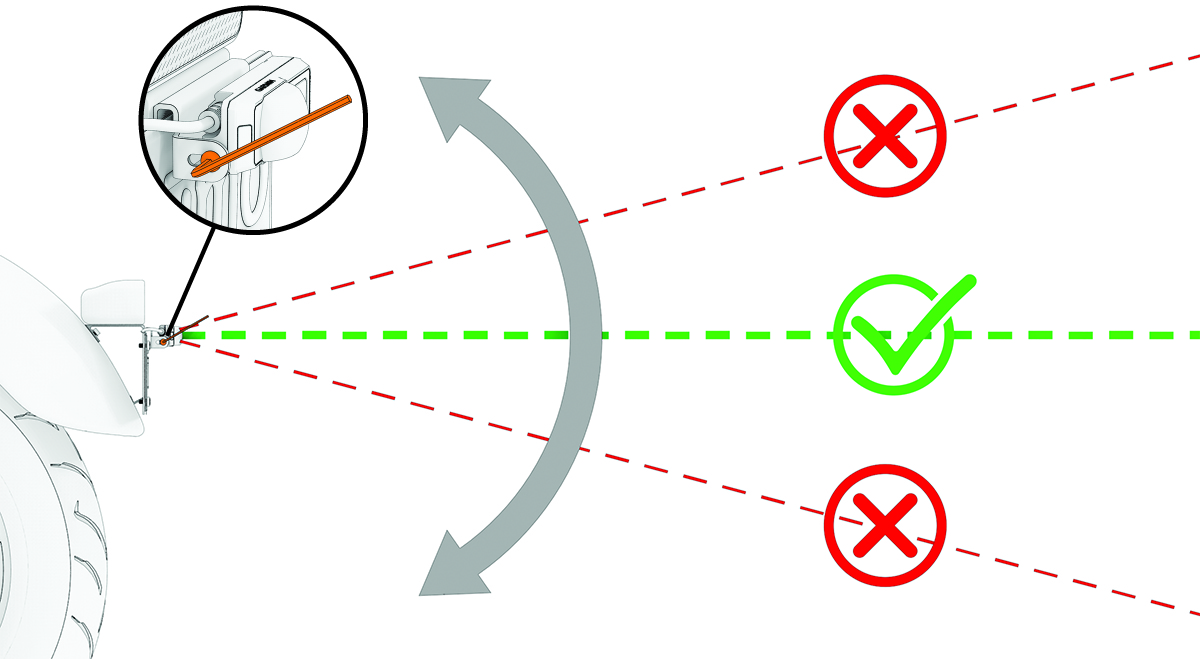
    Radar adjustment diagram
  6. Tighten the screws to lock the radar in the new position.
  7. While on a ride, view the radar from the zūmo™ R1 Radar app or the motorcycle navigator, and verify the radar angle.

    When the radar is angled correctly, vehicles appear accurately on the radar screen (Viewing Radar on the App), (Viewing Radar on Your Motorcycle Navigator).

  8. If necessary, repeat this procedure until the radar angle is correct.
WARNING

After you adjust the radar angle, you must ensure that vehicles appear as expected. Failure to properly verify the radar angle could result in an accident or collision, resulting in death, serious injury, or property damage.

GUID-3B03A850-46B2-47F7-B7AF-7CD84686A1DA v2
February 2025