Viewing Radar on the App
Go for a ride.
The radar information appears on the active data screen.
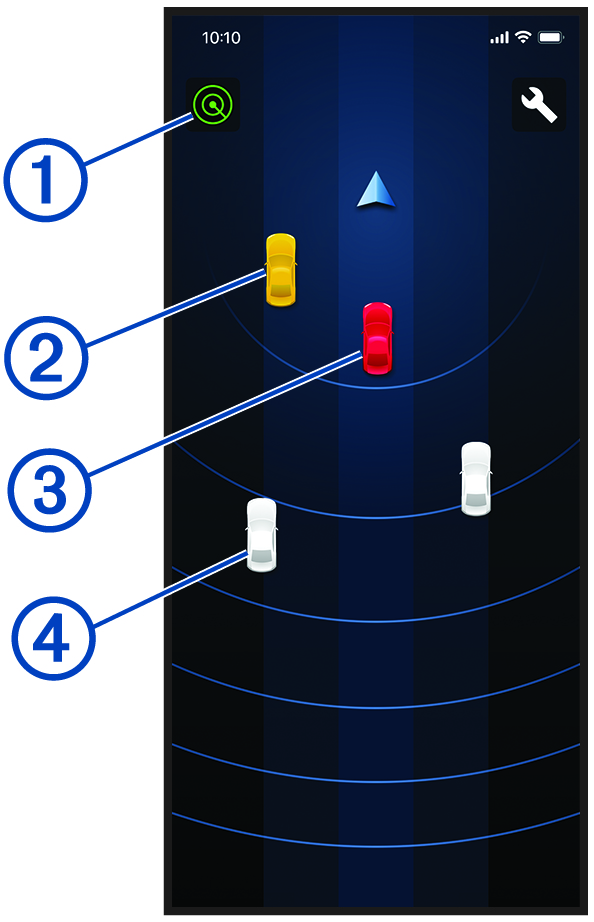
The status icon indicates the radar sensor status. The vehicle positions change color based on threat level. A yellow vehicle indicates a vehicle is approaching in your blind spot to the left or right of your motorcycle. A red vehicle indicates a vehicle is approaching rapidly or presents a danger. The rear alert light flashes red three times when this occurs. A gray vehicle indicates a vehicle is approaching from a distance.