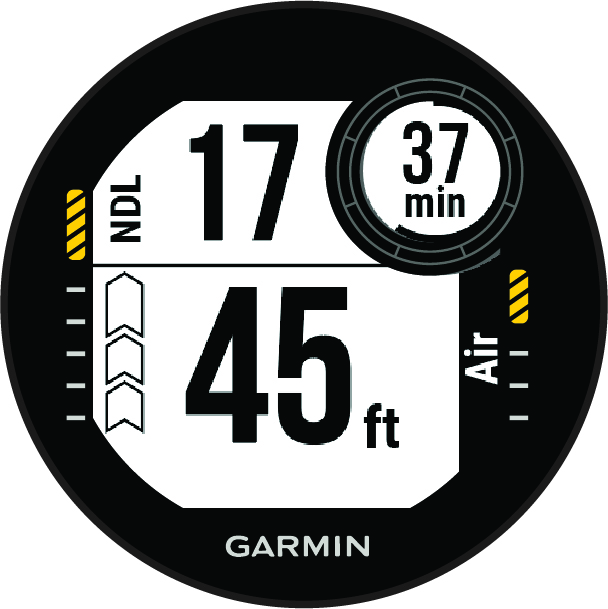
Big Numbers Mode You can change the size of the numbers on the single-gas and multi-gas dive data screens. Hold MENU. Select Activities & Apps. Select Single-Gas or Multi-Gas. Select the activity settings. Select Big Numbers. Parent Topic: Single-Gas and Multi-Gas Data ScreensHomeDivingDive Data ScreensSingle-Gas and Multi-Gas Data ScreensBig Numbers Mode
Big Numbers Mode You can change the size of the numbers on the single-gas and multi-gas dive data screens. Hold MENU. Select Activities & Apps. Select Single-Gas or Multi-Gas. Select the activity settings. Select Big Numbers. Parent Topic: Single-Gas and Multi-Gas Data ScreensHomeDivingDive Data ScreensSingle-Gas and Multi-Gas Data ScreensBig Numbers Mode