Advanced Sonar Settings
From a Traditional sonar view, select .
- Shift
-
Allows you to set the depth range on which the sonar is focused. This allows you to zoom in a higher resolution in the focused depth.
When using shift, bottom tracking may not work effectively, because the sonar looks for data within the depth range of the focused area, which may not include the bottom. Using shift also can impact the scroll speed, because data outside the depth range of the focused area is not processed, which reduces the time required to receive and display the data. You can zoom in to the focused area, which enables you to evaluate target returns more closely at a higher resolution than just zooming alone.
- Echo Stretch
-
Adjusts the size of the echoes on the screen to make it easier to see separate returns on the screen.
When targets are difficult to see
 , echo stretch makes the target returns more pronounced and easier to see on the screen. If the echo stretch value is too high, the targets blend together. If the value is too low
  , the targets are small and more difficult to see.
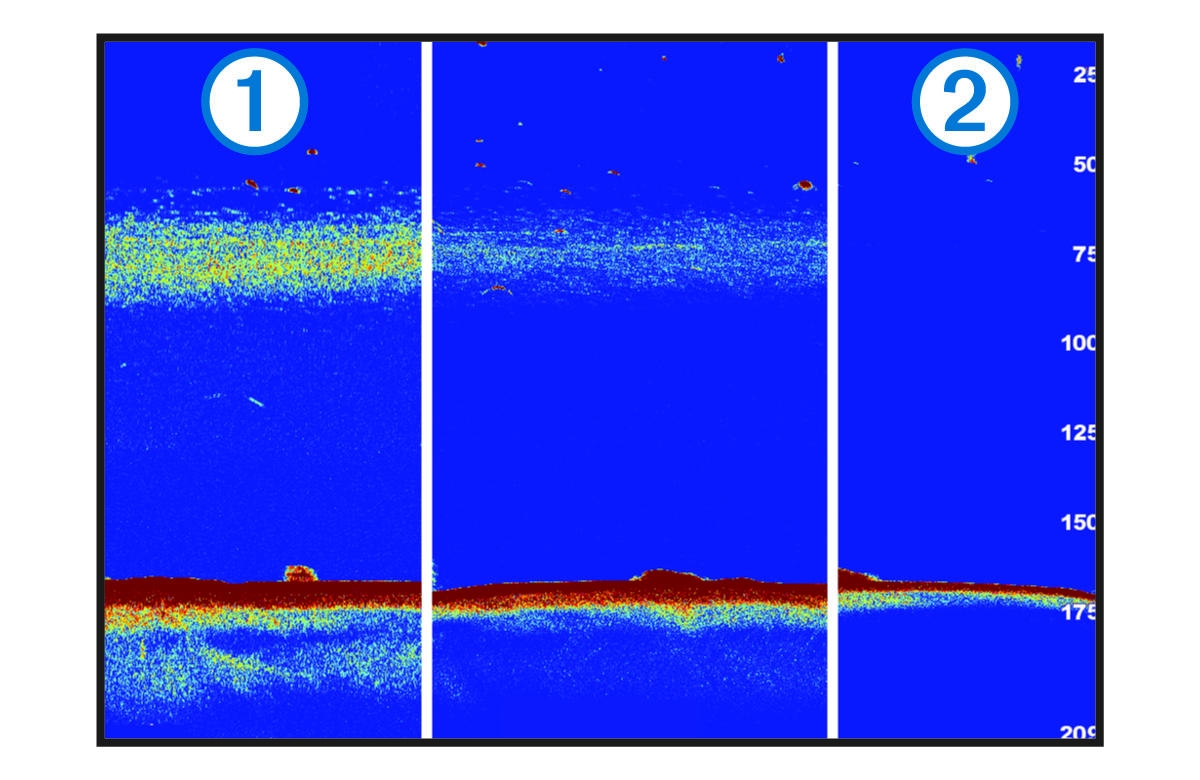
You can use echo stretch and filter width together to obtain the preferable resolution and noise reduction. With echo stretch and filter width set to low, the display has the highest resolution, but is the most susceptible to noise. With echo stretch set to high and filter width set to low, the display has a lower resolution, but has wider targets. With echo stretch and filter width set to high, the display has the lowest resolution, but is the least susceptible to noise. It is not recommended to set echo stretch to low and filter width to high.