Inserting a Memory Card
You can use optional memory cards with the chartplotter. Map cards allow you to view high-resolution satellite imagery and aerial reference photos of ports, harbors, marinas, and other points of interest. You can use blank memory cards to record Garmin Quickdraw™ Contours mapping, record sonar (with a compatible transducer), and transfer data such as waypoints and routes to another compatible chartplotter or a computer.
This device supports up to a 32 GB memory card, formatted to FAT32.
-
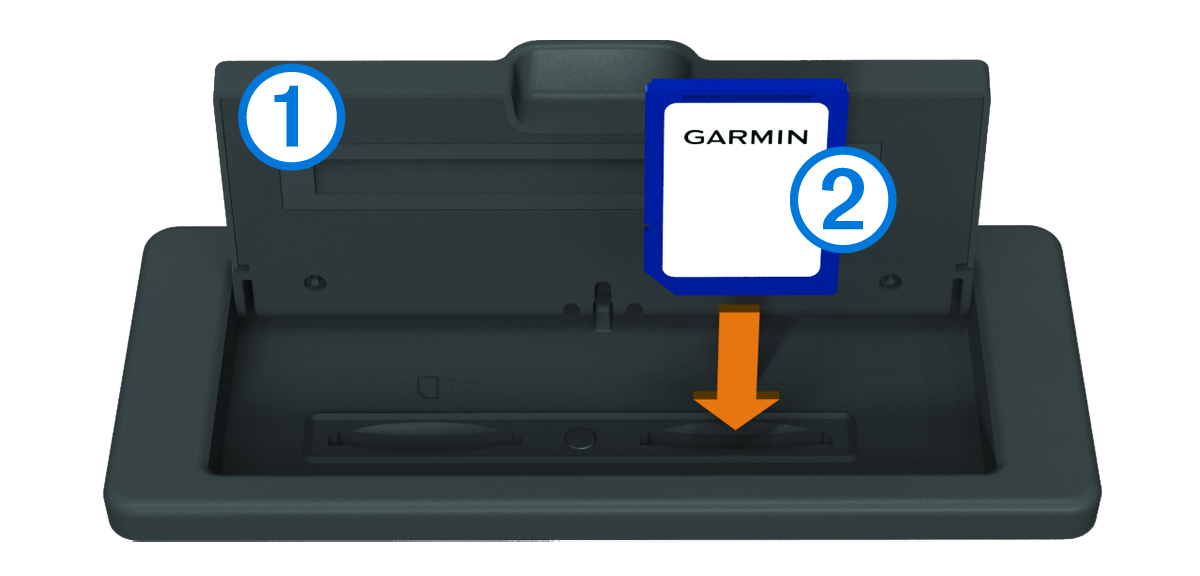
Open the door
 on the memory card reader.
-
Insert the memory card
 with the label facing away from the door.