Controls
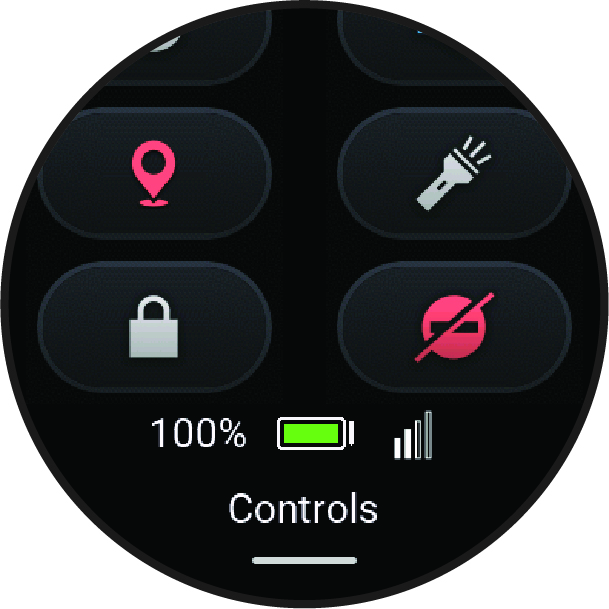
The controls menu lets you quickly access watch features and options. You can add, reorder, and remove the options in the controls menu (Customizing the Controls Menu).
From any screen, hold  .
.
|
Icon |
Name |
Description |
|---|---|---|
|
|
Alarm Clock |
Select to open the alarm clocks app (Setting an Alarm). |
|
|
Brightness |
Select to adjust the screen brightness (Display and Brightness Settings). |
 |
Calculator | Select to use the calculator, including the tip calculator. |
 |
Check In | Select to check in with your current location (Checking in From the Watch). |
|
|
Clocks |
Select to open the Clocks app to set an alarm, timer, stopwatch, or view alternate time zones (Clocks). |
|
|
Display |
Select to turn off the screen for alerts and gestures (Display and Brightness Settings). |
|
|
Do Not Disturb |
Select to enable or disable do not disturb mode to dim the screen and disable alerts and notifications. For example, you can use this mode while watching a movie. |
|
|
Flashlight |
Select to turn on the screen to use your watch as a flashlight. |
|
|
Get Help |
Select to send an assistance request (Requesting Assistance). |
|
|
Lock Device |
Select to lock the buttons and the touchscreen to prevent inadvertent presses and swipes. |
|
|
Music |
Select to control music playback on your watch. |
|
|
Power Off |
Select to turn off the watch. |
|
|
Red Shift |
Select to turn the screen to shades of red to use the watch in low light conditions. |
|
|
Settings |
Select to open the settings menu. |
|
|
Silent Mode |
Select to enable silent mode to disable all sounds. |
|
|
Stopwatch |
Select to start the stopwatch. |
|
|
Sunrise & Sunset |
Select to view sunrise, sunset, and twilight times. |
|
|
Sync |
Select to sync your watch with your paired phone. |
|
|
Timer |
Select to set a countdown timer. |
|
|
Voice Command |
Select to open the voice command app and say a command (Using Voice Commands). |
|
|
Volume |
Select to open the watch volume controls. |
|
|
Water Ejection |
Select to play tones to eject water from the speaker and microphone ports. |
|
|
Weather |
Select to view the current weather forecast and current conditions. |