Charging the Device
This device contains a lithium-ion battery. See the Important Safety and Product Information guide in the product box for product warnings and other important information.
The device contains a magnet. Under certain circumstances, magnets may cause interference with some medical devices, including pacemakers and insulin pumps. Keep the device away from such medical devices.
To prevent corrosion, thoroughly dry the USB port, the weather cap, and the surrounding area before charging or connecting to a computer.
The device contains a magnet. Under certain circumstances, magnets may cause damage to some electronic devices, including hard drives in laptop computers. Use caution when the device is near electronic devices.
The device is powered by a lithium-ion battery that you can charge using a standard wall outlet or a USB port on your computer. For optional accessories and replacement parts, go to buy.garmin.com, or contact your Garmin® dealer.
-
Plug the USB cable into the USB port on your device.
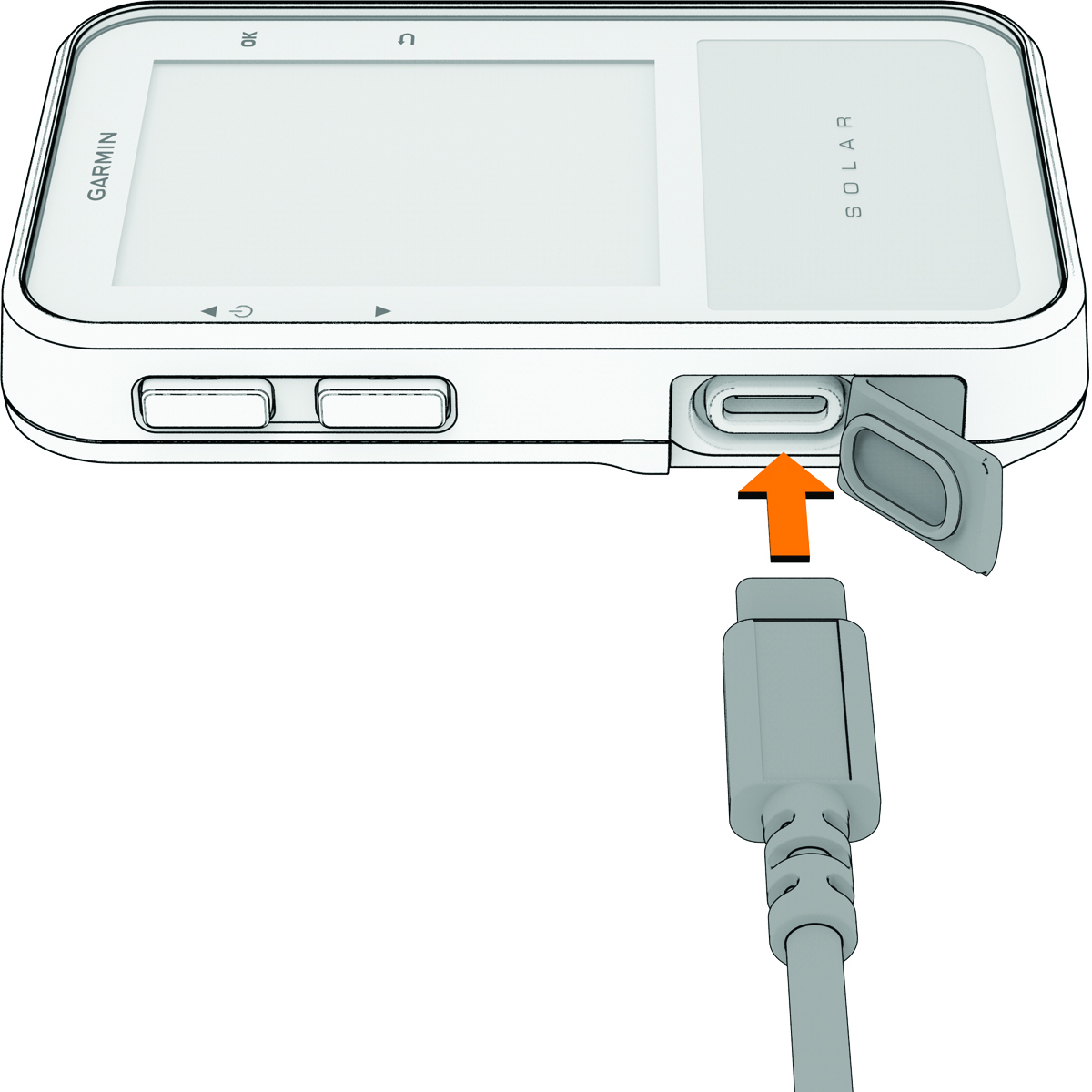
After you charge the device, close the weather cap.