Viewing Course Features
You can view distances to course features, such as hazards, layups, and doglegs, for par 4 and 5 holes.
While playing golf, press
 or
or
 to scroll through the features that are ahead of you on the hole.
or
to scroll through the features that are ahead of you on the hole.
-
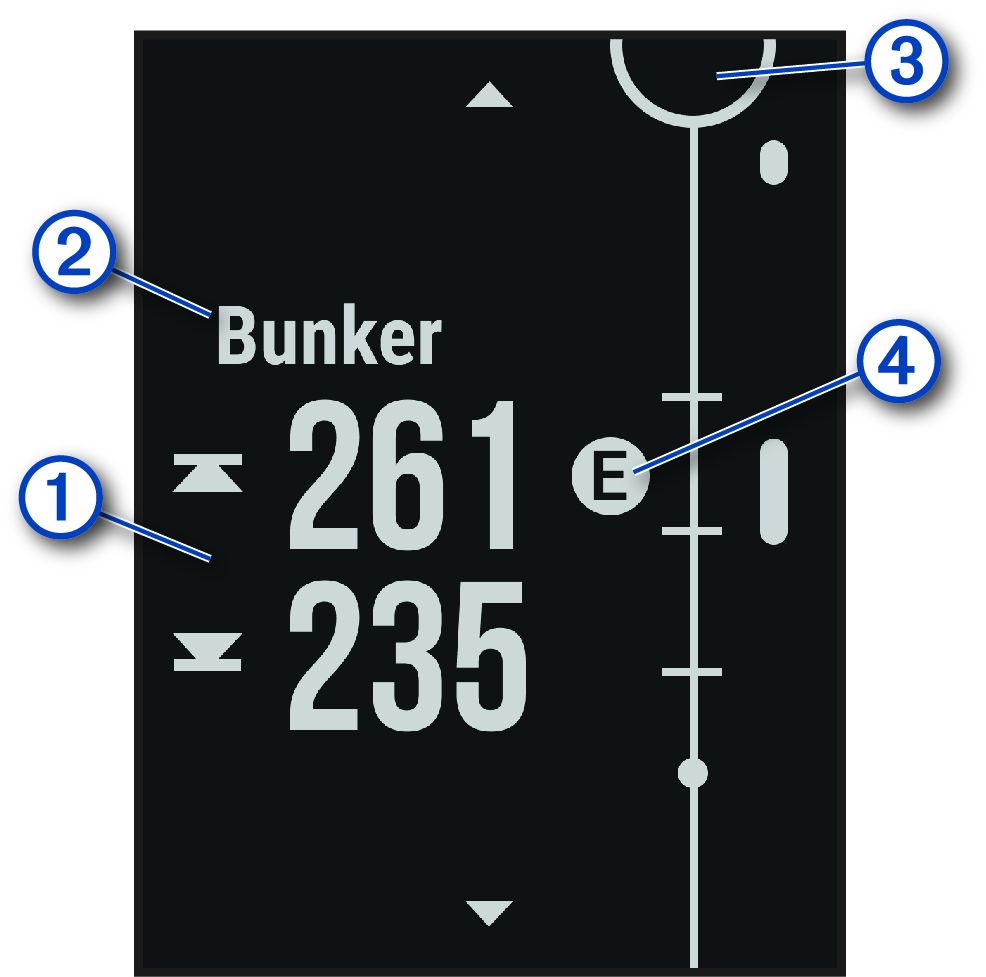
For large hazards, the distances to the front and back of the hazard appear on the screen. For small hazards, layups, and doglegs, the distance to the feature appears.
-
The feature type appears on the screen.
-
The green is represented as a half circle at the top of the screen. The line below the green represents the center of the fairway.
-
Features for the current hole are shown below the green in approximate locations relative to the fairway. Hazards are identified using sequential letters according to the distance from the tee box.