Viewing Modes
Using the perspective mode mount and extension arm, you can change the orientation angle of the transducer between three sonar views.
When installing the transducer using the recommended adjustment knobs, no tools are necessary to change the orientation between these three fields of view. You must loosen the knobs to change the orientation of the arm and transducer, and tighten them to set the orientation.
You can verify the sonar view using the notches on the perspective mount bracket, the shaft mount, and the transducer.
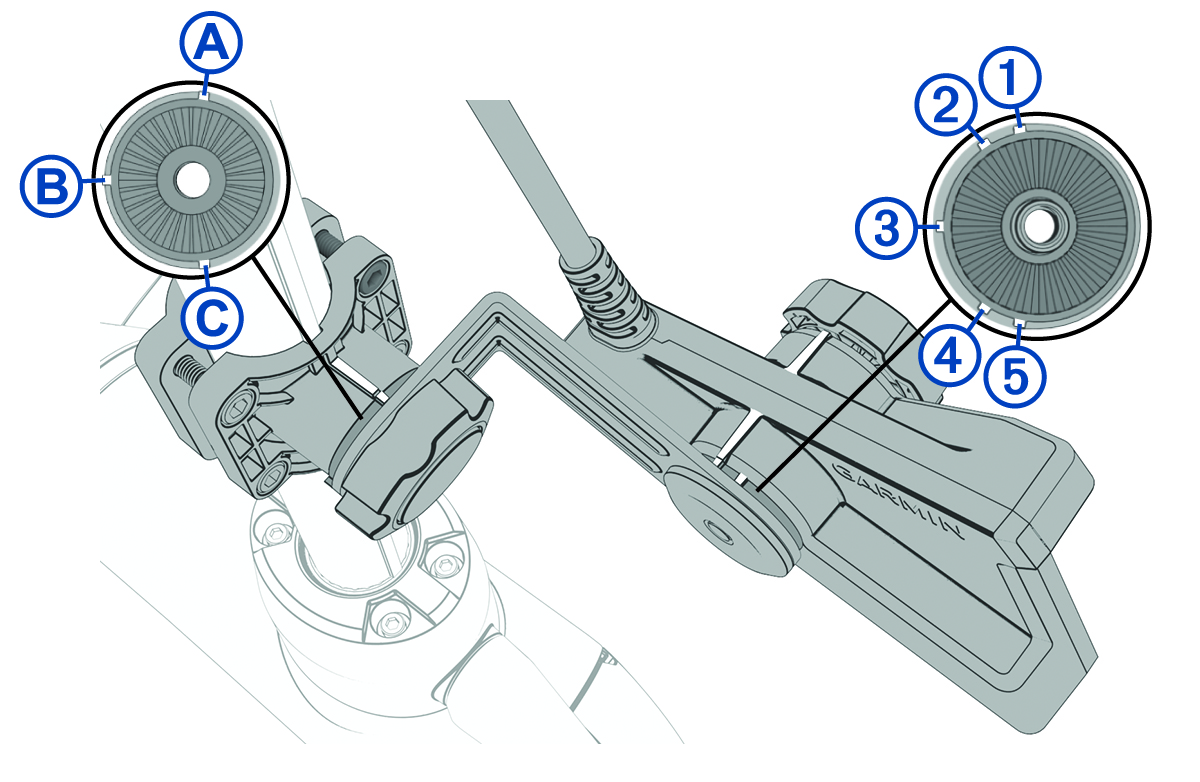
|
|
Port downward view |
|---|---|
|
|
Port forward view |
|
|
Perspective view |
|
|
Starboard forward view |
|
|
Starboard downward view |
 and
and 

 and
and 
 and
and 

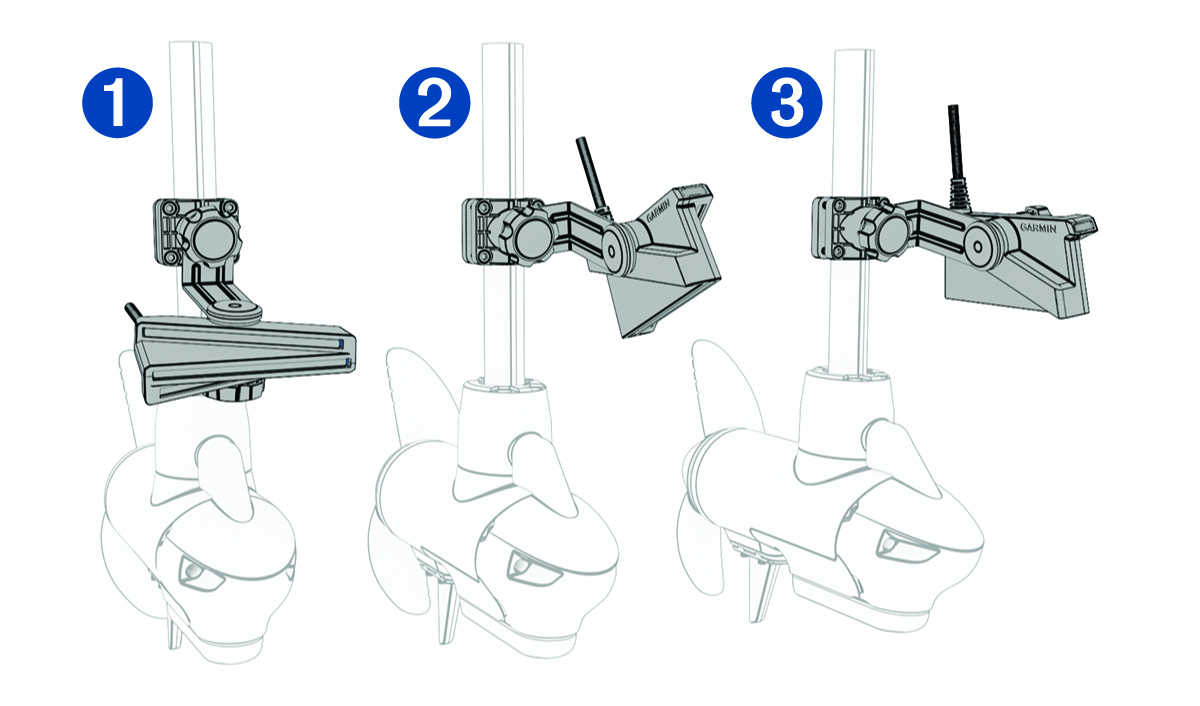
|
|
Perspective view (notches |
|---|---|
|
|
Forward view (notches |
|
|
Downward view (notches |


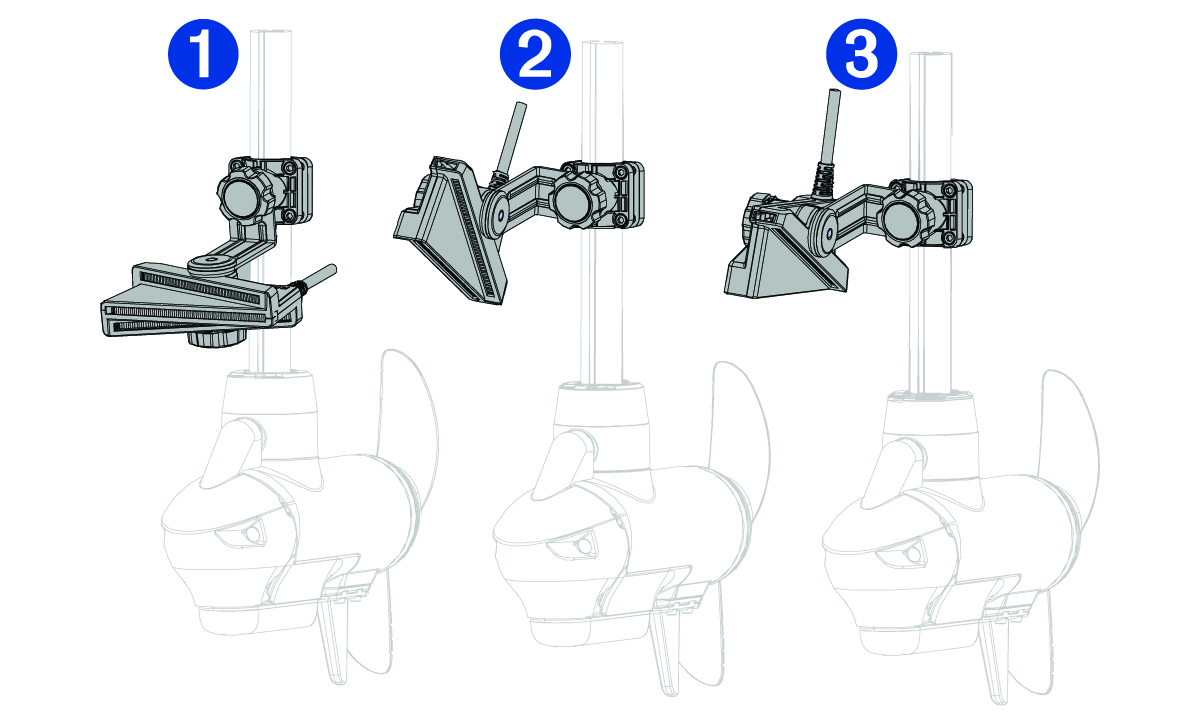
|
|
Perspective view (notches |
|---|---|
|
|
Forward view (notches |
|
|
Downward view (notches |
You should align the marks on the transducer and extension arm to verify the appropriate orientation before tightening the knob.