Tread XL Dock Overview
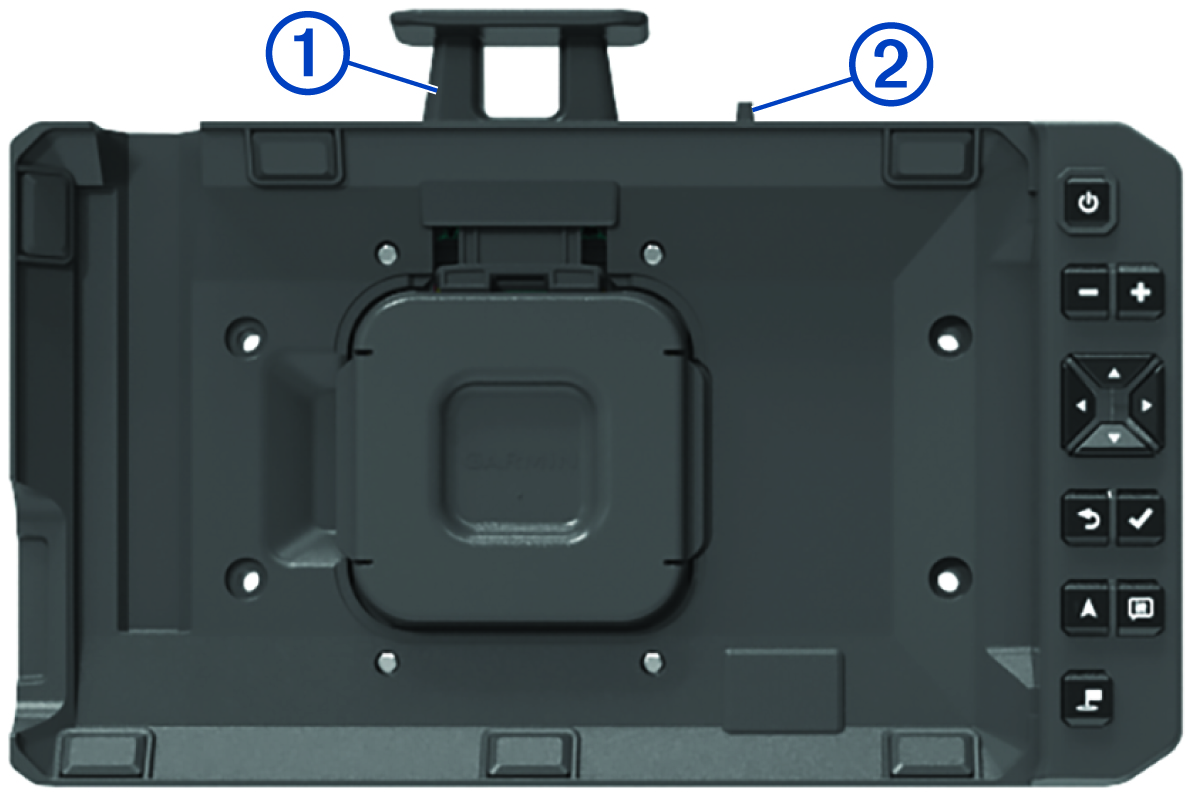
The Tread® XL Dock accessory securely holds your device while you travel over rough terrain. Before you can use the dock features, you must install the dock and connect it to vehicle power.
|
|
Press down to secure the navigation device in the dock. |
|---|---|
|
|
Slide the switch towards the latch to lock the navigation device in the dock. |
|
|
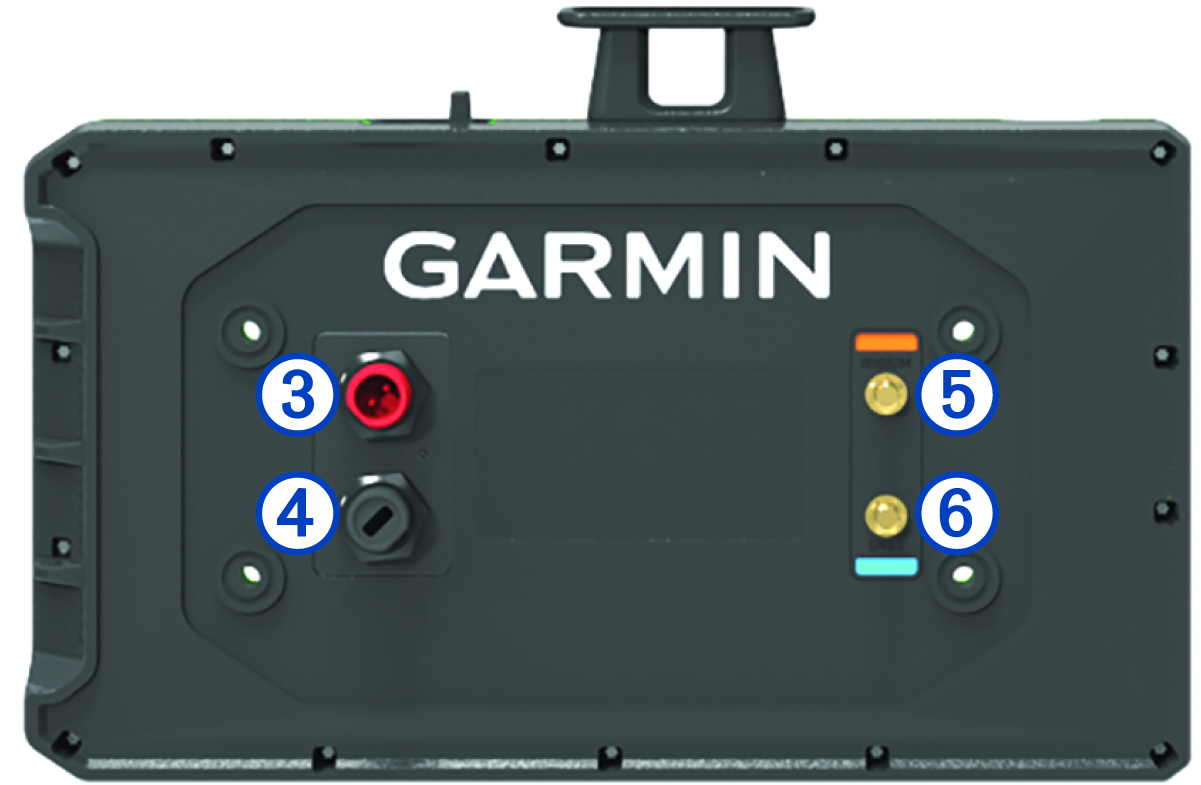
Connect to vehicle power using the included power cable. |
|
|
Connect to an optional Group Ride accessory. |
|
|
Connect to an external Iridium antenna. |
|
|
Connect to an external GNSS antenna. |
|
|
Press to turn on the navigation device. |
|
|
Press to zoom out the map. |
|
|
Press to zoom in the map. |
|
|
Press to move through menu items or scroll the map. |
|
|
Press to return to the previous screen. |
|
|
Press to select an option. |
|
|
Press to open the map. |
|
|
Press to open the Team Tracking map tool. |
|
|
Press to save a waypoint. |


