Charging the GPSMAP Device

NOTICE

To prevent corrosion, thoroughly dry the USB port, the weather cap, and the surrounding area before charging or connecting to a computer.

NOTE: The device does not charge when it is outside the approved temperature range ( Specifications).
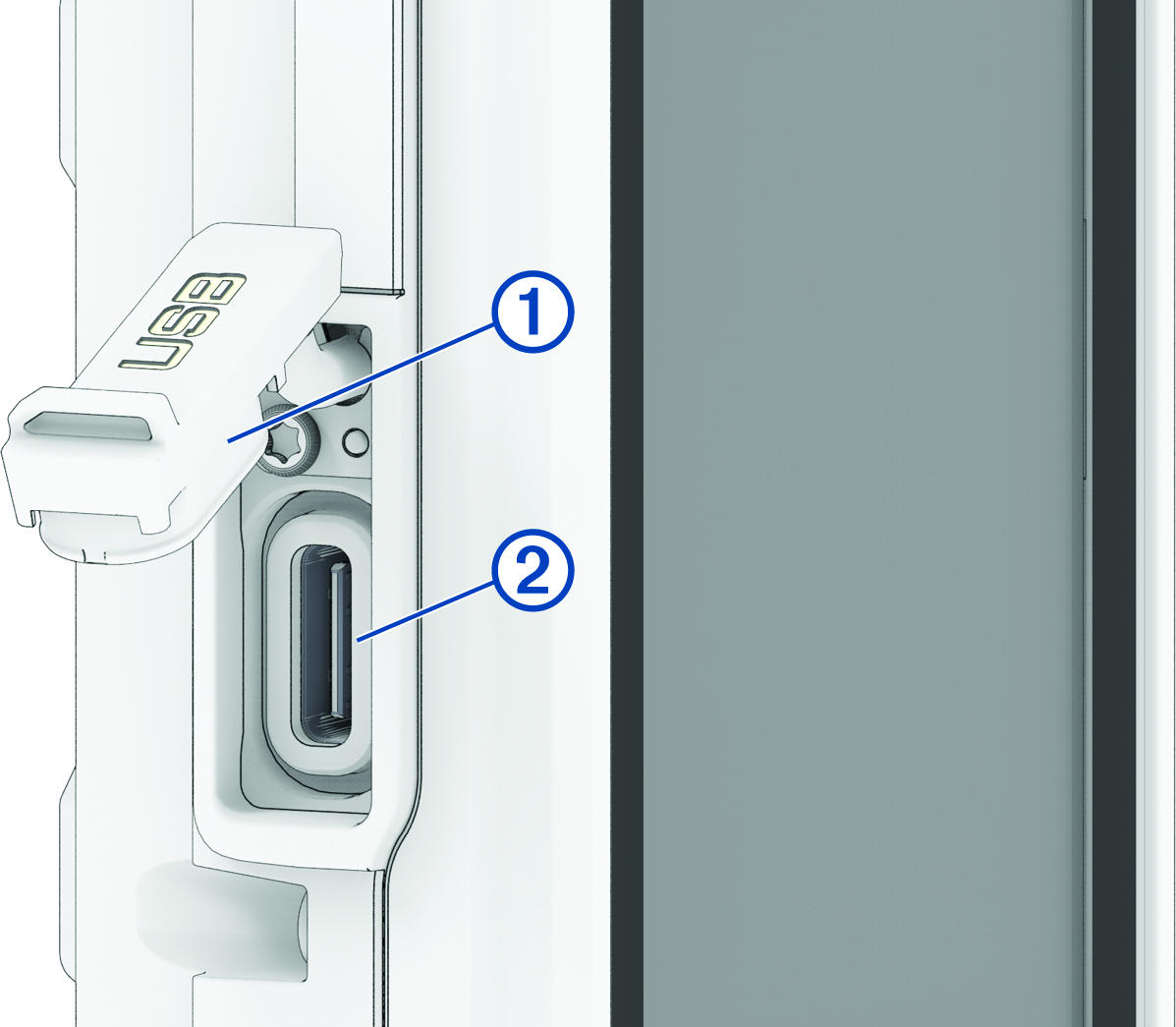
  1. Lift the weather cap 1.

    Close-up view of the charging port and weathercap with callouts
  2. Plug the power cable into the charging port 2 on the device.
  3. Plug the other end of the power cable into a USB-C® computer port or AC adapter (5 V minimum output voltage).

    The charging indicator appears in the status bar.

GUID-A494ACED-FFD6-481B-9DAF-D521E717FE5F v3
November 2025