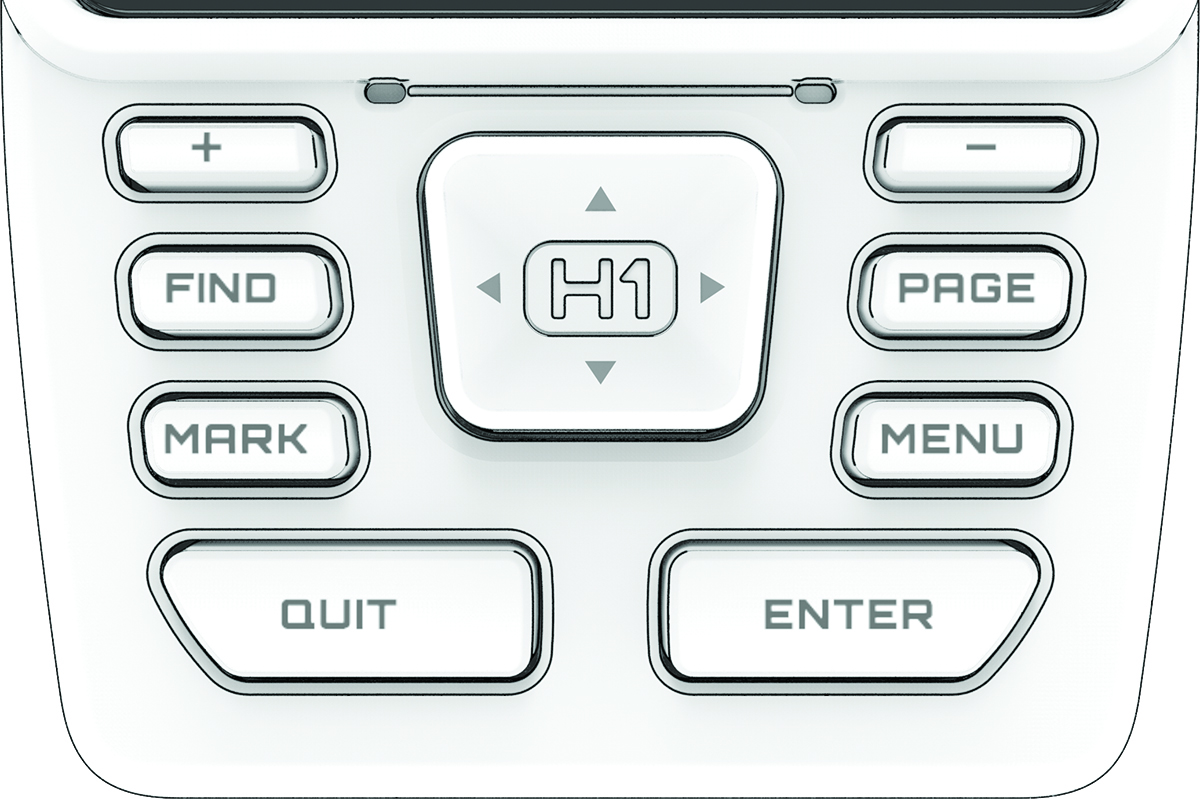
Buttons
|
FIND |
Press to open the search menu. |
|---|---|
|
MARK |
Press to save your current location as a waypoint. |
|
QUIT |
Press to cancel. Hold to return to the home page. |
|
ENTER |
Press to choose options and acknowledge messages. |
|
MENU |
Press to open the options menu for the current page. Press twice to return to the home page. Hold to view the notification center and controls. |
|
PAGE |
Press to scroll through recently opened apps. Hold to switch between open apps. |
|
|
Press to scroll through menu options, move through dynamic areas of the screen, and move the map cursor. |
|
|
Press to zoom in on the map. Press to scroll to the next page. |
|
|
Press to zoom out on the map. Press to scroll to the previous page. |


