Charging the Device
To prevent corrosion, thoroughly dry the USB port, the weather cap, and the surrounding area before charging or connecting to a computer.
The device is powered by a built-in lithium-ion battery that you can charge using a standard wall outlet.
NOTE:
The device does not charge when outside the approved temperature range (Specifications).
-
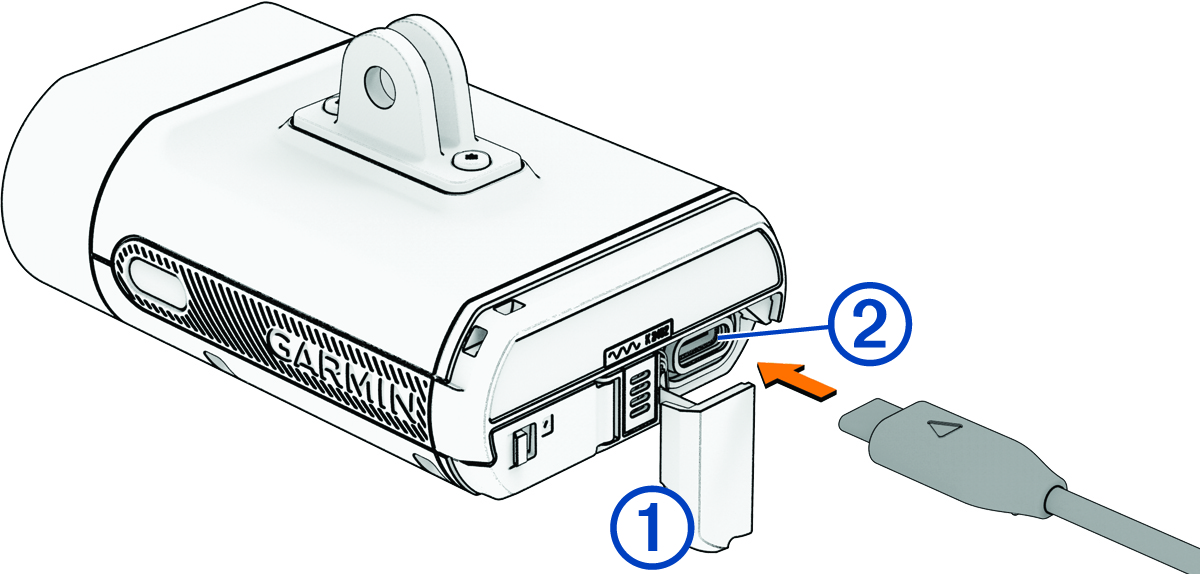
Pull up the weather cap
 from the USB port
  .
.
-
Charge the device completely.
The status LED flashes
 while charging. The status LED is solid green when charging is complete.