Installing the Out-Front Mount

You can use the out-front mount to install the headlight and your Edge® bike computer. Garmin® recommends that you adjust the mount for the viewing angle of the Edge bike computer before you install and adjust the headlight angle.

  1. Select a secure location to mount the Edge bike computer and headlight where they do not interfere with the safe operation of your bike.
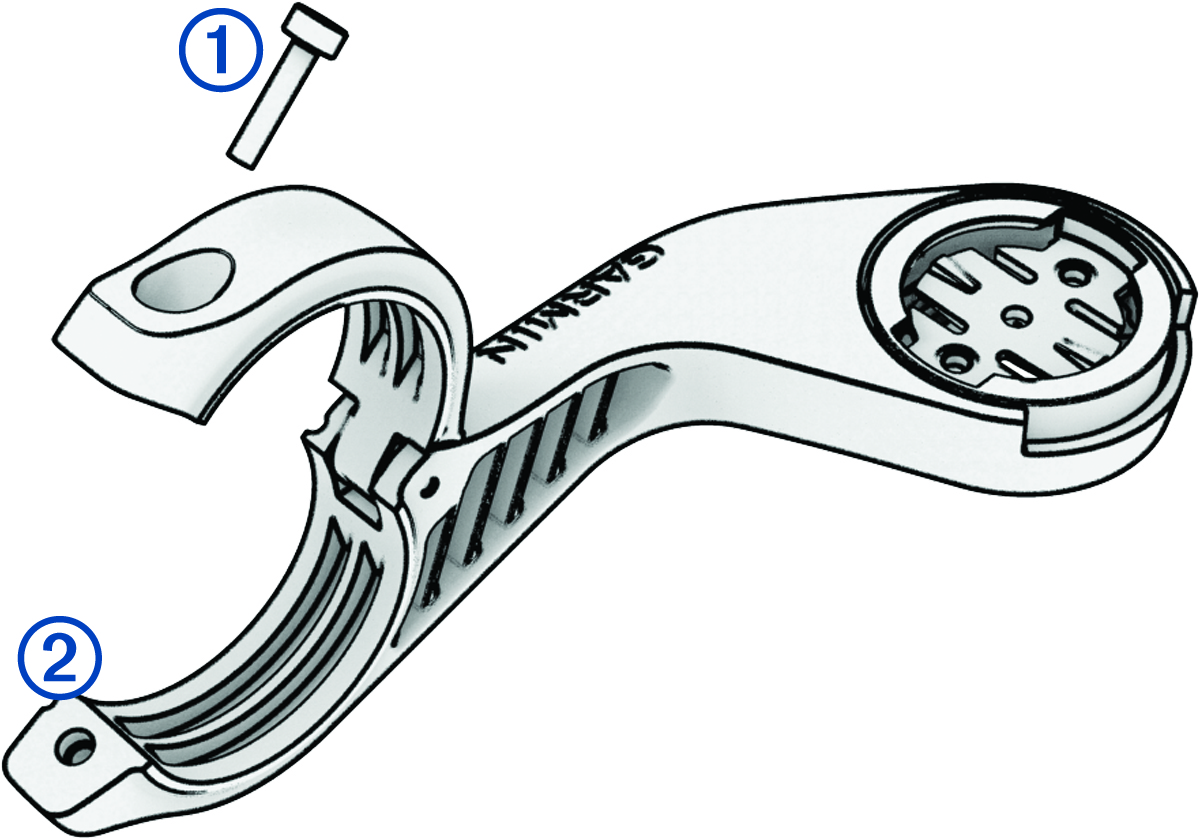
  2. Use the 2.5 mm hex key to remove the screw Callout number 1 from the handlebar connector Callout number 2.

    Out-front mount with callouts
  3. Place a rubber pad around the handlebar:
    • If the handlebar diameter is 25.4 mm, use the thicker pad.

    • If the handlebar diameter is 31.8 mm, use the thinner pad.

    • If the handlebar diameter is 35 mm, do not use a rubber pad.

  4. Place the handlebar connector around the rubber pad.
    NOTE: You should align the contours on the rubber pad with the grooves on the inside of the handlebar connector.
  5. Replace the screw, and use the 2.5 mm hex key to tighten the screw.
    NOTE: You should check the tightness of the screw periodically. Garmin recommends a torque specification of 7 lbf-in. (0.8 N-m).
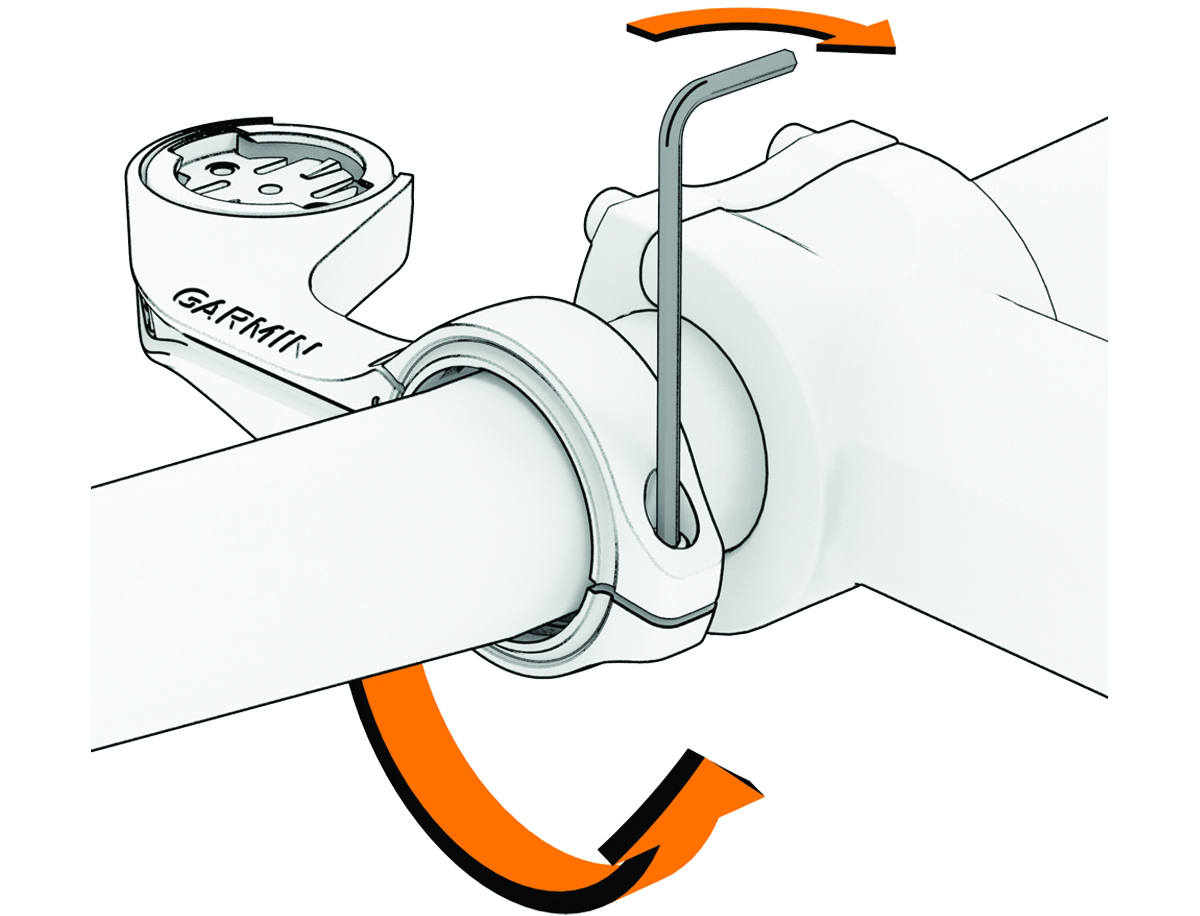
    Out-front mount installation
  6. Install the Edge bike computer, and adjust the mount (optional).
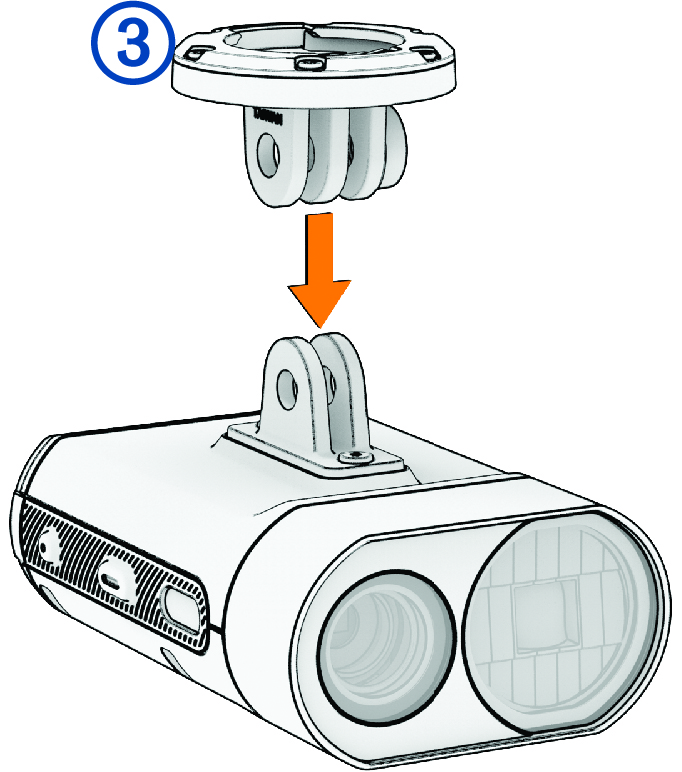
  7. Connect the quarter-turn adapter Callout number 3 to the headlight.

    Out-front mount with adapter and a callout
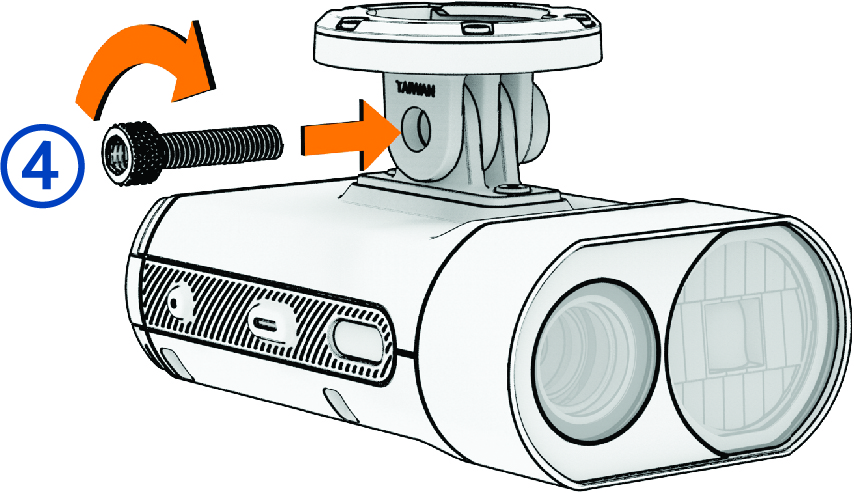
  8. Insert the screw Callout number 4, and hand tighten.

    Out-front mount with adapter and device and a callout
  9. Align the notches of the quarter-turn adapter with the tabs on the bottom of the mount.
  10. Press up slightly, and turn the adapter counterclockwise until it locks into place.
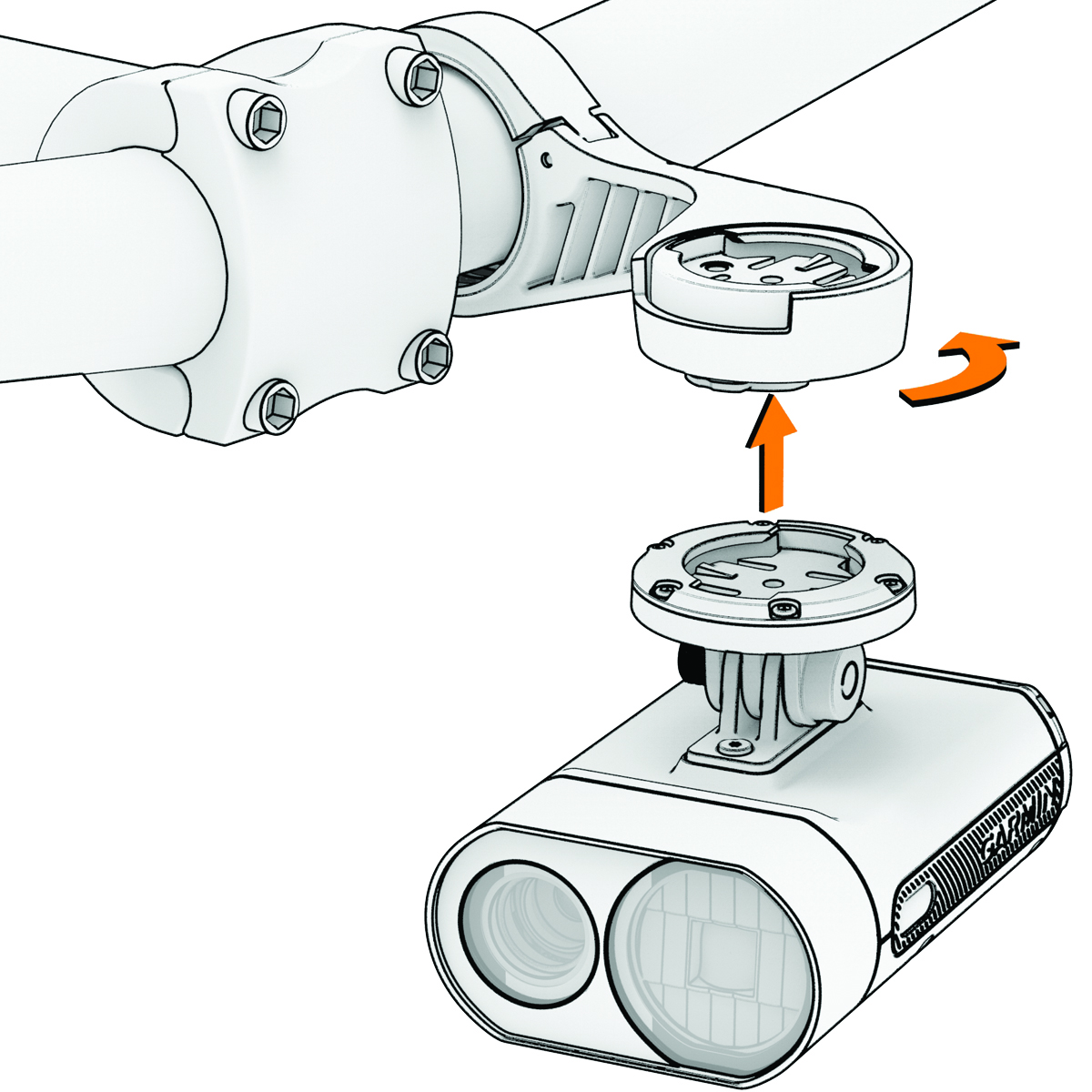
    Out-front mount with adapter and device
  11. Adjust the headlight angle so it is parallel to the ground, and use the 4 mm hex key to tighten the screw.
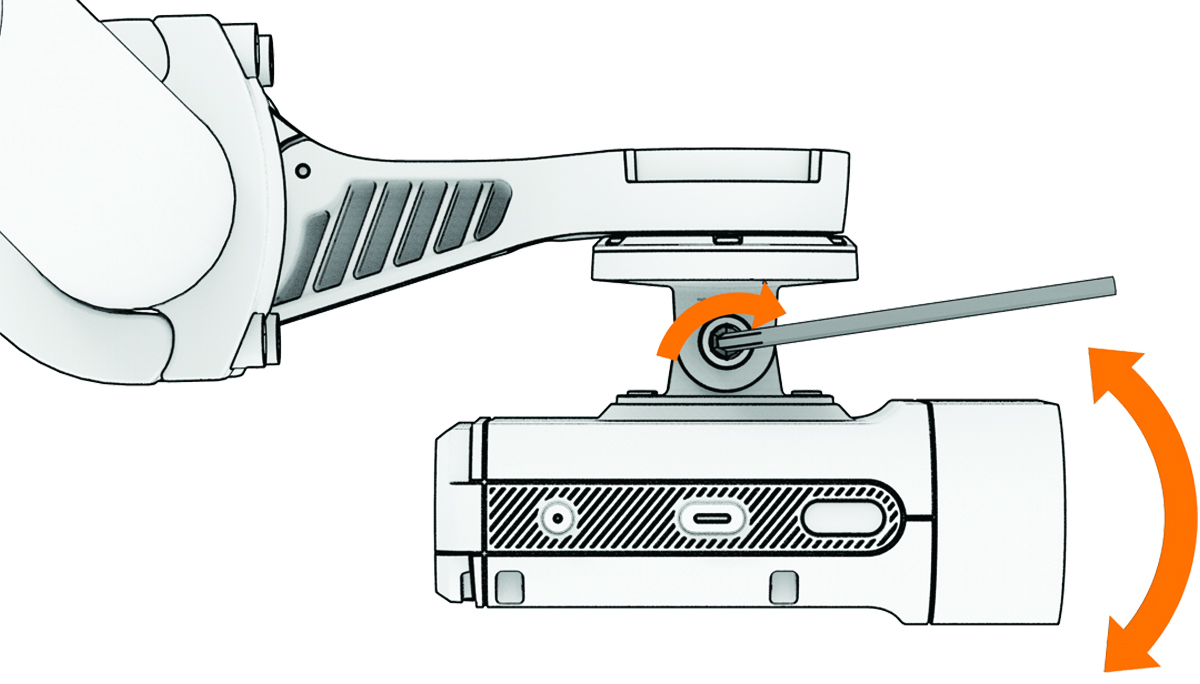
    Out-front mount with adapter and device installed
    NOTE: You should check the tightness of the screw periodically.
GUID-8DFBD71F-8C87-485C-BDD0-9B8FD2DE86DD v2
May 2025