Removing the Electronics Box and the Magnetron/Circulator Assembly
WARNING
The high voltage capacitors in this product can hold a charge well after disconnecting power.
While servicing the unit, take all necessary precautions against high voltage. High
voltage electrocution can result in serious personal injury or death.
Before performing service on the magnetron and the electronics box, you should familiarize
yourself with the connections in the electronics box (Internal Connections).
Carefully cut the cable tie securing the ferrite beads on the internal power
cable and the internal network cable to the bottom cover.
Disconnect the internal power cable from the electronics box.
Disconnect the motor cable from the electronics box.
Using a flat screwdriver or prying tool, lift the retaining latch on the under side of the internal network connector and disconnect it from the electronics box.
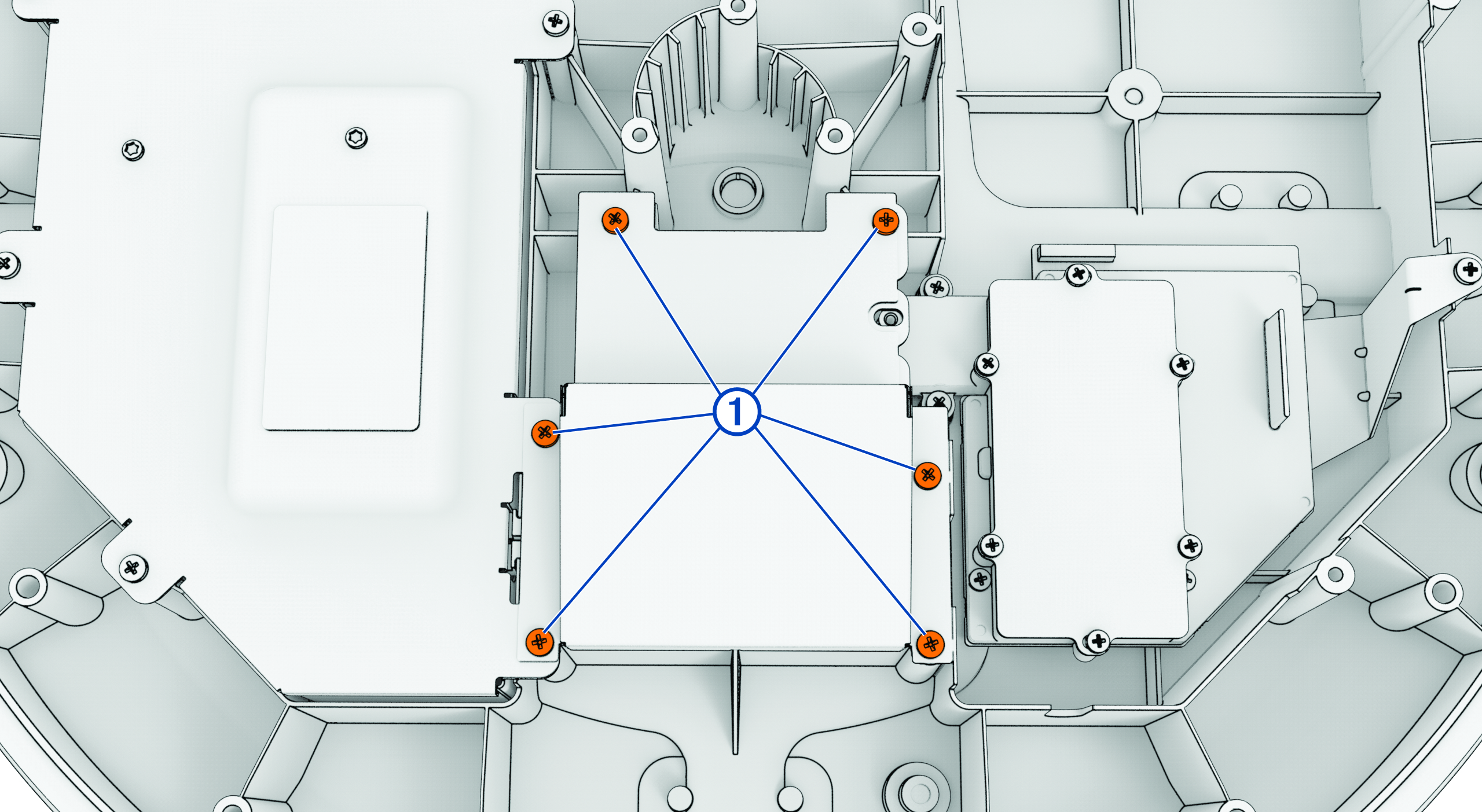
Using a #2 Phillips screwdriver, remove the six screws securing the magnetron cover and the magnetron.
Remove the magnetron cover.
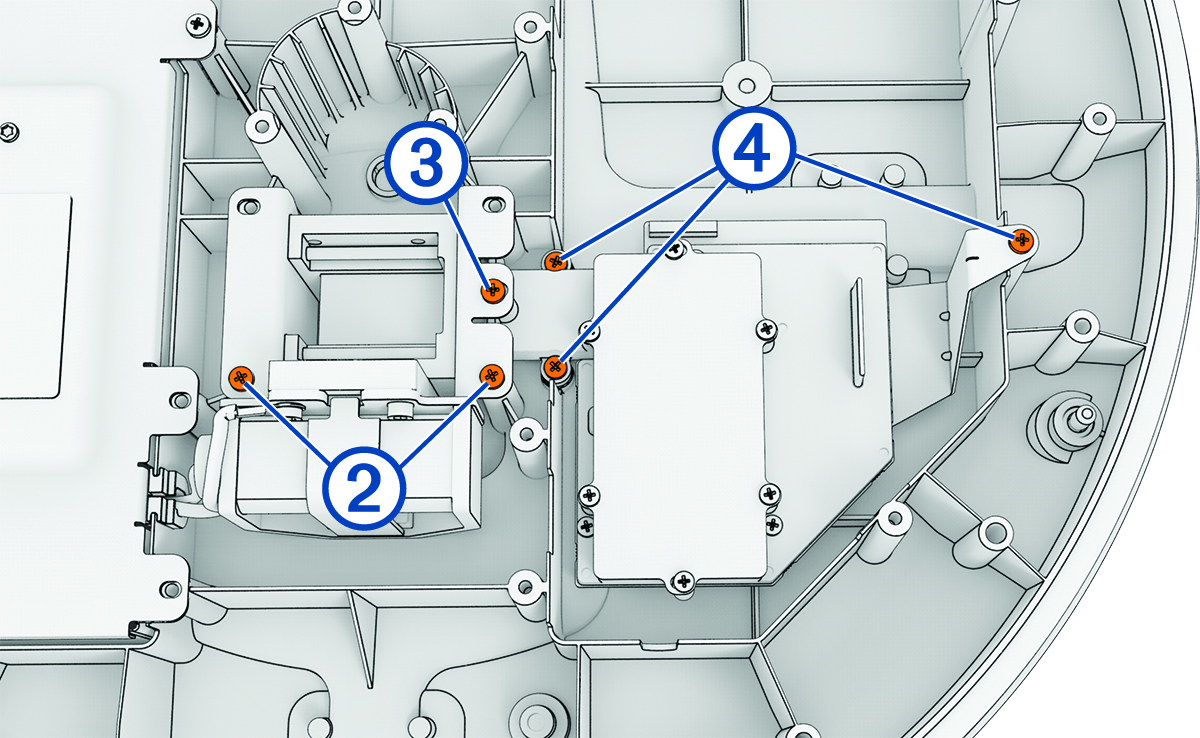
Using a #2 Phillips screwdriver,
remove two screws securing the circulator to the bottom cover.
Using a #1 Phillips screwdriver,
remove the screw
securing the circulator to the LNC waveguide.
Using a #2 Phillips screwdriver, remove the three screws securing the LNC to the bottom cover.
Using a #1 Phillips screwdriver, remove the two small screws in the middle of the electronics box cover.
Using a #2 Phillips screwdriver, remove the screw securing the motor ground wire to the electronics box.
Using a #2 Phillips screwdriver, remove the remaining six screws around the perimeter of the electronics box.
Remove the electronics box
cover, and set it aside.
Disconnect the antenna position
sensor cable and the status LED cable from the circuit board inside the
electronics box by pulling up on their connectors.
Disconnect the LNC cable from
the board inside the electronics box, by pulling its connector parallel and away
from the board.
TIP:Use a prying tool to gently pry the connector off the board, if
necessary.
Disconnect the magnetron power cable from the board inside the electronics box.
Using a #1 Phillips screwdriver, remove the screw securing the magnetron ground wire to the electronics box.
Cut the cable tie holding the magnetron power cable and ground wire to the electronics box.
Lifting the LNC waveguide out of the way, lift and remove the magnetron/circulator assembly from the bottom cover.