Replacing the LNC

NOTE: Removing the LNC requires removing the magnetron mounting screws so that you can lift the magnetron out of the way to remove the LNC from the radar.
  1. Remove the antenna (Removing the Antenna).
  2. Using a #2 Phillips screwdriver, remove the six screws 1 securing the magnetron cover and the magnetron.
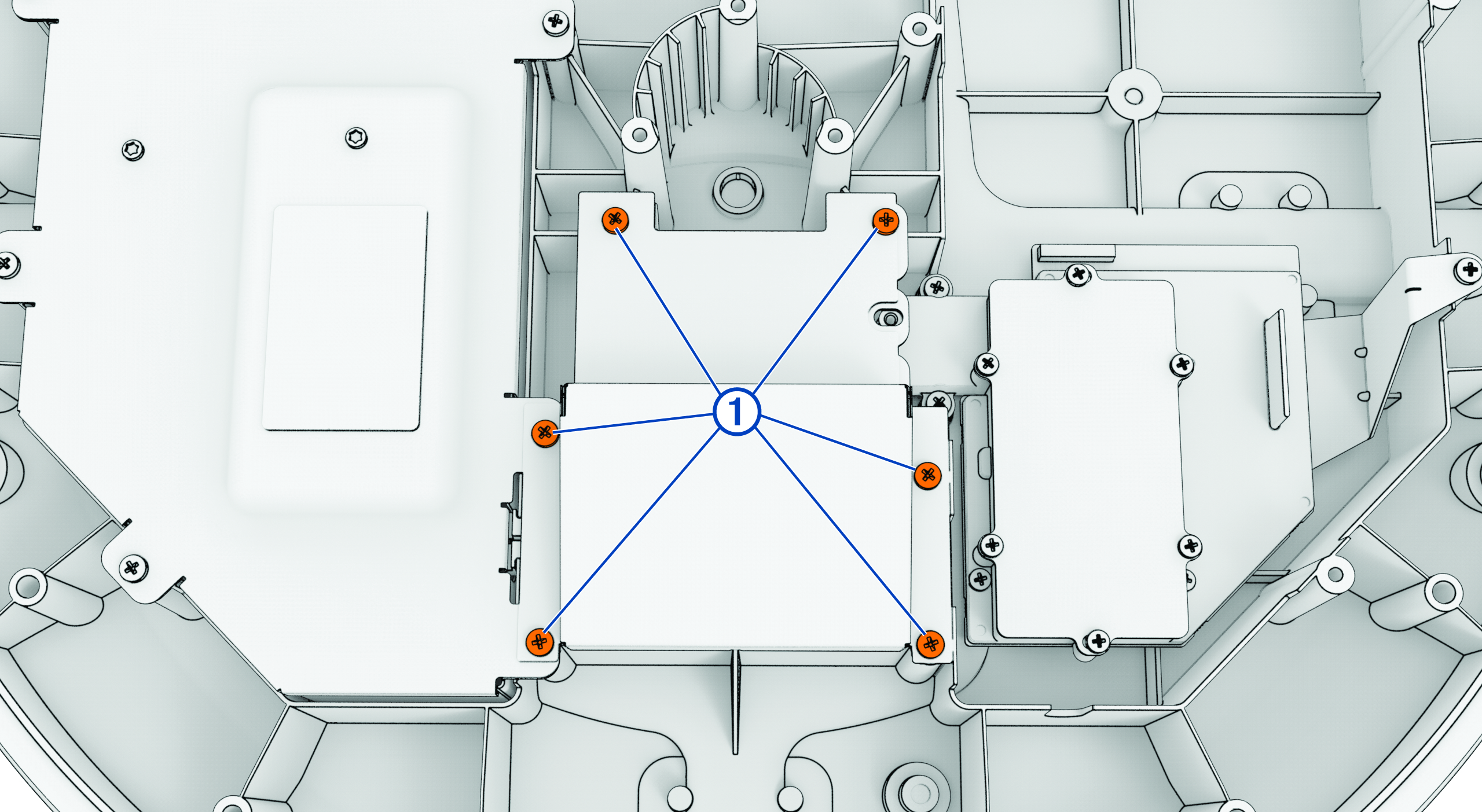
    Magnetron and LNC with callouts indicating magnetron cover screws
  3. Remove the magnetron cover.
  4. Using a #2 Phillips screwdriver, remove two screws 2 securing the magnetron to the bottom cover.
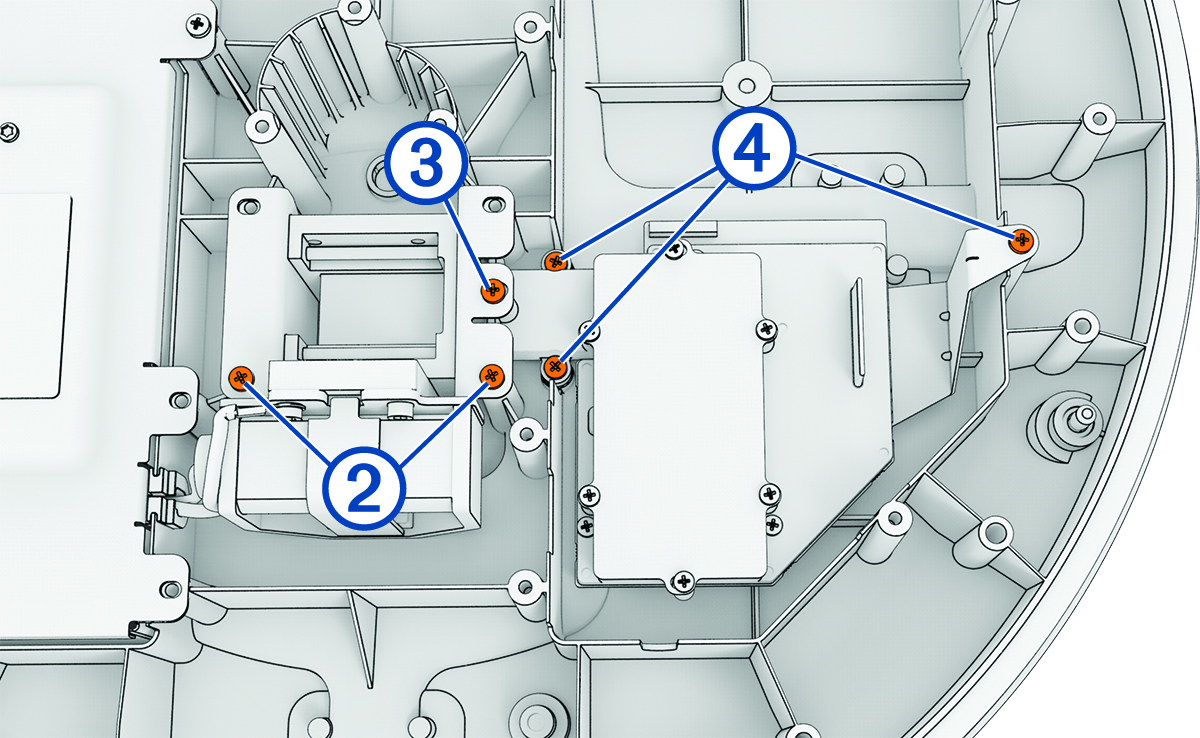
    Magnetron and LNC with callouts indicating LNC mounting screws
  5. Using a #1 Phillips screwdriver, remove one screw 3 securing the magnetron to the LNC waveguide.
  6. Using a #2 Phillips screwdriver, remove the three screws 4 securing the LNC to the bottom cover.
  7. Lift the magnetron assembly out of the way and remove the LNC from the bottom cover.

    Take care not to snag the status indicator light cable when removing the LNC.

  8. Lift the magnetron assembly out of the way and place the new LNC in its slot.
  9. Reinstall the three LNC screws 4.
  10. Reinstall the screw securing the circulator to the LNC 3.
  11. Reinstall the two screws securing the magnetron circulator to the bottom cover 2.
  12. Reinstall the protective cover over the magnetron and secure it using the six screws 1.
  13. Reinstall the antenna (Reinstalling the Antenna).
GUID-88552399-6550-4627-8663-5DCEC42854AD v1
November 2025