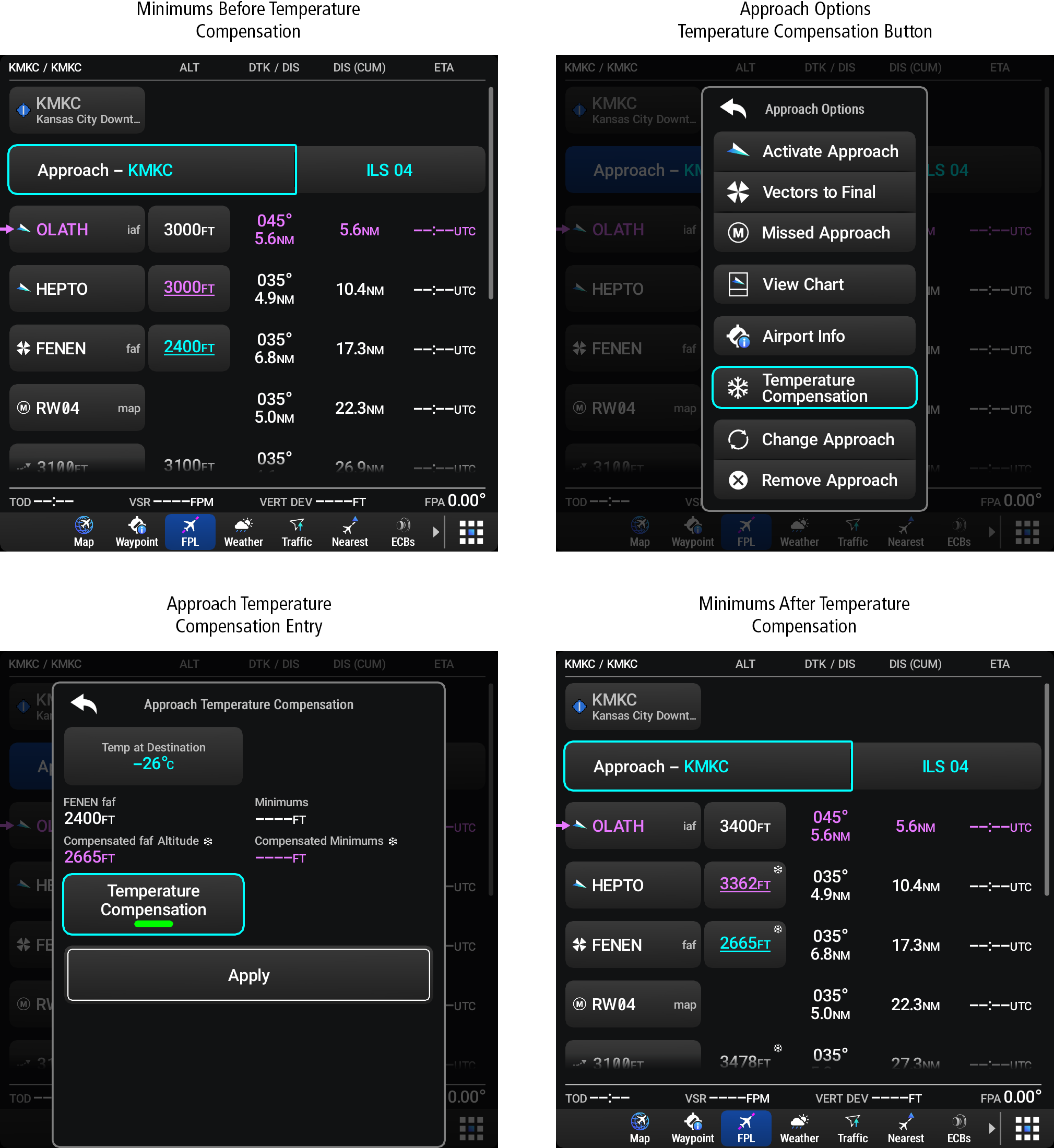
Enabling/Disabling Temperature Compensation For Approach Waypoint Altitudes: 219: Enabling Temperature Compensation for Approach Waypoint Altitudes Navigate to the Flight Plan Application Page. Touch the Approach Button in the Approach Header Row to open the Approach Options Window. Touch the Temperature Compensation Button. Touch the Temp at Destination Datafield Button. Using the keypad enter the temperature at the destination airport and touch the Enter Button. Touch the Temperature Compensation Annunciation Button to review the compensated altitude(s). Touch the Apply Button to activate the temperature compensation and return to the flight plan page. Parent Topic: Temperature CompensationHomeFlight Management SystemProceduresApproachesTemperature CompensationEnabling/Disabling Temperature Compensation For Approach Waypoint Altitudes:
Enabling/Disabling Temperature Compensation For Approach Waypoint Altitudes: 219: Enabling Temperature Compensation for Approach Waypoint Altitudes Navigate to the Flight Plan Application Page. Touch the Approach Button in the Approach Header Row to open the Approach Options Window. Touch the Temperature Compensation Button. Touch the Temp at Destination Datafield Button. Using the keypad enter the temperature at the destination airport and touch the Enter Button. Touch the Temperature Compensation Annunciation Button to review the compensated altitude(s). Touch the Apply Button to activate the temperature compensation and return to the flight plan page. Parent Topic: Temperature CompensationHomeFlight Management SystemProceduresApproachesTemperature CompensationEnabling/Disabling Temperature Compensation For Approach Waypoint Altitudes: