Required Navigation Performance (RNP)
RNP requires GPS for integrity monitoring. Therefore, the following discussion is only applicable to navigators with FMS/GPS capability .
Required Navigation Performance (RNP) is a series of navigation specifications which permit operation of aircraft along a precise flight path with a high level of accuracy. RNP is specifically used to monitor navigation deviation during stringent procedures and airspace blocks.
GPS is the only type of navigation sensor available to the system that can stand up to the rigorous analysis to show compliance with integrity requirements. Thus, RNP integrity is completely dependent on GPS and any loss of integrity of GPS. The ‘UNABLE RNP’ annunciation and the RNP value changing to amber are the primary indications that RNP capability has been lost.
The system measures the RNP against Estimated Position Error (EPE), and an ‘UNABLE RNP’ cautionary annunciation will be displayed on the PFW if the error (EPE) is greater than the requirement (RNP). EPE can be monitored by the Sensor Status window on the MFW, refer to the procedure Viewing GPS Receiver Information in System Overview for access to this information on the flight display.
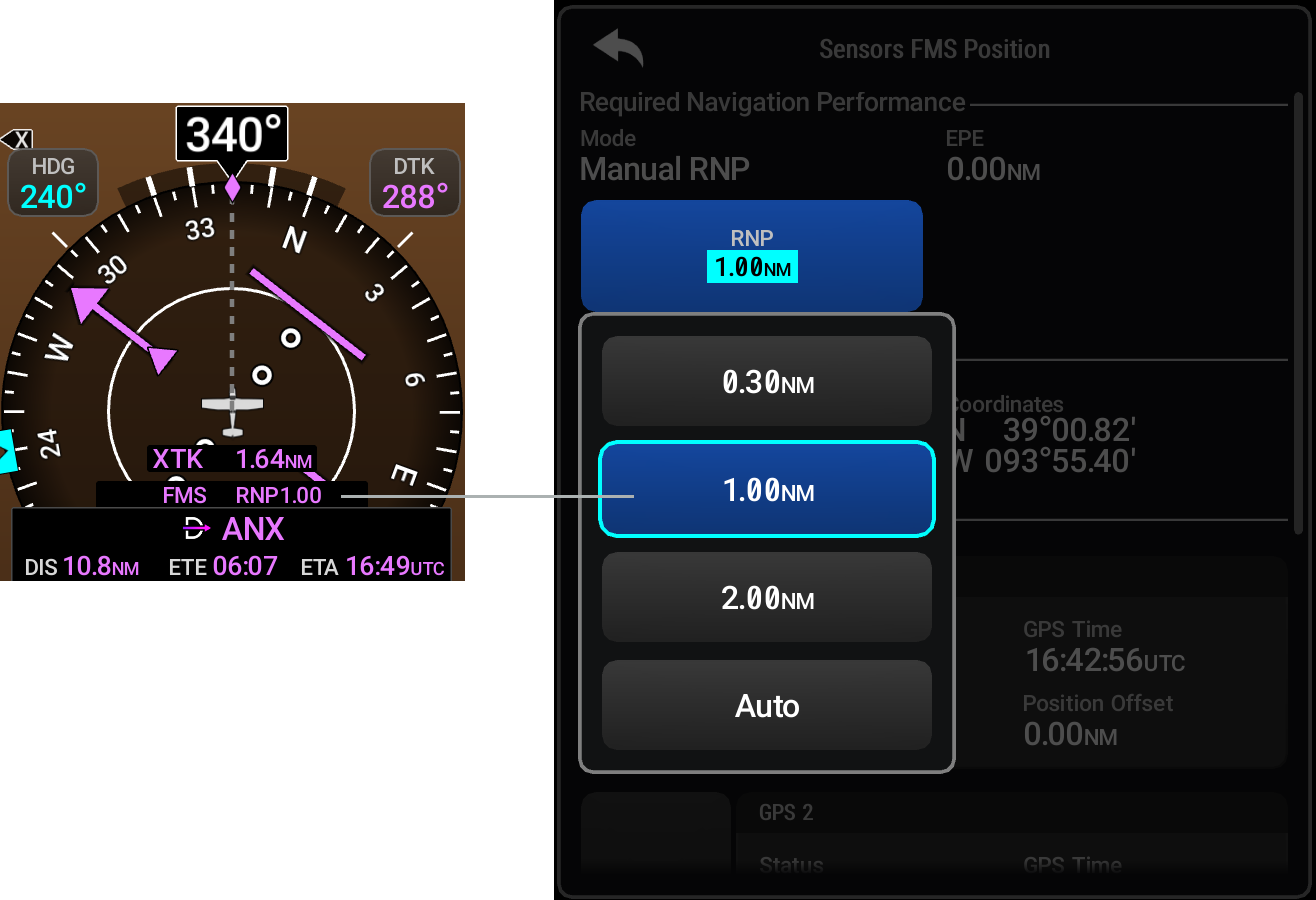
If the active leg/procedure of the flight plan has a published RNP procedure, the FMS will automatically populate the Current RNP Indicator with that value. If no FMS-set value is active, and no manual RNP entry has been defined, the system will determine a default RNP based on flight phase.
The Current RNP Indicator value will normally be displayed in magenta. The color will change to amber for LNAV+V, L/NAV, LP, or LPV when the Final Approach Fix (FAF) is the active waypoint and the GPS integrity is insufficient for the procedure. The indicator will also be shown in amber if the ‘Unable RNP’ position sensor status indication is displayed on the PFW. For waypoints other than the FAF, if the upcoming waypoint requires a lower RNP value, the system will switch to the lower RNP value 1 NM before the waypoint.
The pilot may set more stringent RNP values by accessing the 'Sensors FMS Position' window. The system will only accept manual RNP entries higher (less stringent) than FMS-set values if the current leg/phase-of-flight has a published RNP value. After inputting a manual RNP entry the 'Mode' will switch to "Manual RNP" below the ‘Required Navigation Performance’ field in the 'Sensors FMS Position' window. Canceling a manual RNP can be done by accessing the ‘Auto’ Button. The system will revert the value to an FMS-set value, or a system-defined value dependent on phase-of-flight.