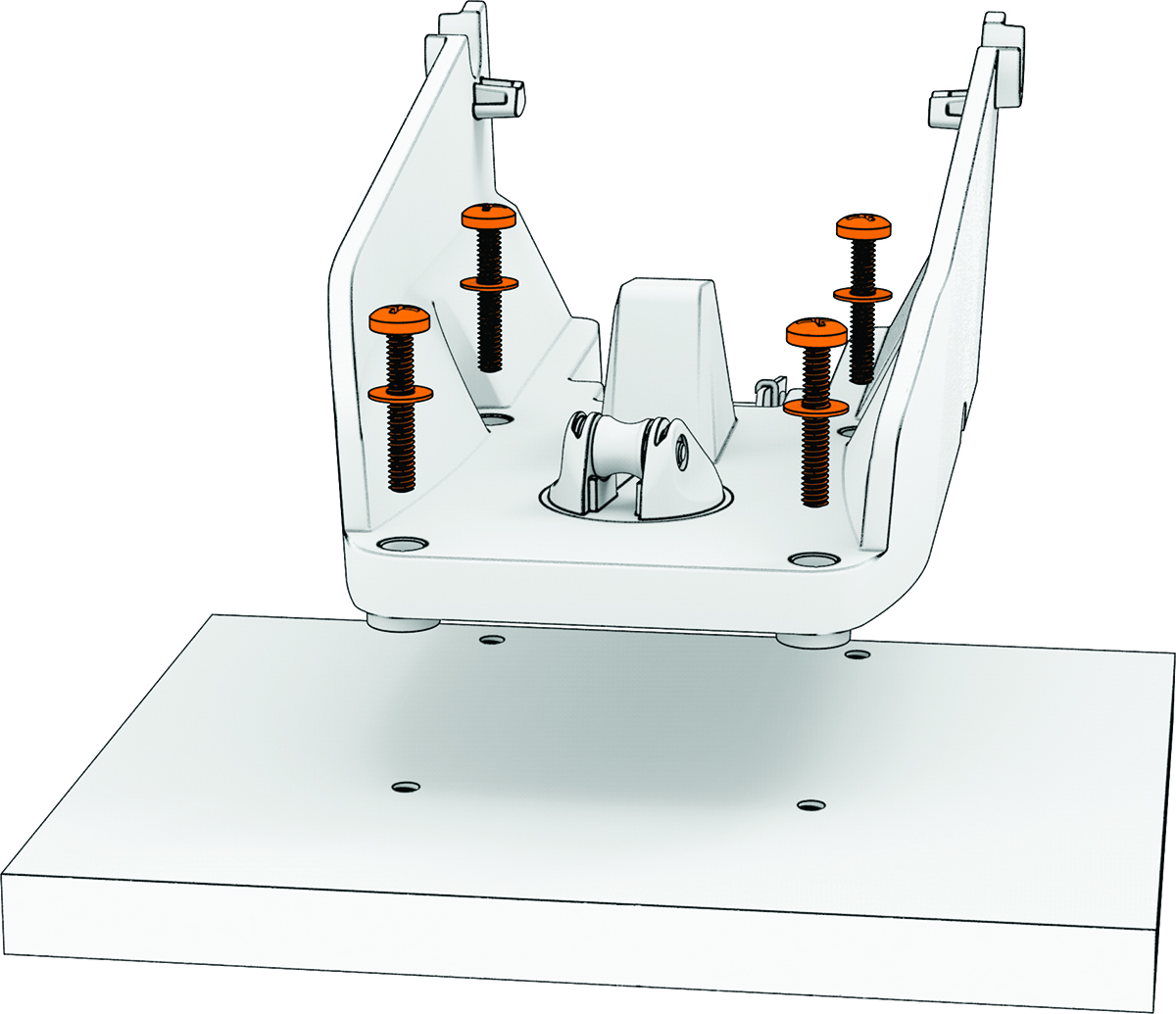
Installing the Mount on a Kayak with a Compatible Mounting Pattern
-
Select an option:
-
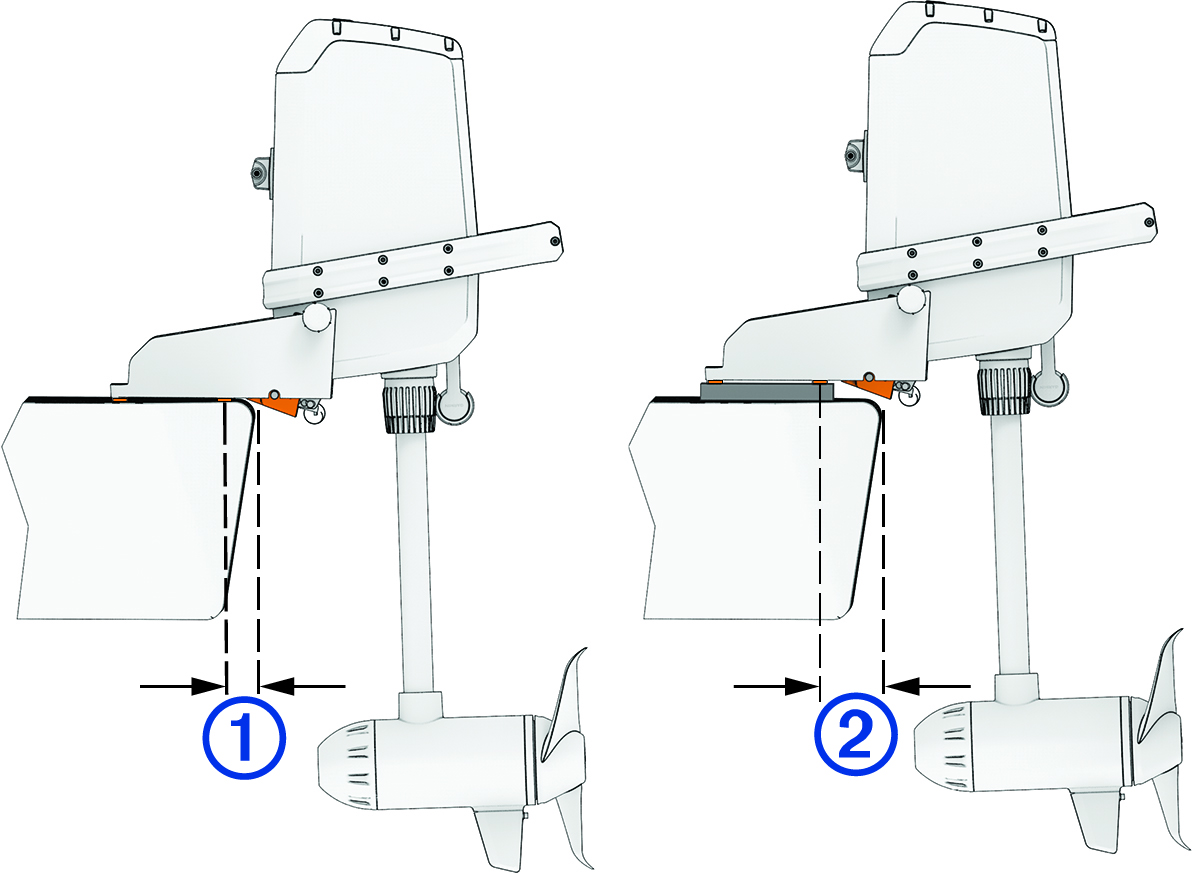
If the edge of the stern is less than 29 mm (1 1/8 in.) from the nearest mounting hole , place the mount over the mounting holes directly on the kayak.
-
If the edge of the stern is between 29 mm (1 1/8 in.) and 100 mm (3 15/16 in.) from the nearest mounting hole , add a 20 mm (3/4 in.) spacer between the mount and your kayak to ensure adequate clearance for the shape of the mount. You can purchase a spacer at garmin.com/accessories/force_current_trolling_motor.
-
If the edge of the stern is more than 100 mm (3 15/16 in.) away from the nearest mounting hole, you cannot use the integrated mounting holes to install the mount.
An adapter plate may be available for your kayak to provide new mounting holes closer to the edge of the stern. If no adapter plate is available, you can drill new mounting holes in your kayak (Installing the Mount on a Kayak Without a Compatible Mounting Pattern).
-
-
Secure the mount to your kayak using the mounting screws and washers in bag
 .
.