Removing the Propeller Drive Motor

NOTE: When removing the propeller drive motor, we recommend using a ball-head hex bit or wrench because of the angle needed to reach the head of the screws.
  1. Using a ball-head 4 mm hex bit or wrench, remove the screws that secure the shaft base to the propeller drive motor.
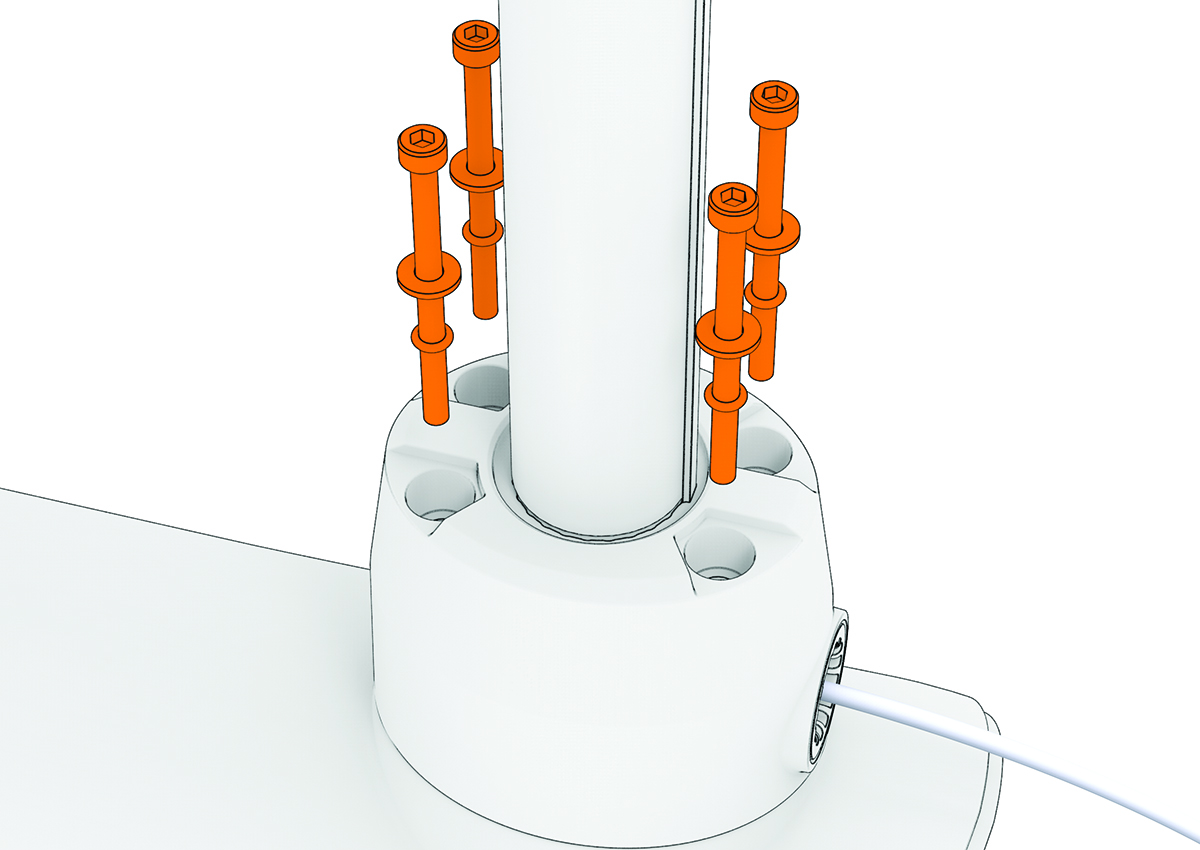
    Exploded view of the bolts securing the propeller drive motor with callout
  2. Straighten the cables at the top of the shaft, and slowly pull the propeller drive motor away from the shaft base until you can see the power and data cables connected to the propeller drive motor.
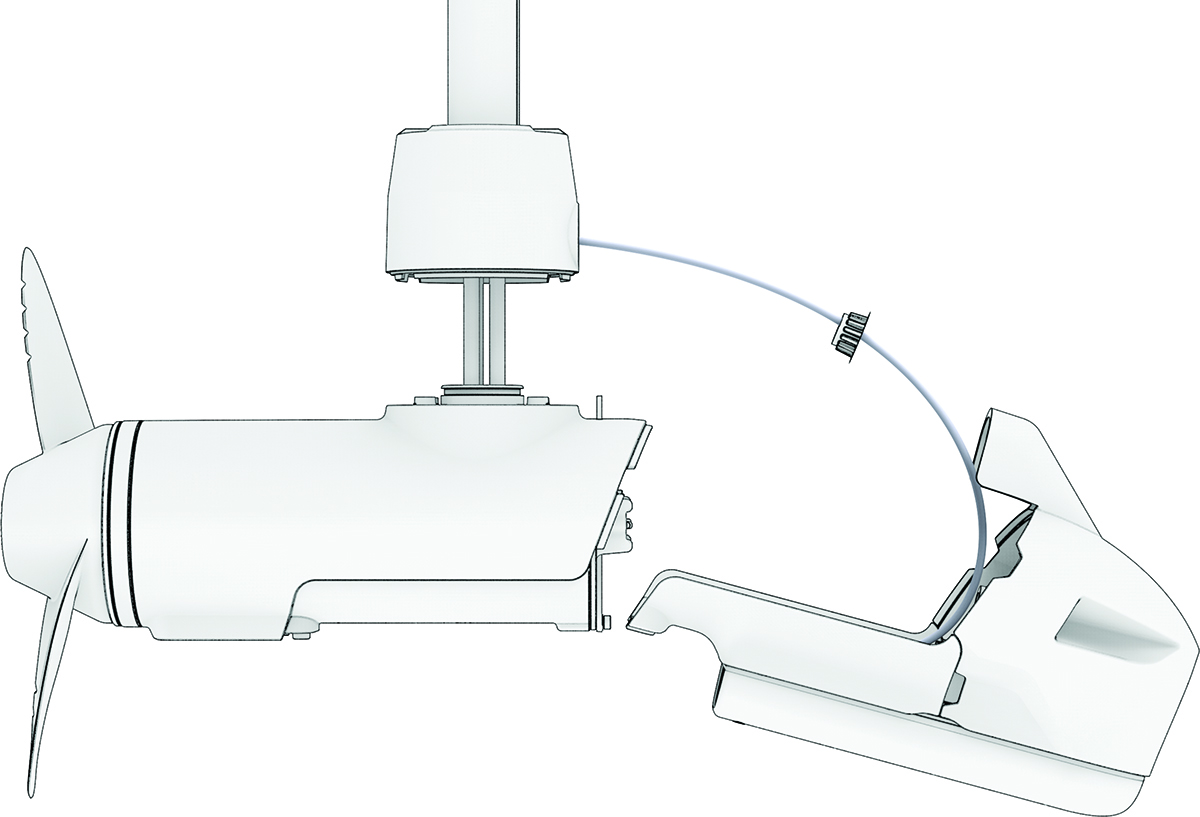
    Exploded view of the drive motor and shaft with callout
  3. Holding the cables only, slowly pull them out of the shaft, taking care that the cable connectors do not get caught on the top of the shaft.
    NOTICE

    When removing the propeller drive motor and pulling its cables out of the shaft, pull only on the cables themselves and do not let the cables to support the weight of the motor. Pulling on the propeller drive motor or letting the cables support the weight of the motor may damage the cable connections inside the motor.

  4. Pull the propeller drive motor cables completely out of the shaft and set the propeller drive motor aside.
GUID-4961C943-E6C7-423B-AC7D-40EC5C713247 v1
March 2025