Connecting the Upper Link of the Mount to the Steering System
-
Make sure that the bushings are installed in the upper holes on the steering system housing.
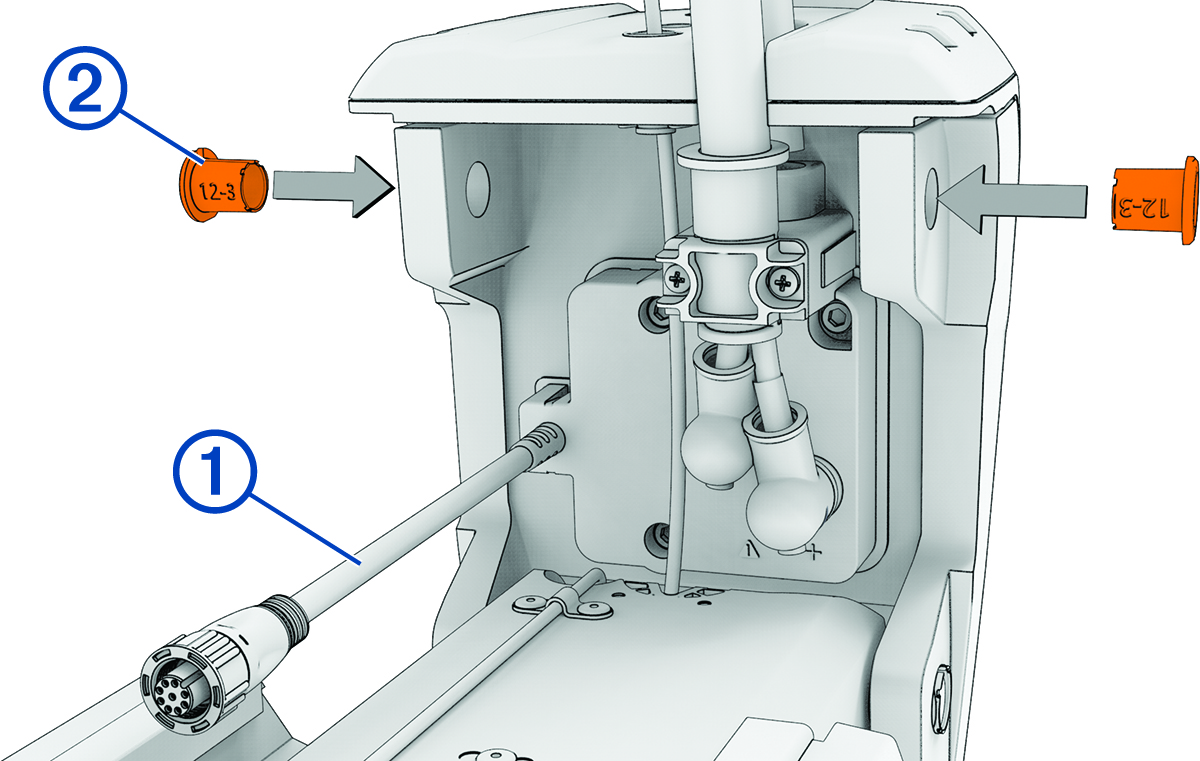
If the bushings were removed, you can re-insert them from the outside in.
-
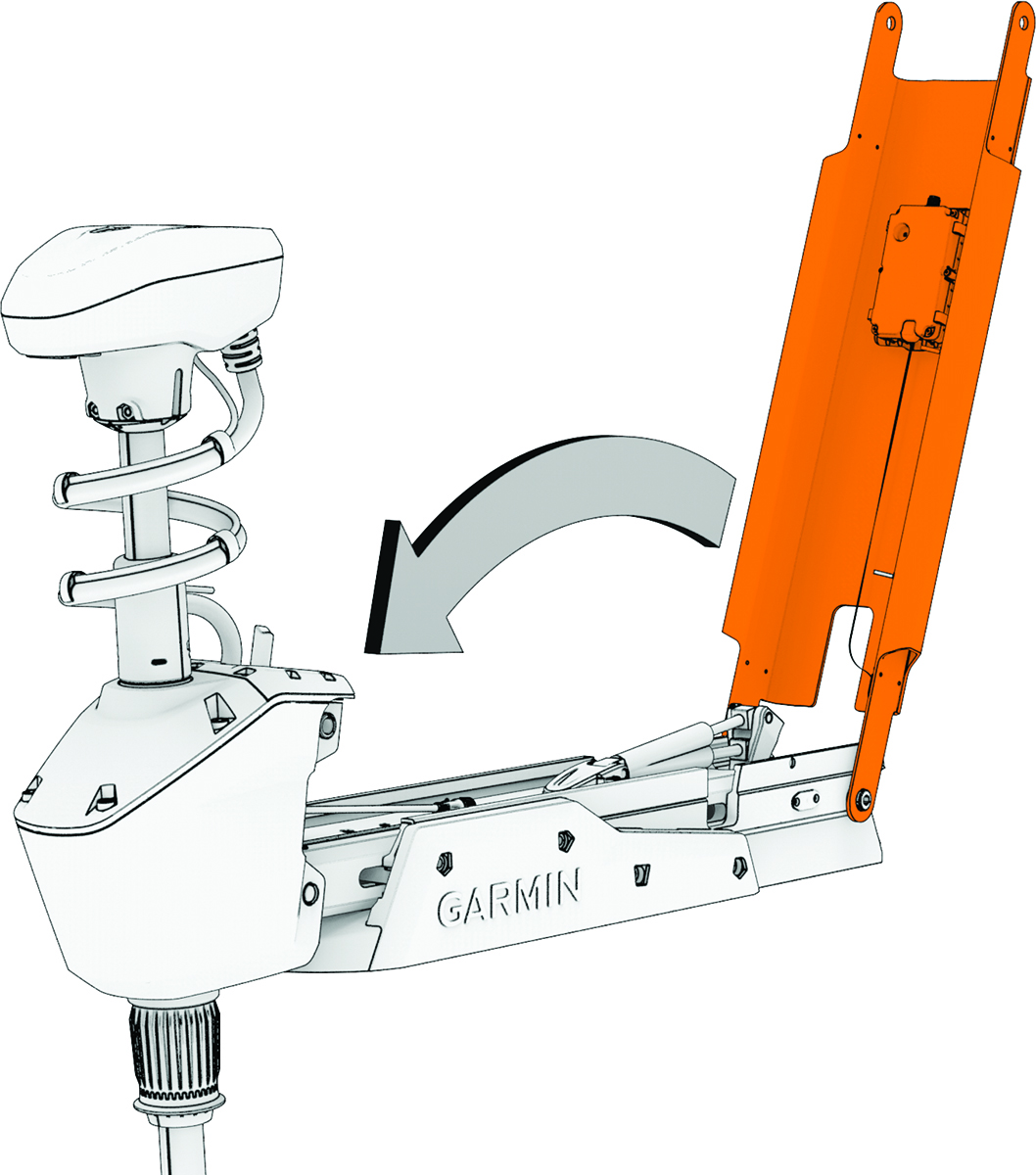
Pivot the upper link of the mount forward.
-
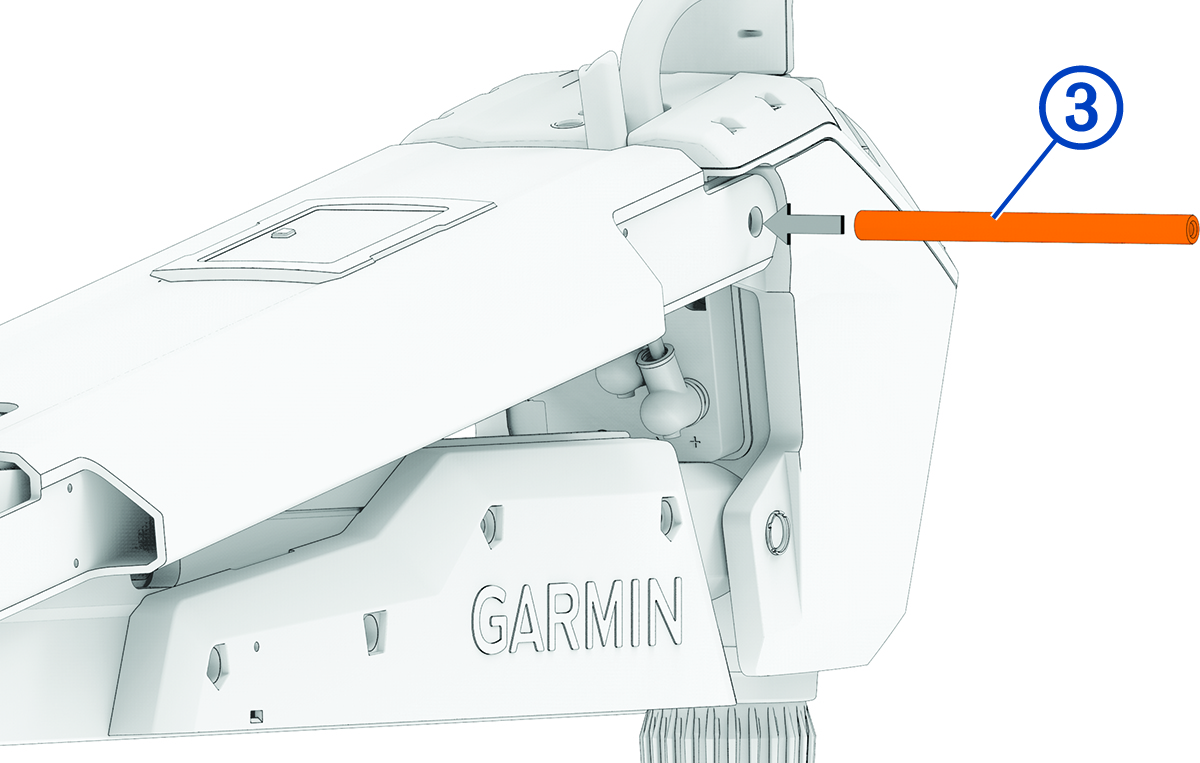
Push the pin through the holes on the upper link of the mount and the steering system housing.
-
Using a 4 mm hex bit or hex wrench, secure the pin using the screws and washers on both sides.
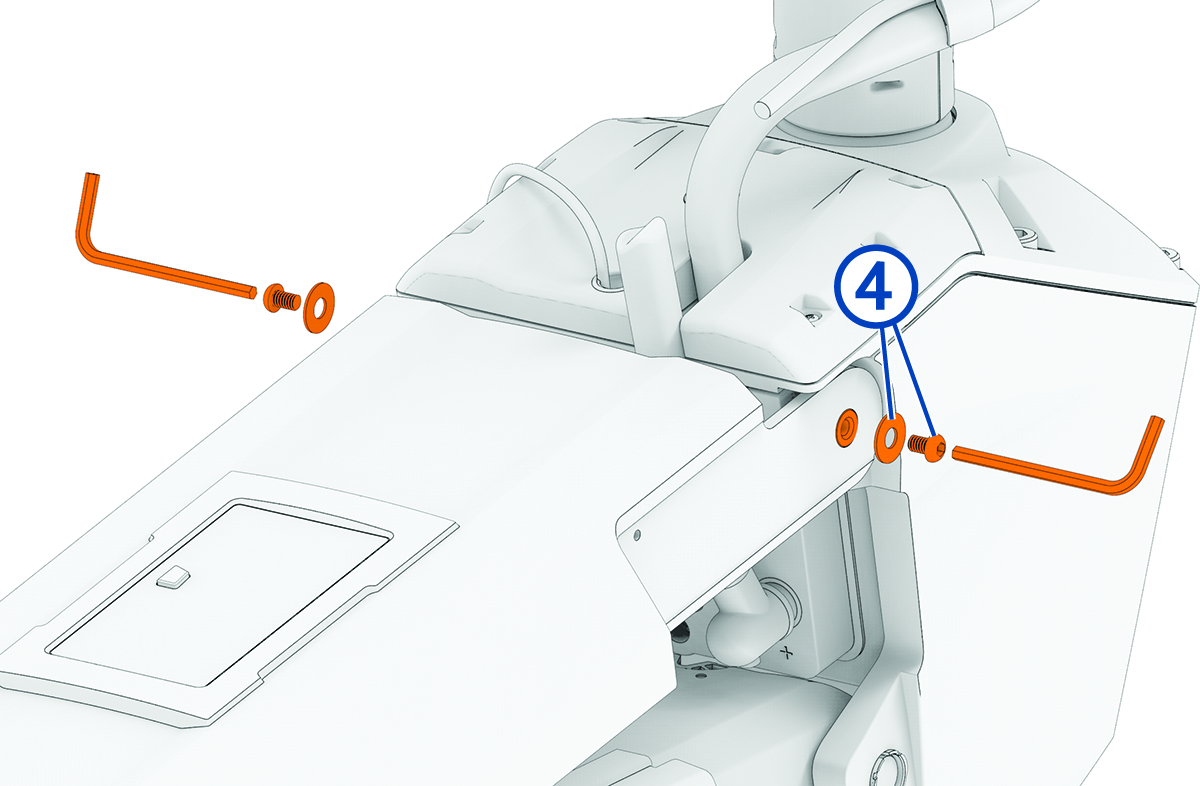
NOTE: To properly secure the pin, you should use two hex bits or wrenches so the pin does not rotate as you tighten the screws.