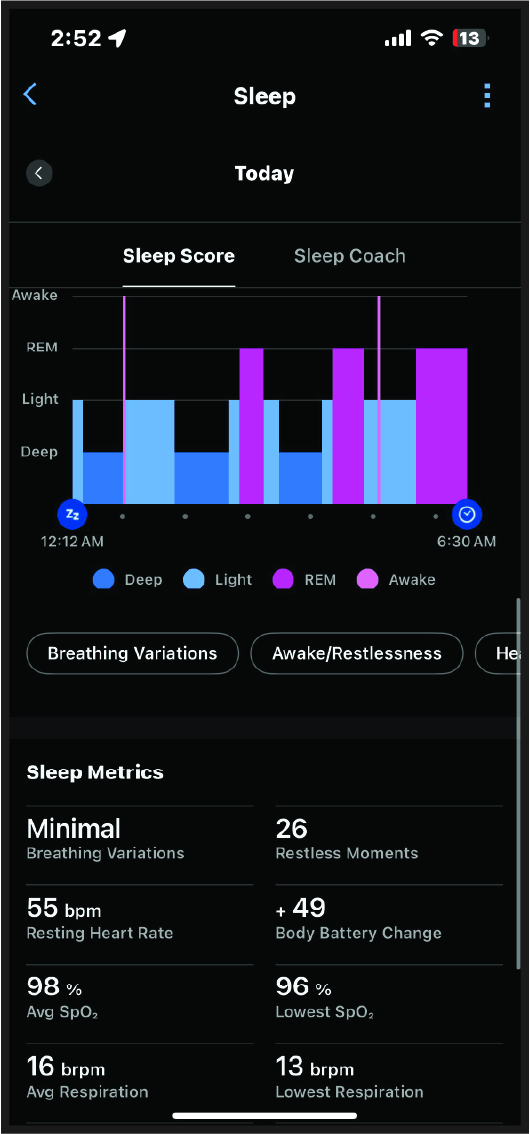
To view your sleep data in the
Garmin Connect™ app, both your
Index™ Sleep Monitor device and
Garmin Connect app must be awake and connected.
-
After you wake up and finish sleeping, remove the sleep band from your arm.
-
Bring the sleep band near the paired phone.
-
Open the
Garmin Connect app.
NOTE:
The app must be open or running in the background.
-
Wait a few minutes for the sleep band to sync the sleep data to the
Garmin Connect app.
The sleep data also syncs to a compatible
Garmin® watch that is paired with
Garmin Connect.
-
View your sleep data in the
Garmin Connect app or on your
Garmin primary wearable.