Connecting the Motor to the Display Panel

NOTICE

You must connect the cable from the steering servo to the display panel before proceeding further with the installation. If you do not make this connection now, the unsecured cable may damage the display panel when moving the mount.

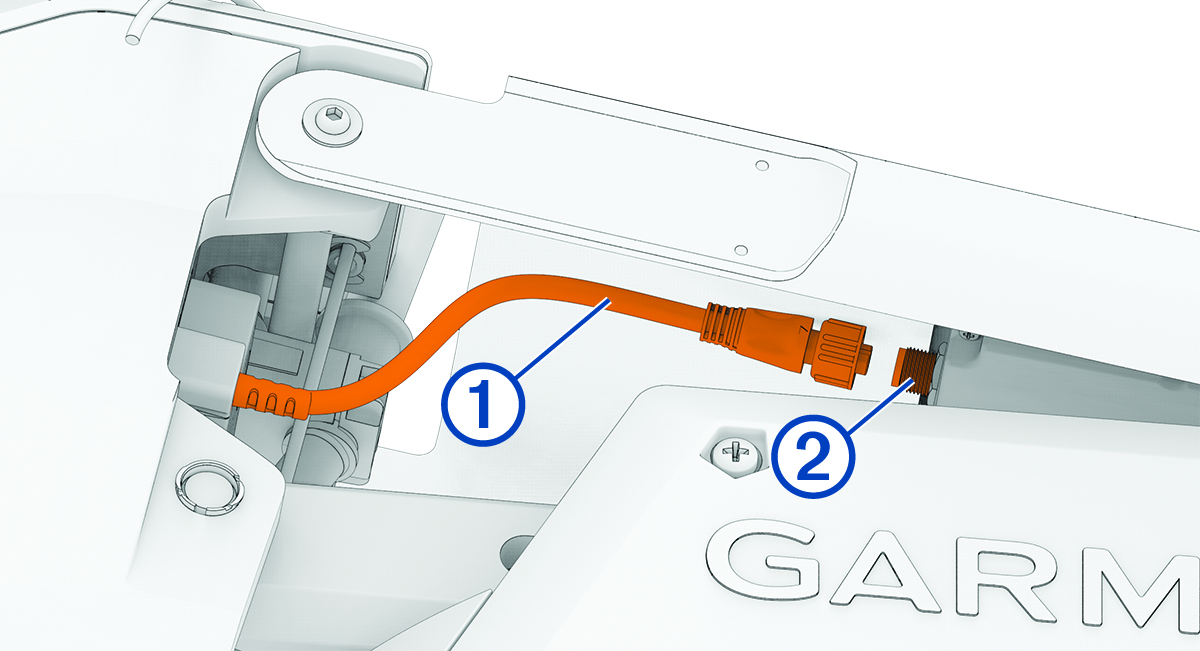
  1. Route the cable Callout number 1 from the steering servo housing to the display panel Callout number 2 on the upper link of the mount.

    Cable installation with callouts
  2. Push the connector onto the port on the display panel, and rotate the locking ring clockwise to secure it.
    NOTE: The connector is keyed to fit into the port one way only, and will fit easily when aligned correctly. Do not force the connector into the port.
GUID-3A9C1CE0-D2CD-4415-B65F-6F1FF9701E2D v2
March 2025