Routing the Power and Transducer Cables Through the Mount

Label identifying the parts bag required for this procedure:

F icon
NOTICE

To avoid damaging the power and transducer cables when deploying and stowing the trolling motor and to avoid interference with the GPS and heading sensors in the motor, you must route the cables through the right (starboard) side of the mount and secure them using the included hardware. You must not route the power cable through the left (port) side of the mount, and it is not possible to install the included brackets on the left (port) side. The left (port) side is reserved for additional accessories or transducer cables that you may install in the future.

  1. Measure approximately 40 cm (16 in.) on the power cable from where it connects to the steering servo housing, and look for the mark on the cable applied at the factory.
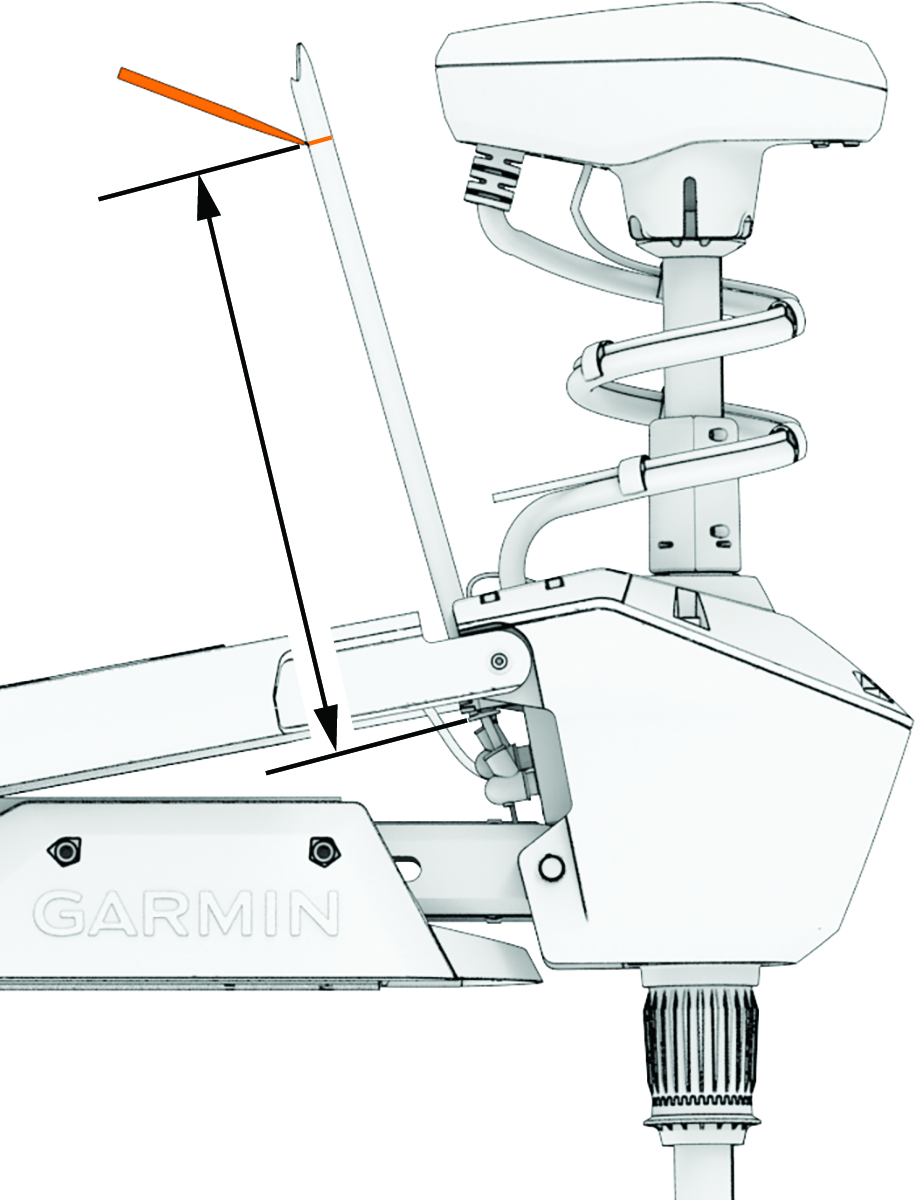
    Marking the power cable length
  2. If you do not see a mark on the cable, or if the mark is not approximately 40 cm (16 in.) from the connection, make a mark with a marker or tape.
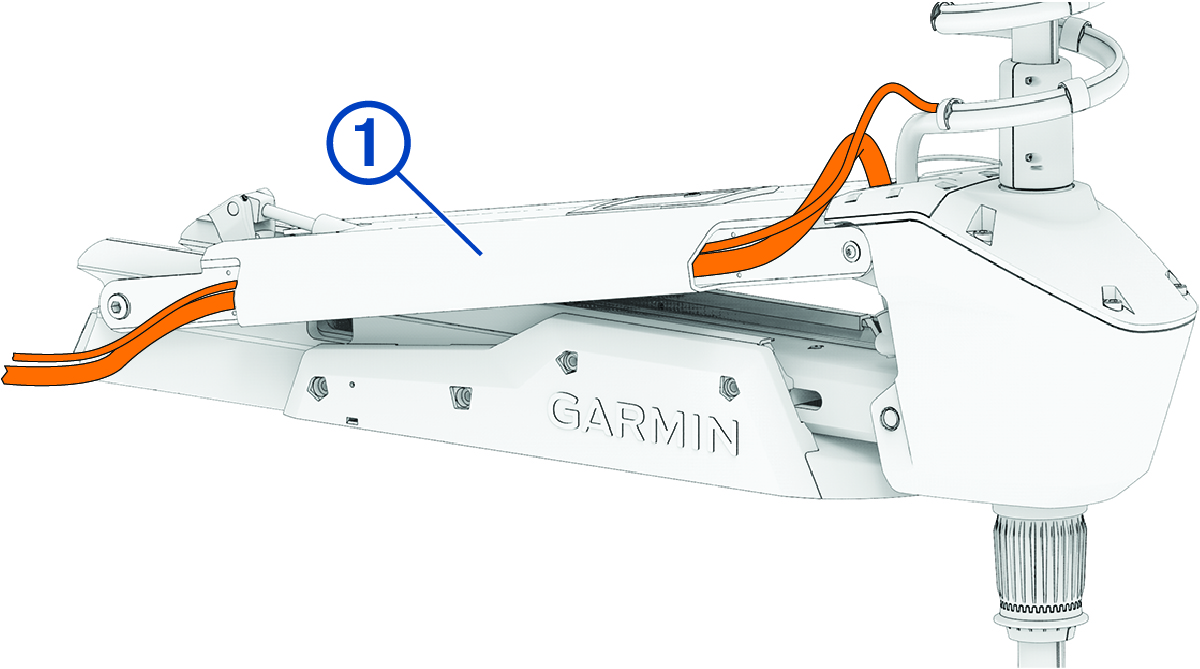
  3. With the motor in the deployed position, route the transducer cable through the channel along the right (starboard) side of the mount Callout number 1.

    Cable routing with callout
    TIP: To determine the right (starboard) side of the mount, stand in a location where you can read the information on the display panel.
  4. Route the power cable through the channel above the transducer cable.
  5. Using the pull cable, carefully lift the motor from the deployed position to the stowed position.
    CAUTION

    Because only one of the lift-assist gas springs is secured at this point in the installation, you must use caution when lifting the motor to the stowed position. The weight of the motor may cause the mount to move quickly and pinch or crush hands or fingers.

    NOTICE

    You must secure the cables to the mount with the motor in the stowed position. If you complete this procedure with the motor in the deployed position, the cables are not at their fully extended length, and the added stress may damage the cables during use.

  6. Leaving a rounded bend in the cables Callout number 2, hold them against the side of the mount where they enter the channel.
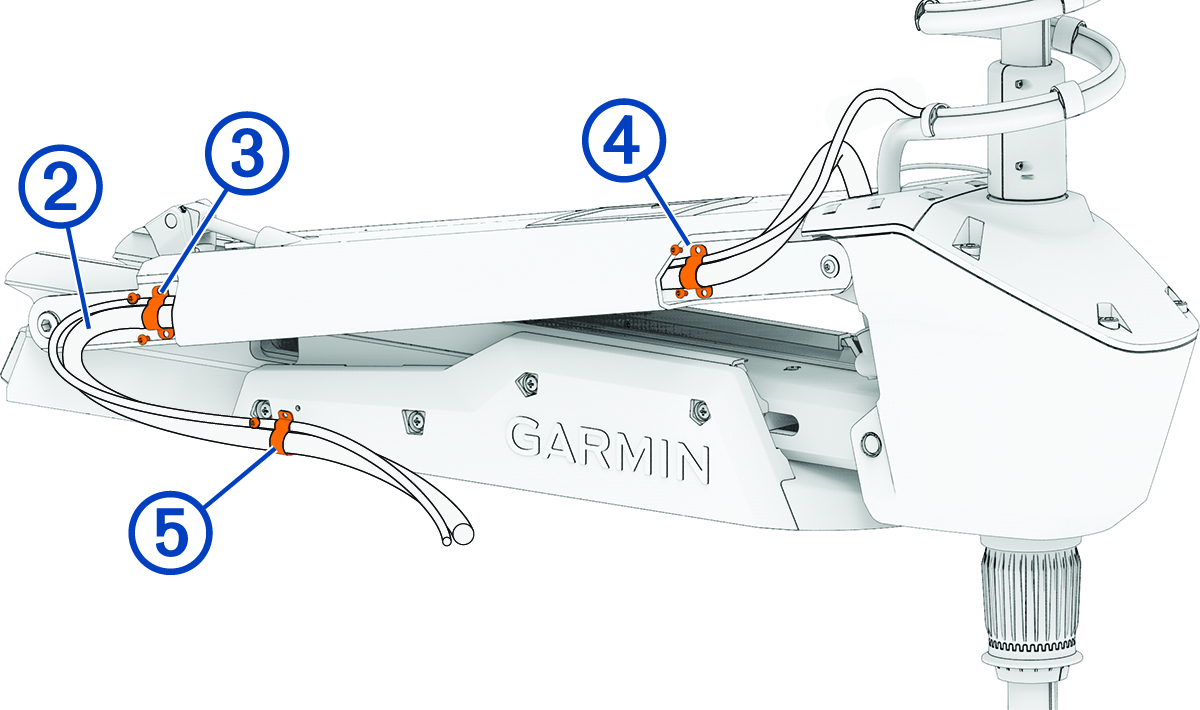
    Close-up view of cable bracket with callouts
  7. At the marked location on the power cable, place one of the brackets Callout number 3 that have two screw holes over the cables and against the mount, aligning the holes on the bracket with the holes on the mount.
  8. Using a 3 mm hex bit or wrench, secure the bracket to the mount using two screws.
  9. Hold the cables against the bottom of the mount where they exit the channel.
  10. Place the other bracket Callout number 4 that has two screw holes over the cables and against the mount, aligning the holes on the bracket with the holes on the mount.
  11. Using a 3 mm hex bit or wrench, secure the bracket to the mount using two screws.
  12. Hold the cables against the plastic portion of the mount base, close to the boat deck.
  13. Insert the lower tab on the remaining bracket into a slot below the cables Callout number 5, and rotate the bracket toward the mount base to hold the cables.
  14. Using a #1 Phillips screwdriver, secure the upper tab of the bracket to the mount base using a single screw.
  15. Install additional plastic cable clips to secure the transducer cable to the power cable where needed (optional).
GUID-3A9C1CE0-D2CD-4415-B65F-6F1FF9701E2D v2
March 2025