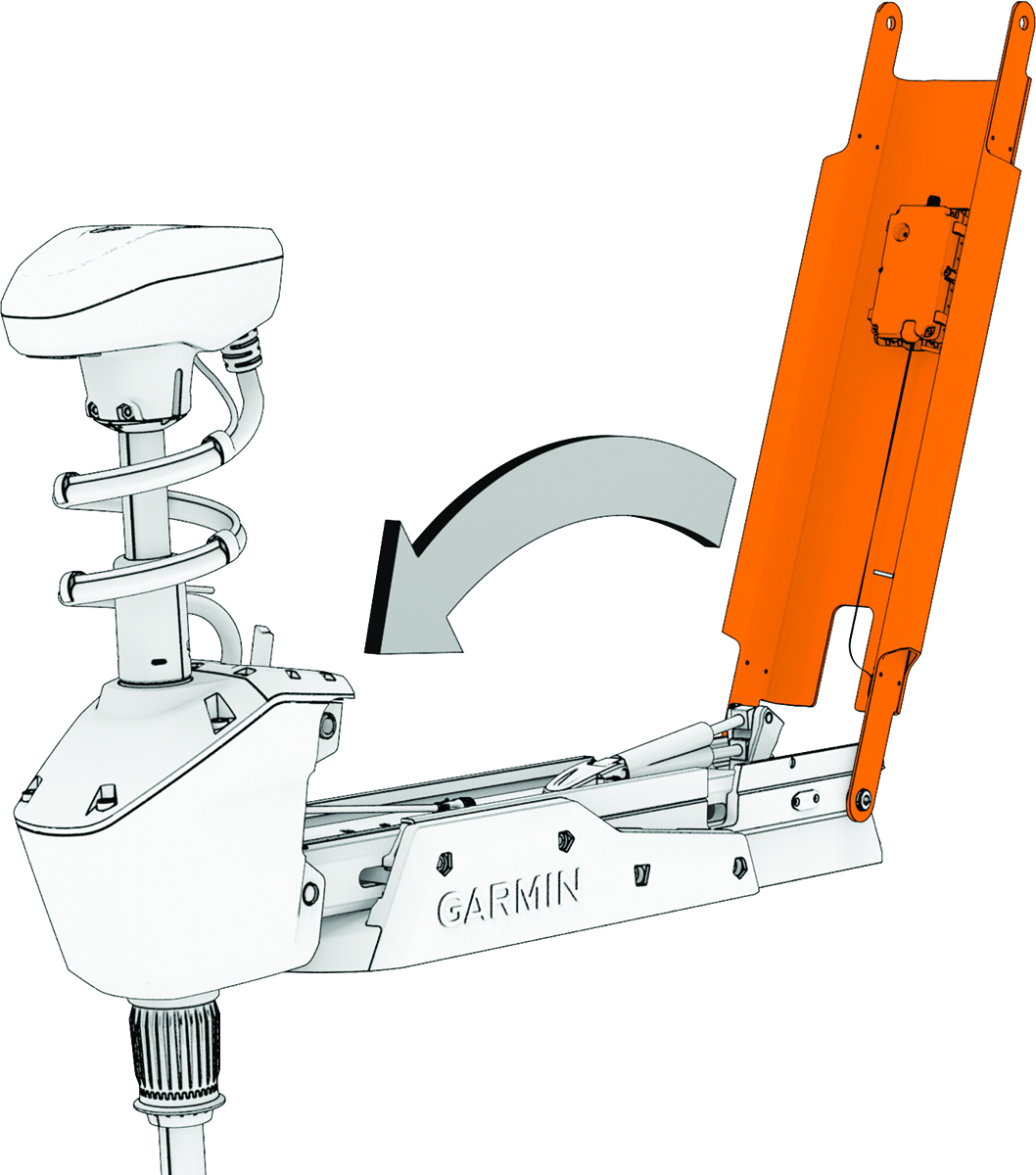
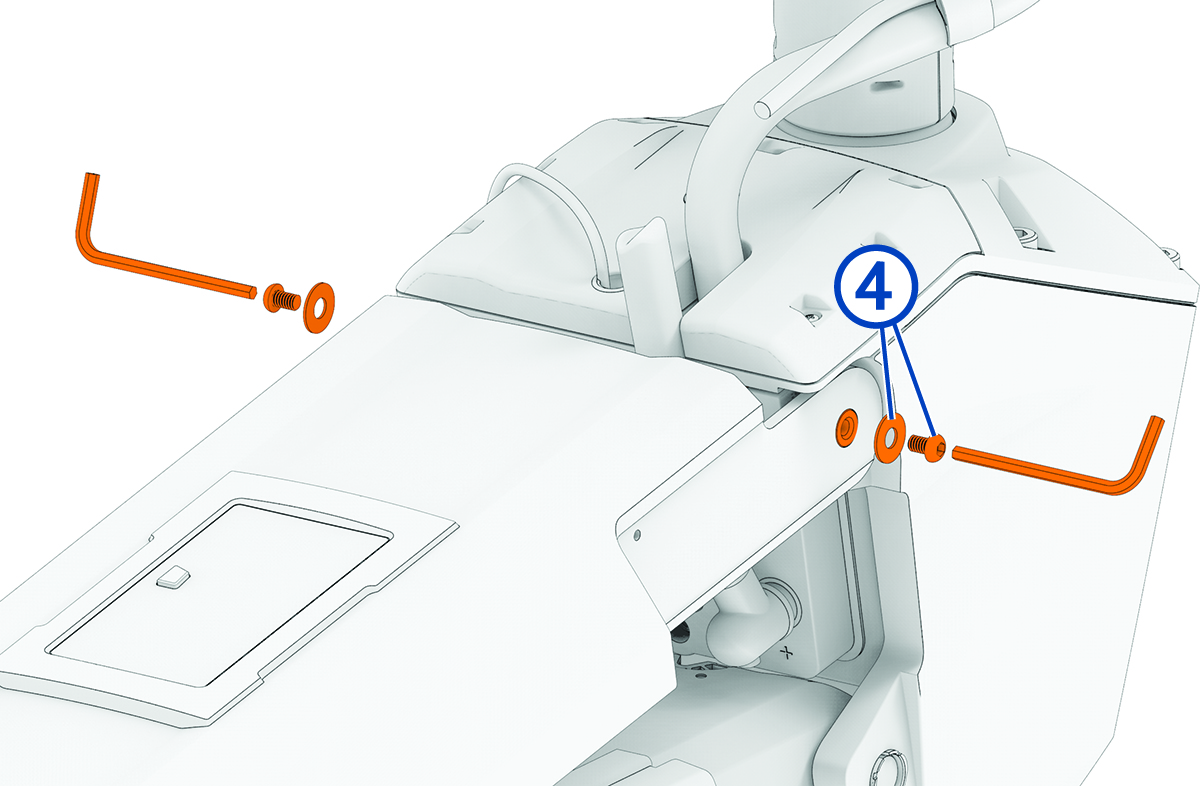
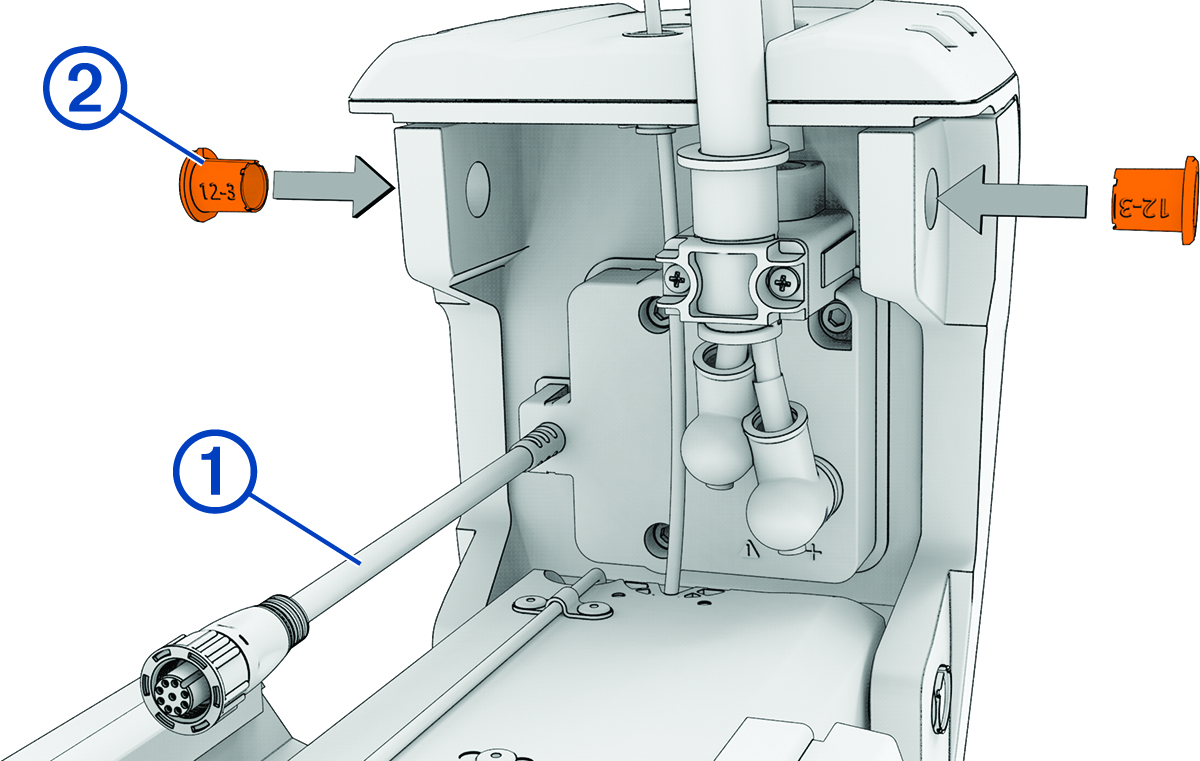
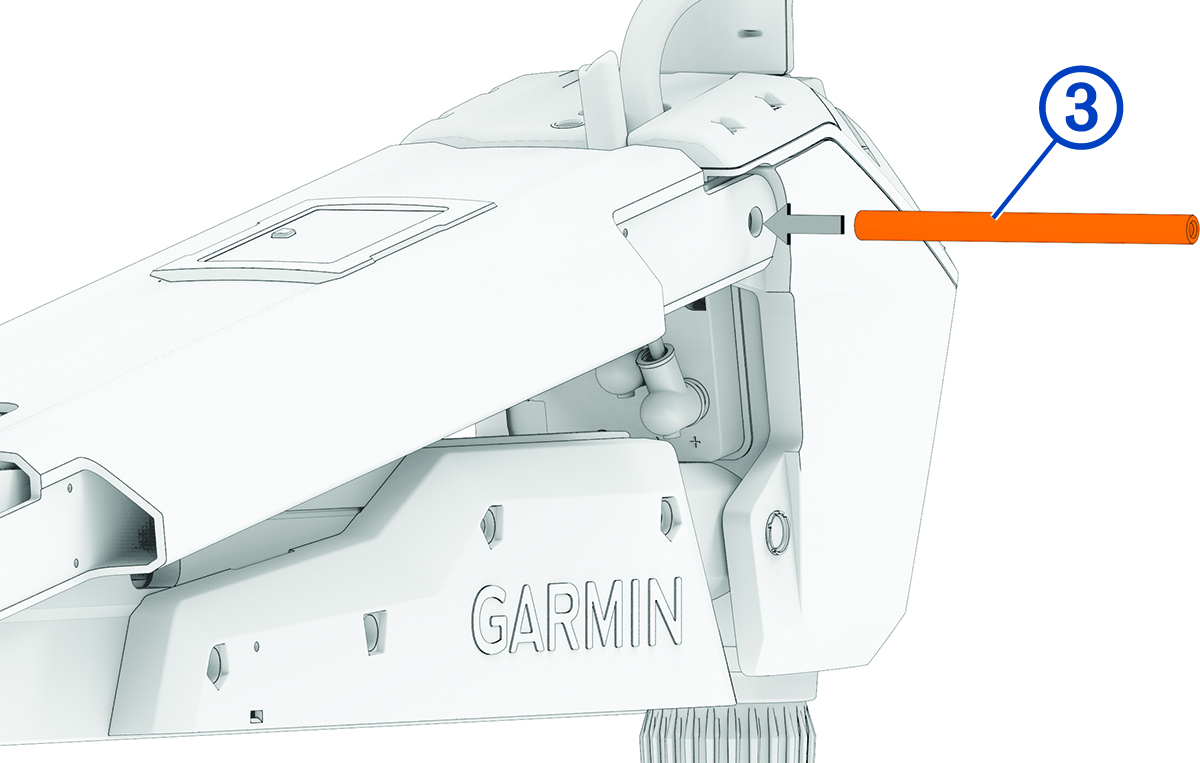
Connecting the Upper Link of the Mount to the Steering Servo Housing Label identifying the parts bag required for this procedure: Remove the tape that secures the data cable to the steering servo housing. Make sure that the bushings are installed in the upper holes on the steering servo housing. If the bushings were removed, you can re-insert them from the outside in. Pivot the upper link of the mount forward. Tip the top of the steering servo housing inward so the holes on the upper link and the housing align. Push the pin through the holes on the upper link of the mount and the steering servo housing. Using a 4 mm hex bit or hex wrench, secure the pin using the screws and washers on both sides. NOTE: To properly secure the pin, you should use two hex bits or wrenches so the pin does not rotate as you tighten the screws. Parent Topic: Installation ProceduresHomeInstallation ProceduresConnecting the Upper Link of the Mount to the Steering Servo Housing