Using Boat Command

You can use the microphone on your watch to control your paired Garmin® chartplotter. After you pair the devices, they connect automatically when they are turned on, within range, and the app is open on the watch.

  1. Bring your quatix® watch within 3 m (10 ft.) of the chartplotter.
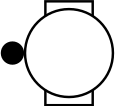
  2. From the watch face, hold Middle-left button.
  3. Select Watch Settings > Connectivity > Chartplotter > Pair New.
  4. Set the chartplotter to enter pairing mode for voice control.

    See your chartplotter owner's manual for more information.

  5. Follow the on-screen instructions on both devices to complete the pairing process.
  6. From any screen, hold Upper-left button, and enable Boat Mode.
  7. Select an option:
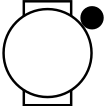
    • From any screen, hold Upper-right button.

    • From any screen, hold Upper-left button, and select Boat Command.

    • From the watch face, press Upper-right button, and select Boat Command.

  8. Speak a command for your chartplotter.

    See your chartplotter owner's manual for example voice commands.

GUID-3A4F9C4A-8735-46C0-8DA9-65F11400B150 v3
November 2025