Device Overview
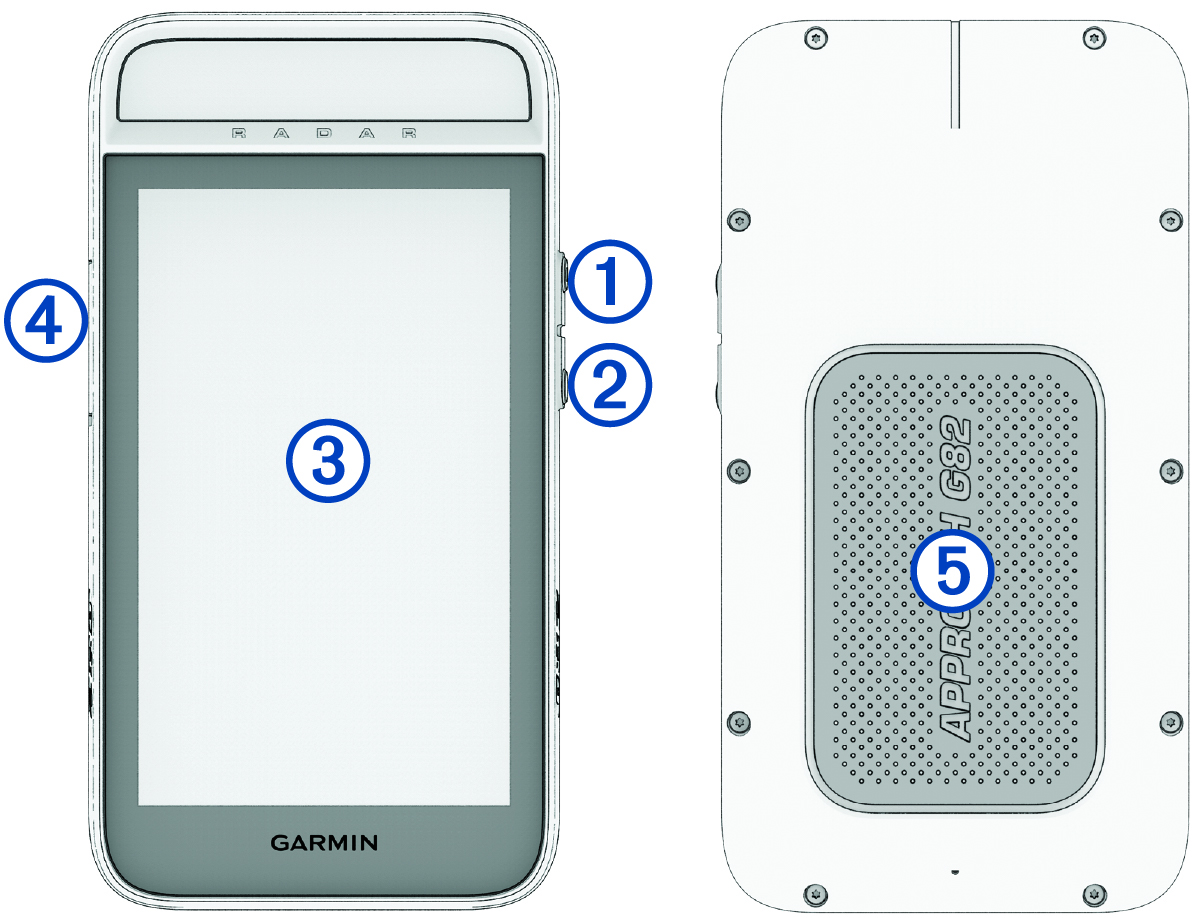
|
Power button |
Press to turn on the device. Press to lock or unlock the screen during a round. Hold to turn off the device. |
|---|---|
|
Radar button |
Press to turn the radar on and off (Radar Training Features). |
|
Touchscreen |
Swipe to scroll through menus, options, and settings (Home Screen Overview). Tap to select. |
|
USB port (under weather cap) |
Lift the weather cap to connect a compatible USB cable to charge the device or transfer data using your computer (Charging the Device). Replace the weather cap to prevent damage to the USB port (Cleaning the USB Port). |
|
Magnet |
Place the back of the device onto the magnetic clip or a metal surface on a golf cart (Using the Magnetic Clip). |
Home Screen Overview
The home screen gives you quick access to all the features of the Approach® golf handheld.
|
|
Select to use the radar for driving range and putting practice, and evaluate available clubs in your golf bag for distance (Radar Training Features). |
|---|---|
|
|
Select to find a nearby golf course and start a round of golf (Playing Golf). |
|
|
Select to set golf and system settings, connect to a rangefinder or Wi‑Fi® network, and more ( Settings). |