Flasher View
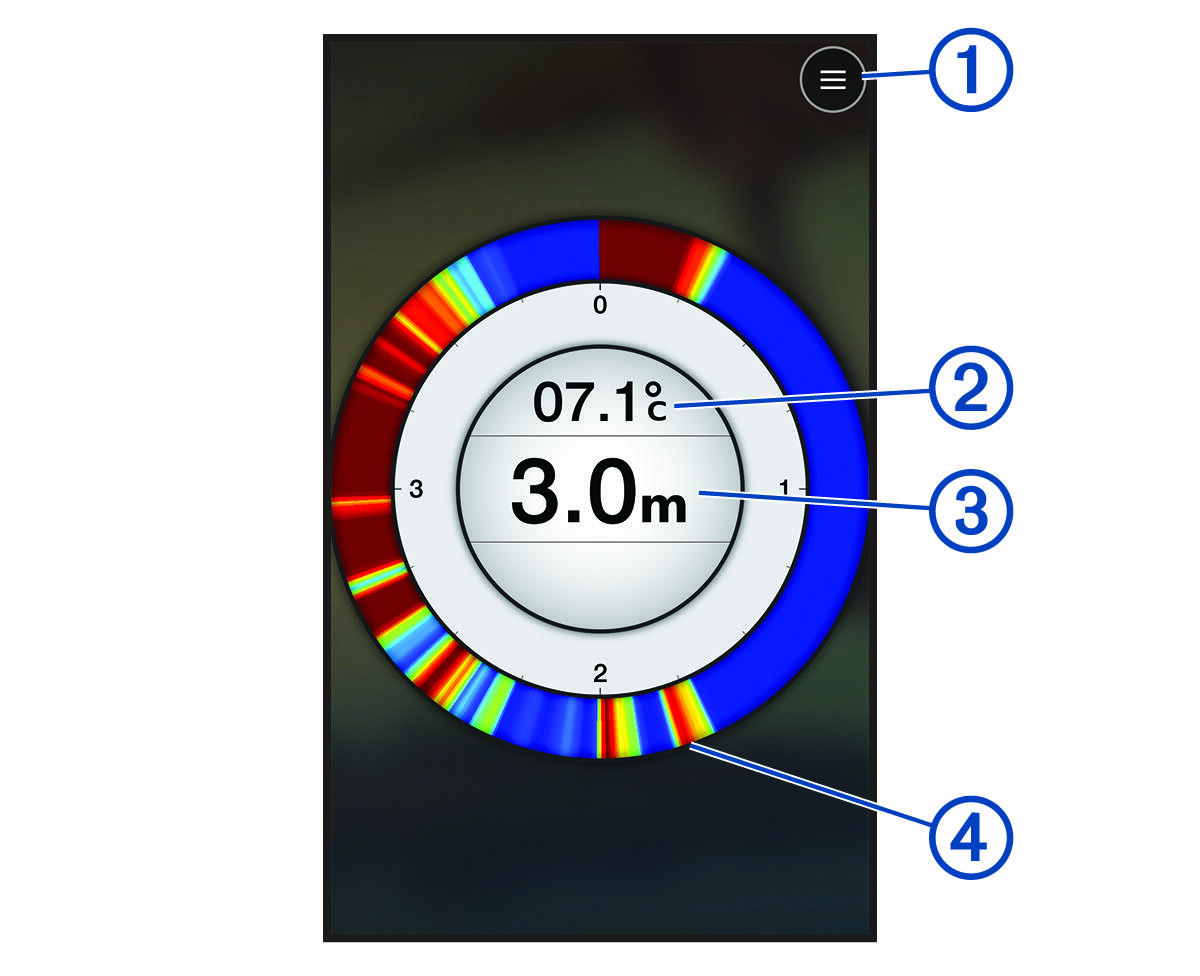
The flasher shows sonar information on a circular depth scale, indicating what is beneath the STRIKER™ Cast transducer. The flasher is organized as a ring that starts at the top and progresses clockwise. Depth is indicated by the scale inside the ring. Sonar information flashes on the ring when it is received at the depth indicated.
The flasher colors indicate different strengths of the sonar return. The default color scheme follows a traditional sonar color palette, in which yellow indicates the strongest return, orange indicates a strong return, red indicates a weaker return, blue indicates the weakest return, and white indicates no return.
|
|
Menu |
|---|---|
|
|
Water temperature |
|
|
Depth at the location of the STRIKER Cast transducer |
|
|
Sonar returns |


Turning On the Flasher
 > More Settings > View > Flasher > Back.