Installing the Magnetic Mount in Your Vehicle
This product contains a lithium-ion battery. To prevent the possibility of personal injury or product damage caused by battery exposure to extreme heat, store the device out of direct sunlight.
Both the device and its mount contain magnets. Under certain circumstances, magnets may cause interference with some internal medical devices and electronic devices, including pacemakers, insulin pumps or hard drives in laptop computers. Keep the device away from medical devices and electronic devices.
- Press the suction cup to the windscreen and flip the lever
 .
. 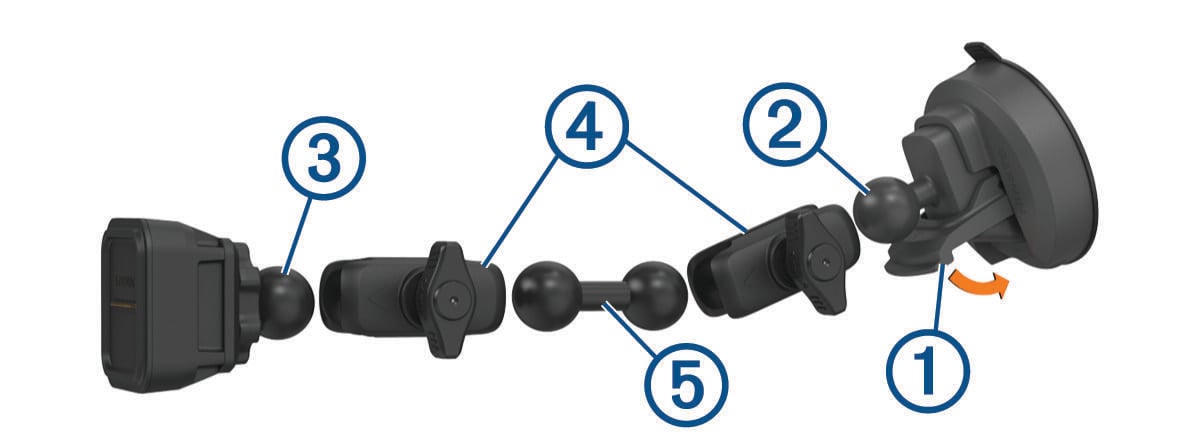
- Connect the ball of the suction cup mount
 and the ball of the powered magnetic mount
  to the double-socket arms
  .
. - Connect the double-ball link
 to both double-socket arms.