Laps
|
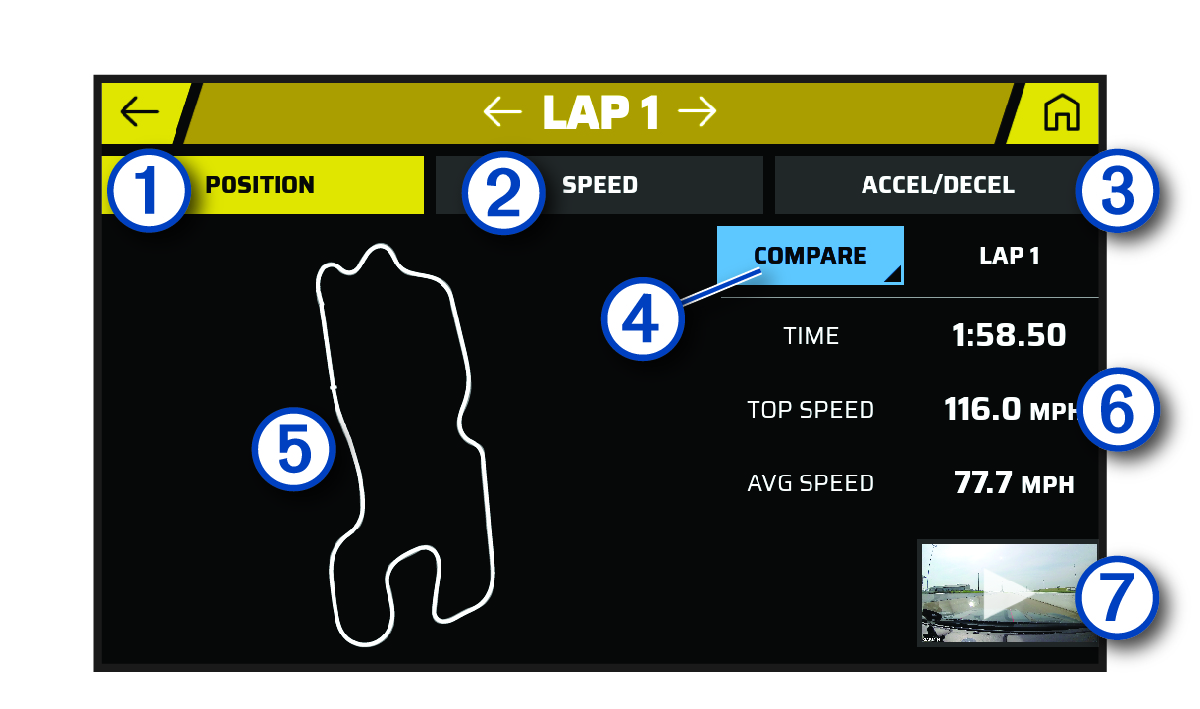
| Select to view a map of your track position during the lap. |
|---|---|
|
| Select to view a map showing your speed at different points during the lap. |
|
| Select to view a map showing rates of acceleration or deceleration at different points during the lap. |
|
| Select to compare the selected lap with another lap. |
|
| Use the touchscreen controls (Using the Touchscreen) to adjust your view of the lap data. |
|
| Displays the lap time, top speed and average speed. |
|
| Select to view a video of the selected lap. |


