Home Screen
|
|
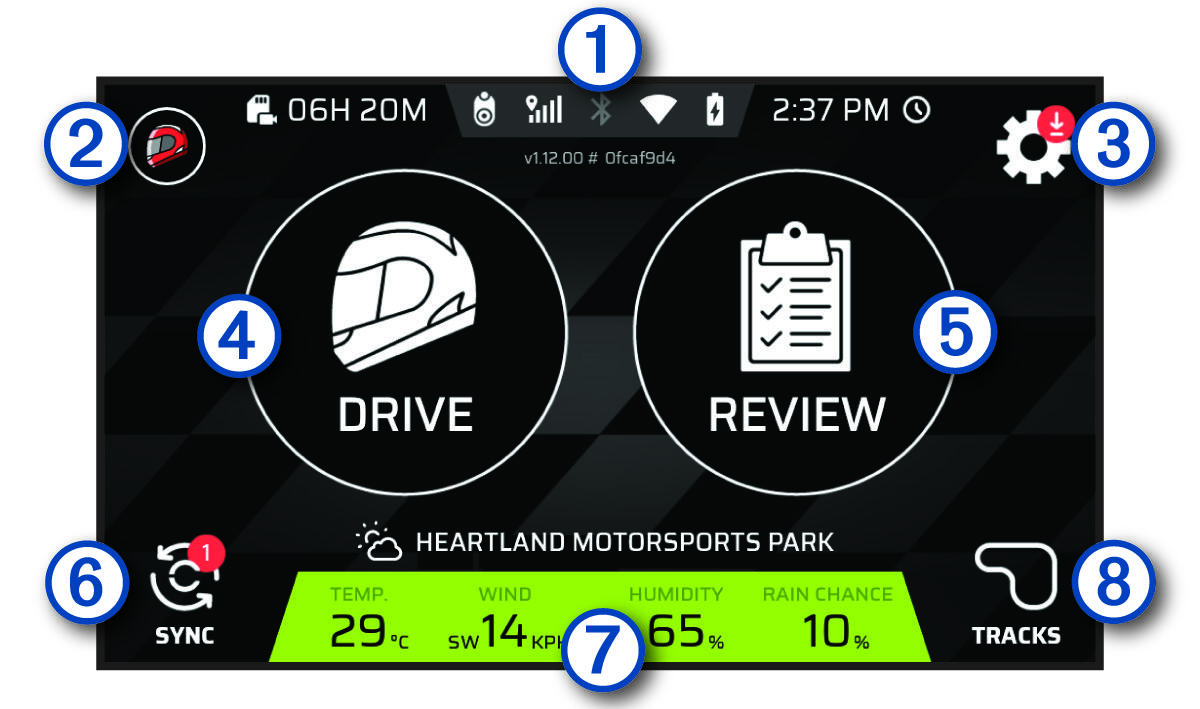
Select an icon to view more information. |
|---|---|
|
|
Select to configure your driver or car profile. |
|
|
Select to change the device settings. |
|
|
Select to start a drive session. |
|
|
Select to review the details of your recent drive sessions. |
|
|
Select to synchronise data with your Garmin® account. |
|
|
Displays the weather conditions at the closest track. |
|
|
Select to view information about any track on the device. |


