Opportunities
|
|
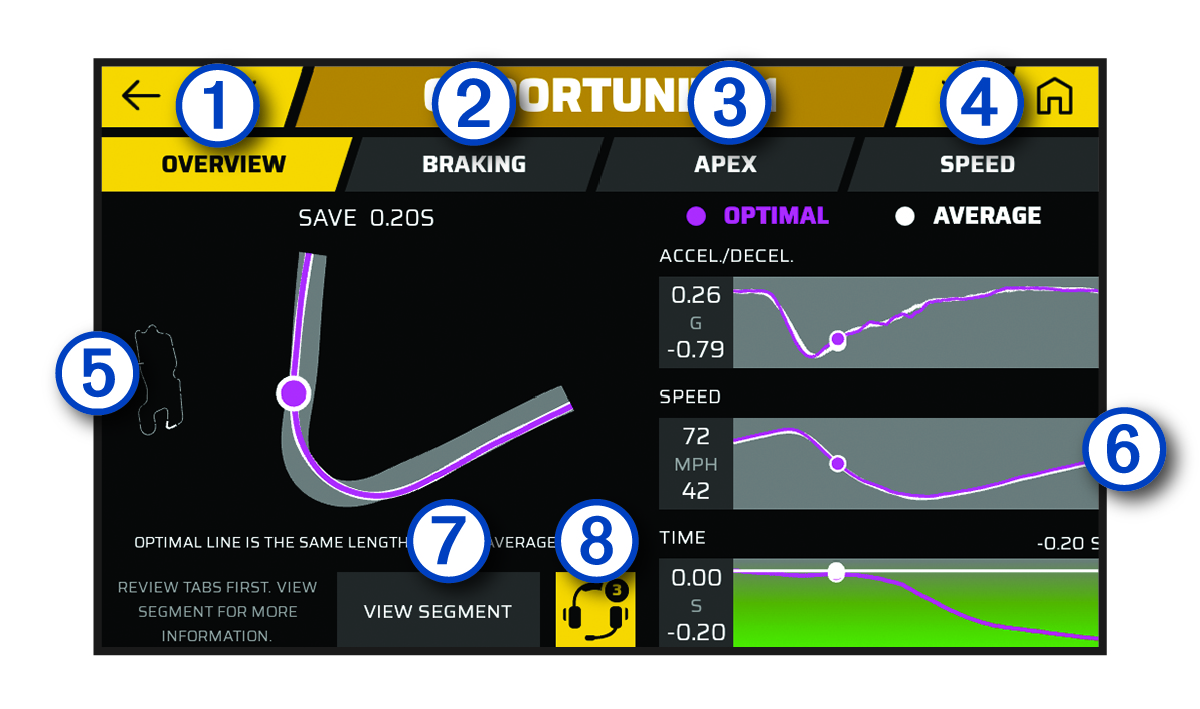
Select to view an overview of the opportunity. |
|---|---|
|
|
Select to view optimal brake timing and coaching advice for the selected track segment. |
|
|
Select to view optimal track usage and coaching advice for the selected track segment. |
|
|
Select to view optimal speed and coaching advice for the selected track segment. |
|
|
Displays an animated map of your performance on the selected track segment. |
|
|
Displays graphs that show the acceleration, speed or time in comparison to the optimal data. |
|
|
Select to view additional details about the current track segment, such as video clips and speed information. |
|
|
Select to add all available opportunities to the race coach. |


