Installing Locking Rings on the Cables
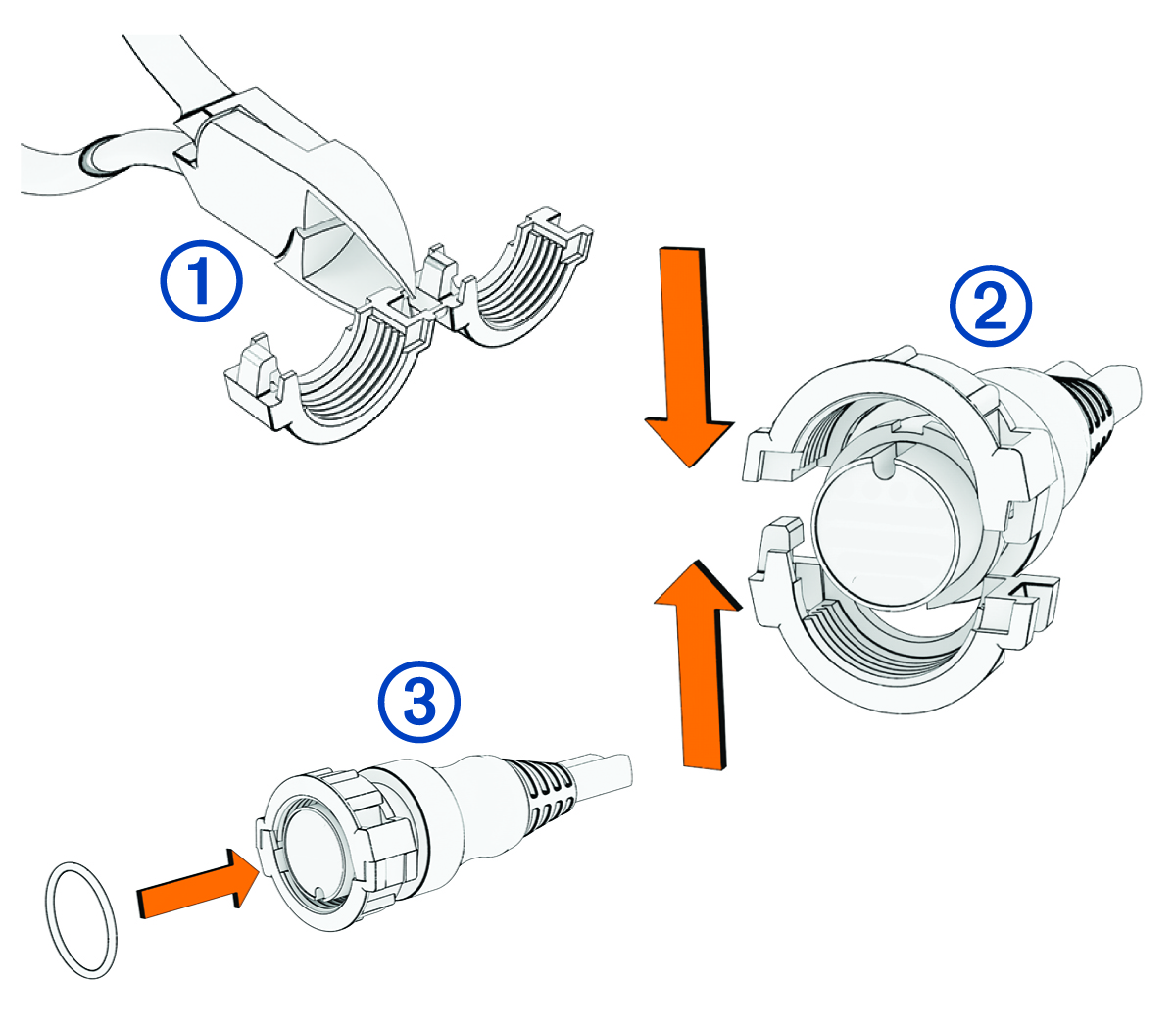
To help make the cable-routing process easier, some locking rings are packaged separately from the cables. When installing a cable that does not have a locking ring installed at the factory, you must install the split-collar locking ring on the cable to ensure a tight connection.
-
Separate the two halves of the locking ring
 .
.
-
Align the two halves
 of the locking ring over the cable and snap them together.
-
Insert the O-ring
 into the end of the connector.