Device Overview
|
|
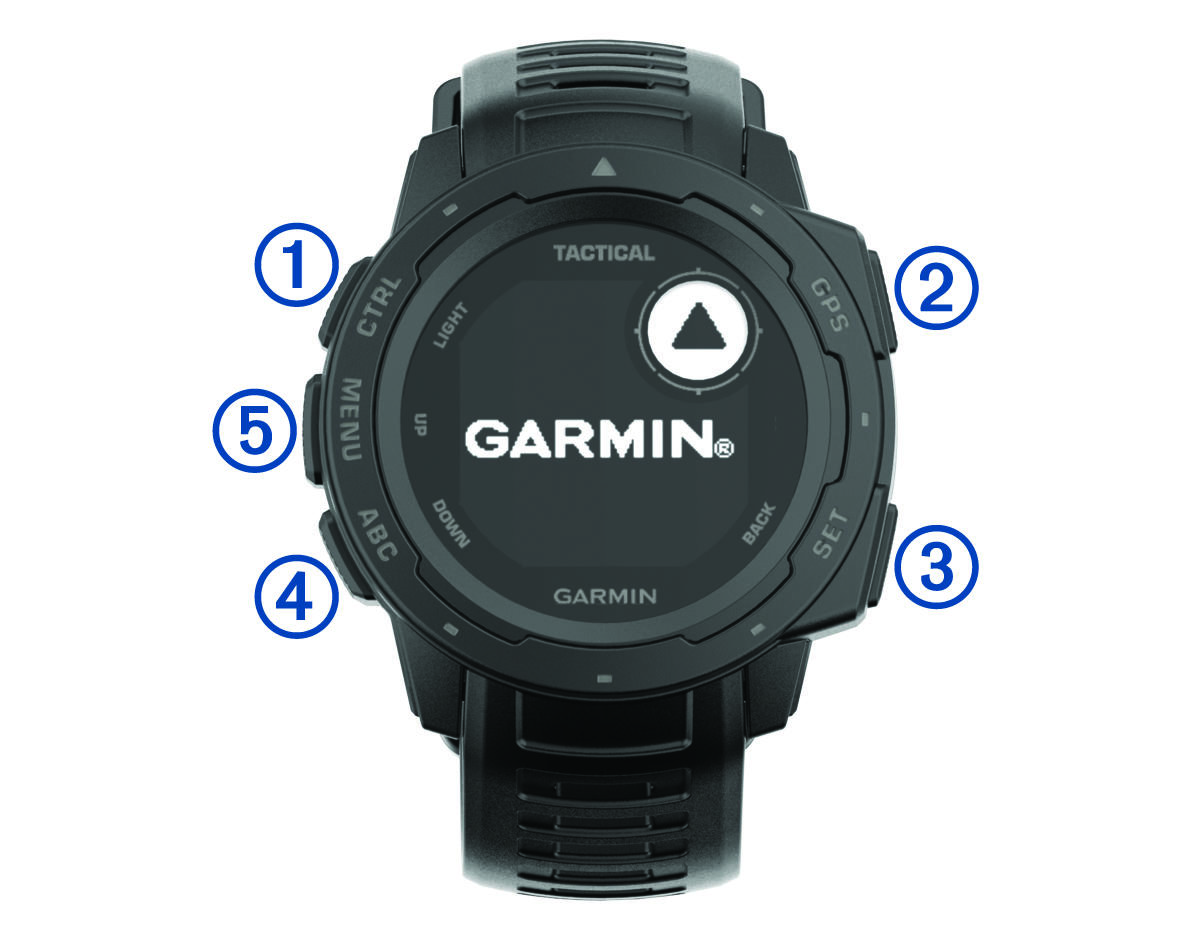
Select to turn the backlight on and off. Select to turn the device on. Hold to view the controls menu. |
|
|
Select to view the activity list and start or stop an activity. Select to choose an option in a menu. Hold to view GPS coordinates and save your location. |
|
|
Select to return to the previous screen. Hold to view the clock menu. |
|
|
Select to scroll through the widget loop and menus. Hold to view the altimeter, barometer, and compass (ABC) screen. |
|
|
Select to scroll through the widget loop and menus. Hold to view the menu. |


