Dive Data Screens
You can press NEXT or double-tap the device to scroll through the data screens.
In the activity settings, you can reorder the default data screens, add a dive stopwatch, and add custom data screens (Customizing the Data Screens). You can customize the data fields on some of the data screens.
Single-Gas and Multi-Gas Data Screens
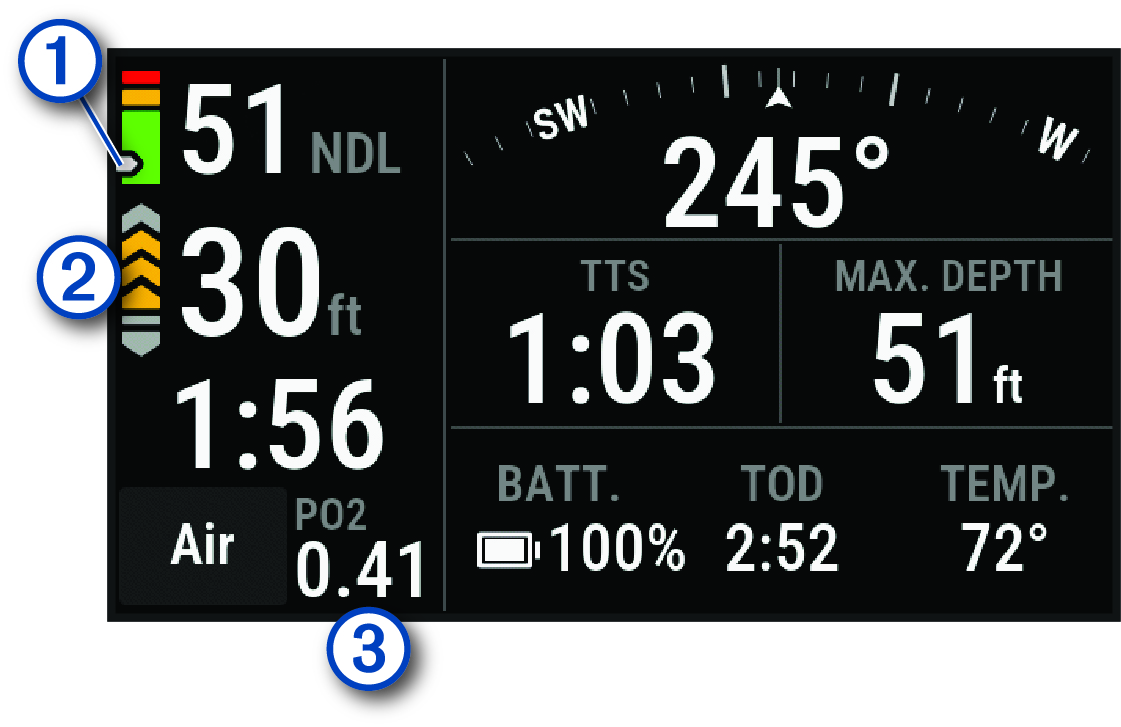
The primary data screen for single-gas and multi-gas dive modes displays the main dive data, including your breathing gas, rate of ascent or descent, maximum depth, time to surface (TTS), the time of day, and the current temperature. You can press NEXT to view the dive compass (Navigating with the Dive Compass).
|
|
Your nitrogen (N2) and helium (He) tissue load level.
|
|
|
Your rate of ascent.
|
|
|
Your partial pressure of oxygen (PO2) level. NOTE: In the single-gas dive mode, this field does not appear if you are using air for your breathing gas. |

 Green: 0 to 79% tissue load.
 Yellow: 80 to 99% tissue load.
 Red: 100% or greater tissue load.

CCR Data Screens
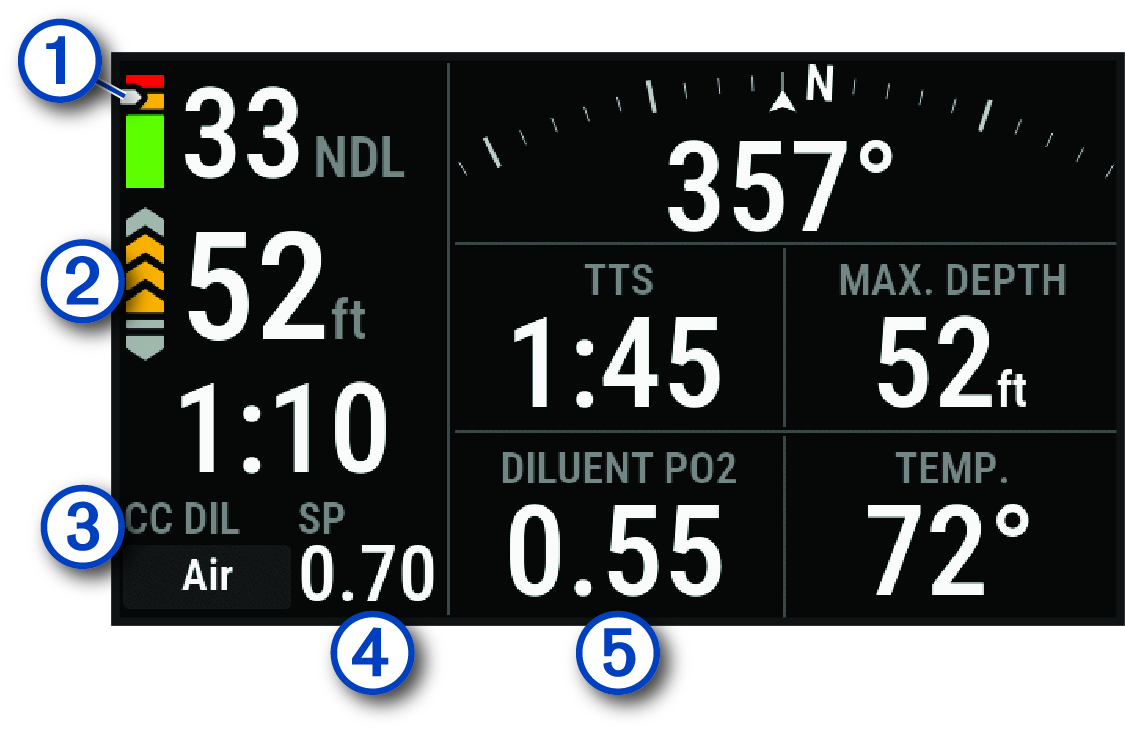
The primary data screen for the CCR dive mode displays the main dive data, including your breathing gas, rate of ascent or descent, maximum depth, time to surface (TTS), and the current temperature. You can press NEXT to view the dive compass (Navigating with the Dive Compass).
|
|
Your nitrogen (N2) and helium (He) tissue load level.
|
|
|
Your rate of ascent.
|
|
|
Indicates whether closed-circuit (CC) or open-circuit (OC) diving is active. |
|
|
Your low partial pressure of oxygen (PO2) setpoint. |
|
|
Your partial pressure of oxygen level. |


Gauge Data Screens
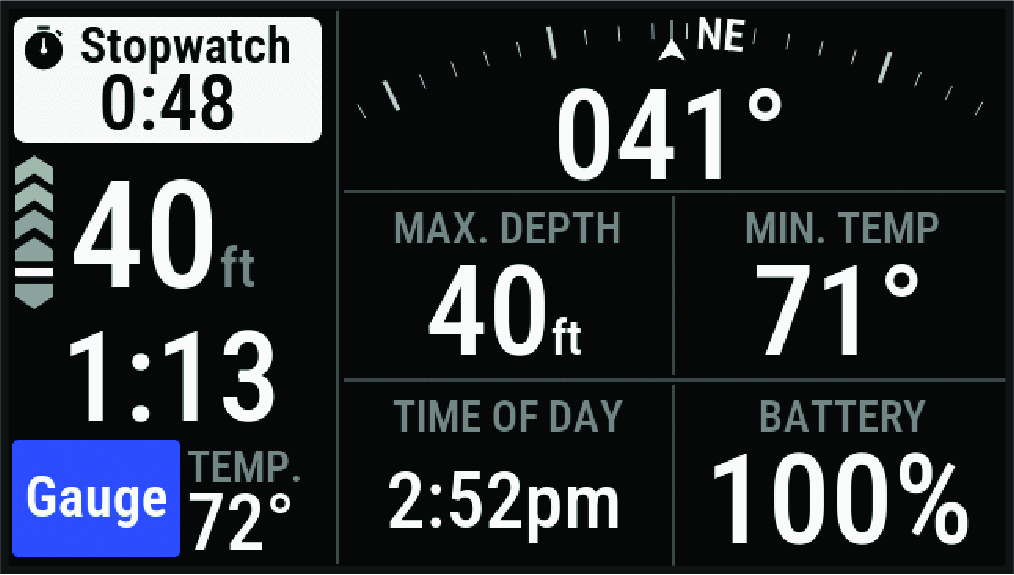
The primary data screen for the gauge dive mode displays data for the current dive, including your maximum depth, the lowest temperature from the last 24 hours, the time of day, and the stopwatch (Using the Gauge Dive Stopwatch). You can press NEXT to view the full screen dive compass (Navigating with the Dive Compass).