CCR Data Screens
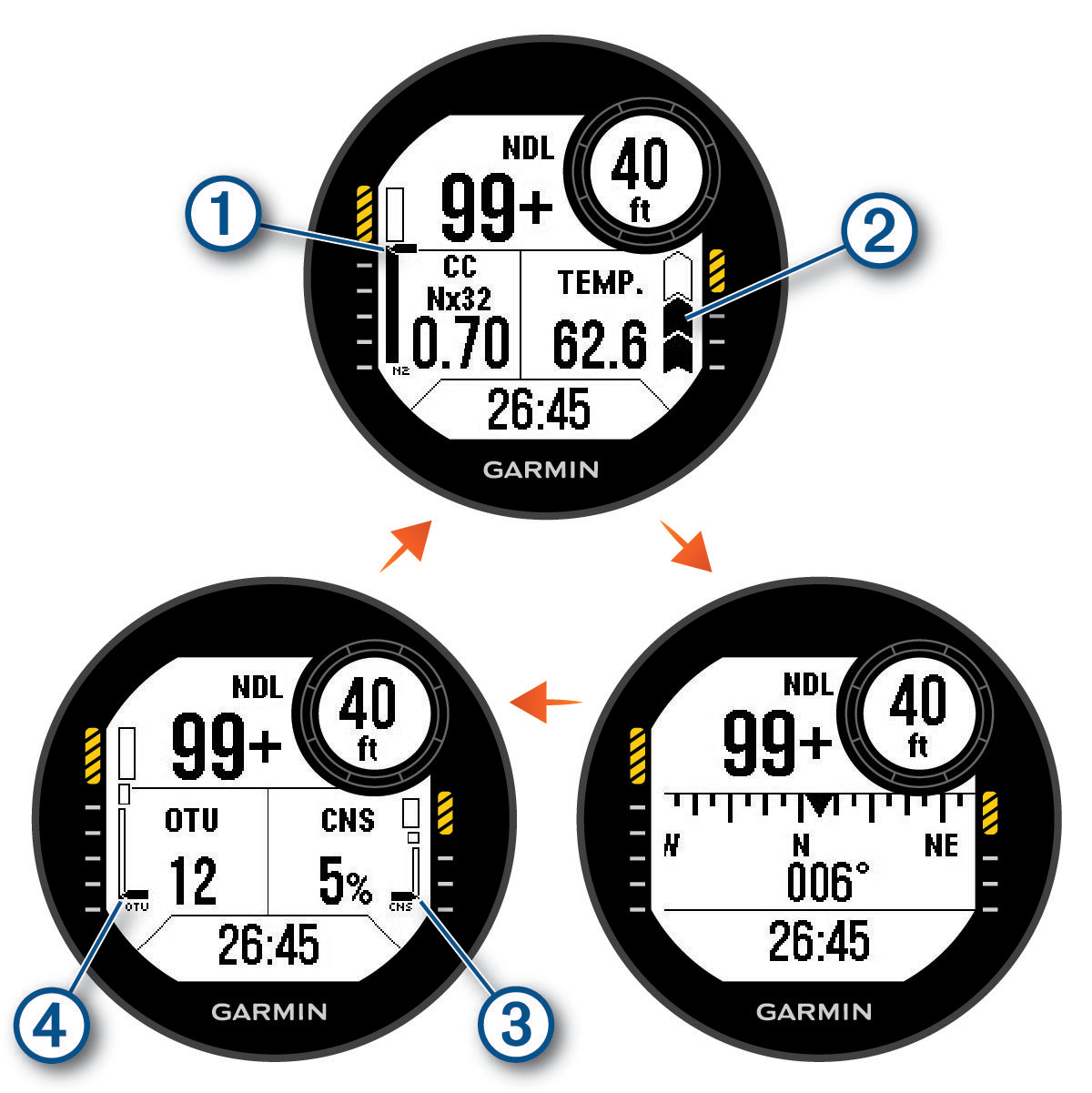
Primary data screen: Displays the main dive data, including your breathing gas, partial pressure of oxygen (PO2) level, and rate of ascent. You can edit one of the data fields.
|
|
Your nitrogen (N2) and helium (He) tissue load level. Segment 1: 0 to 79% tissue load. Segment 2: 80 to 99% tissue load. When you start a safety stop, the safety stop gauge appears (Performing a Safety Stop). When your tissue load level reaches or exceeds 100%, the decompression stop gauge appears (Performing a Decompression Stop). |
|
|
Your rate of ascent.
|


 : Good. Ascent is less than 7.9 m (26 ft.) per minute.
 : Moderately high. Ascent is between 7.9 and 10.1 m (26 and 33 ft.) per minute.
  and
and  alternating: Too high. Ascent is greater than 10.1 m (33 ft.) per minute.
Dive compass: Allows you to view the compass and set a directional heading to aid with underwater navigation (Navigating with the Dive Compass).
Customizable data screen: Displays additional dive data and physiological information. You can edit the gauges and two of the data fields (Customizing the Data Screens).
|
|
Your central nervous system (CNS) oxygen toxicity level. Segment 1: 0 to 79% CNS oxygen toxicity. Segment 2: 80 to 99% CNS oxygen toxicity. Segment 3: 100% or greater CNS oxygen toxicity. |
|
|
Your current oxygen toxicity units (OTU). Segment 1: 0 to 249 OTU. Segment 2: 250 to 299 OTU.Segment 2: 250 to 299 OTU. Segment 3: 300 or greater OTU. |

