Status Screen
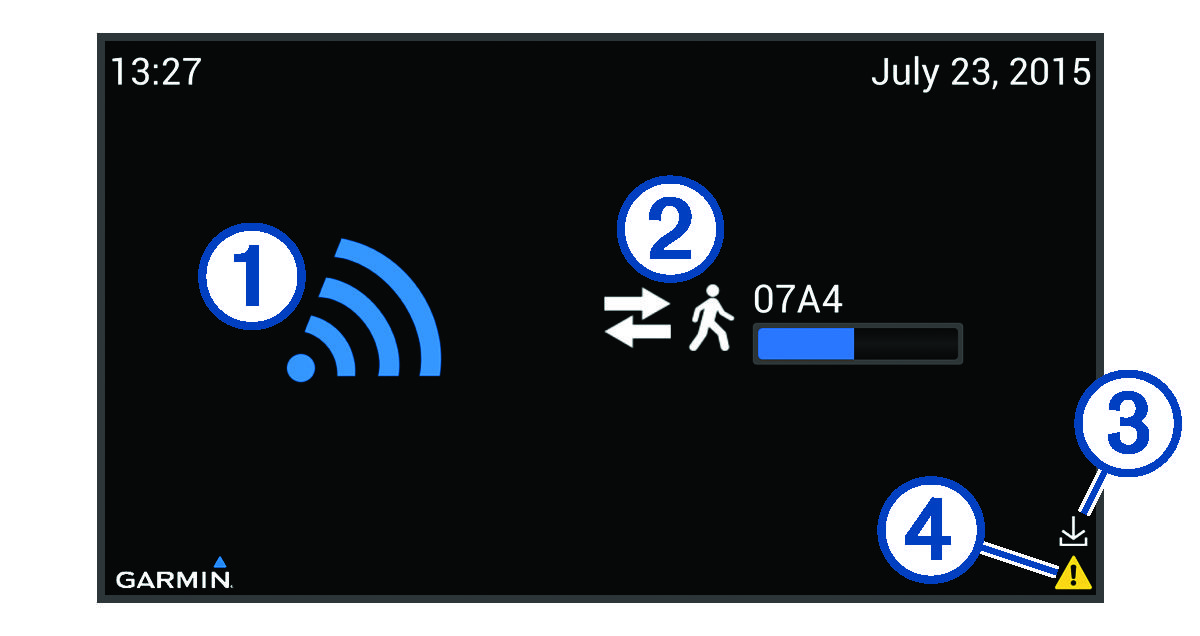
When the device is connected to a TV or monitor for normal operation, the status of the device appears on the screen.
NOTE:
The status screen can be customized to show webpages or images (Customizing the Status Screen).
|
|
Indicates that the device is actively searching for compatible activity trackers. |
|---|---|
|
|
Indicates the progress of synchronization with a connected, compatible activity tracker. Includes the identification number of the activity tracker (Data Transfers). |
|
|
Indicates that a software update is available (Setting Software Update Preferences). |
|
|
Indicates that the device needs administrator attention (Using the Diagnostics for Troubleshooting). |


