MOB Tags Overlay
When connected to a GOS™ 10 hub, you can add an overlay on the chartplotter to control MOB tag functions.
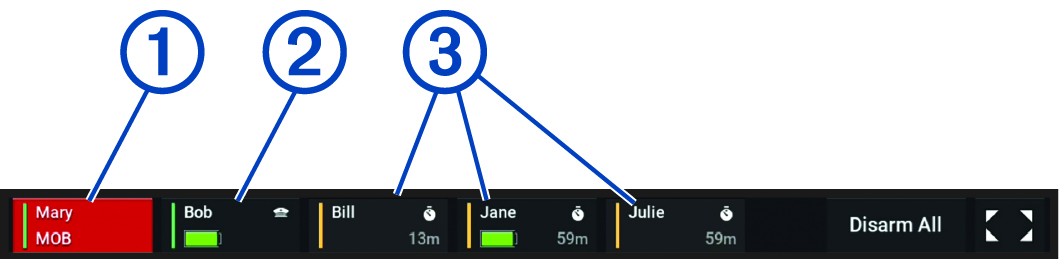
|
|
Protected Passenger tag in
Man Overboard (MOB) status:
|
|---|---|
|
|
Protected Captain tag:
|
|
|
Disarmed Passenger tags:
|
|
Disarm All |
Sets all connected tags to the Disarmed status. |
|
|
Opens the full-screen MOB tag page. |
 indicates that this is a captain
tag.
indicates that this is a captain
tag. and time indicate when the
system will attempt to protect the tag again
automatically.
and time indicate when the
system will attempt to protect the tag again
automatically.