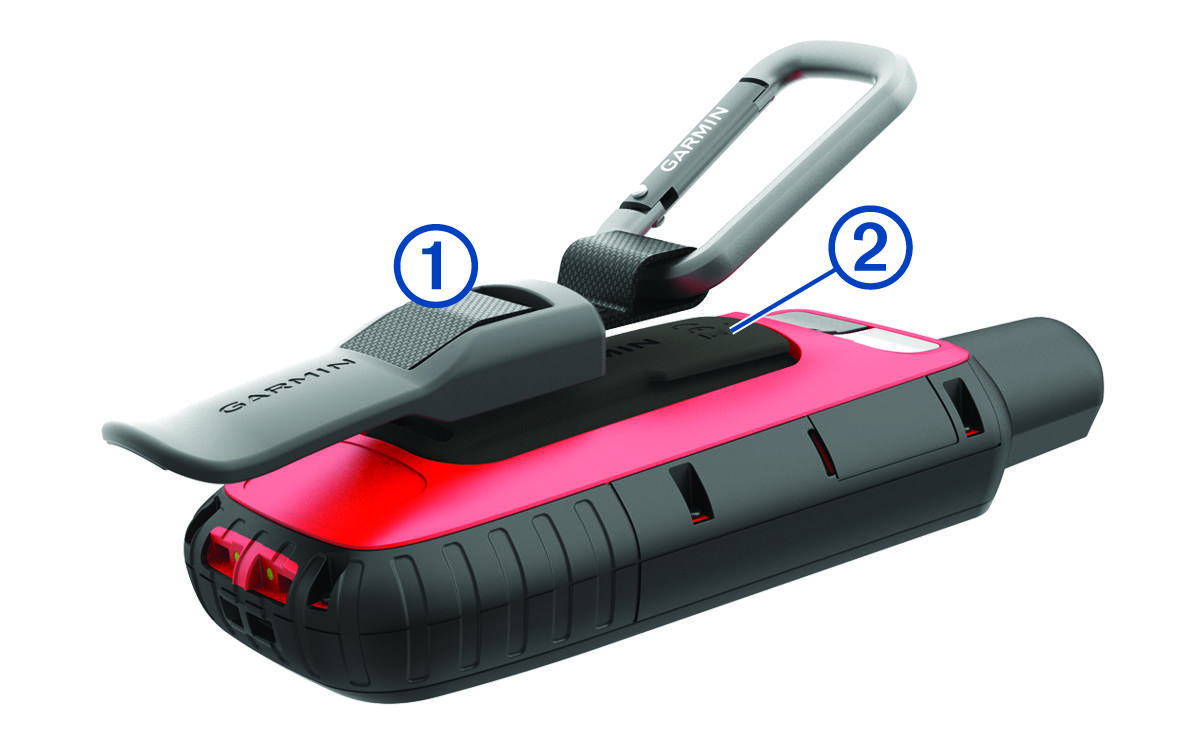
Attaching the Carabiner Clip Position the carabiner clip 1 in the slots on the mounting spine 2 of the device. Slide the carabiner clip up until it locks in place. Child Topics:Removing the Carabiner ClipParent Topic: Device InformationHomeDevice InformationAttaching the Carabiner Clip
Attaching the Carabiner Clip Position the carabiner clip 1 in the slots on the mounting spine 2 of the device. Slide the carabiner clip up until it locks in place. Child Topics:Removing the Carabiner ClipParent Topic: Device InformationHomeDevice InformationAttaching the Carabiner Clip