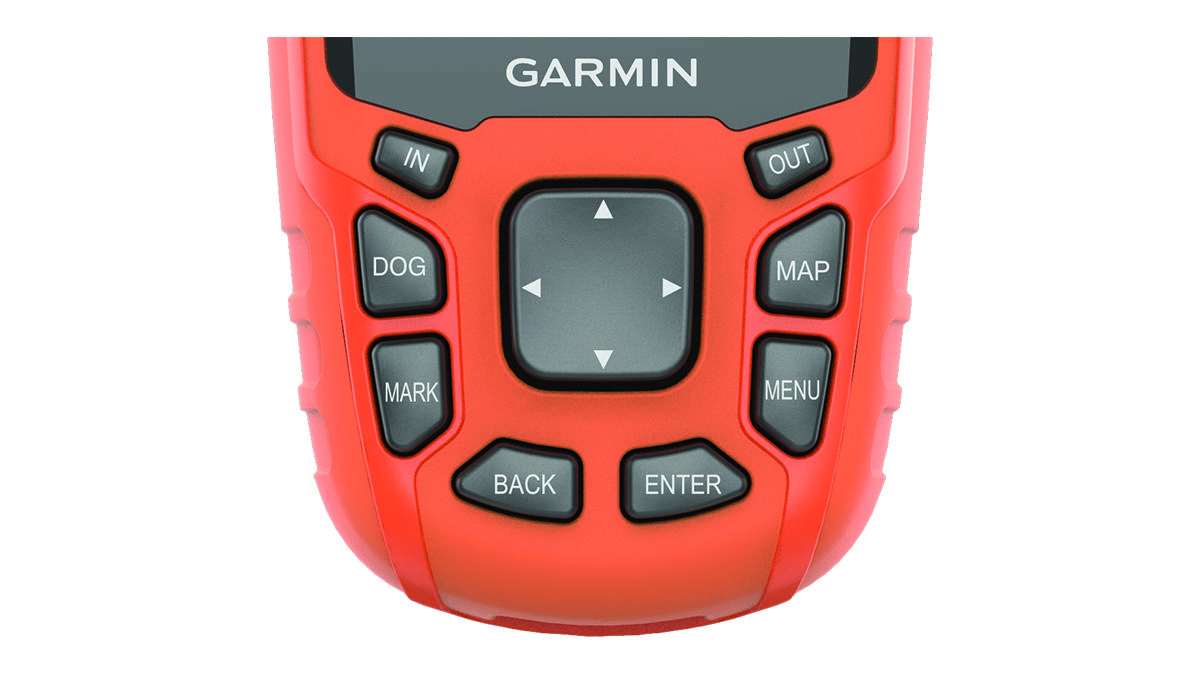
Keypad
|
IN |
Select to zoom in on the map. |
|---|---|
|
OUT |
Select to zoom out on the map. |
|
MAP |
Select to view the map. |
|
MENU |
Select to open the menu for the active page. Select twice to open the main menu. |
|
ENTER |
Select to select options and acknowledge messages. |
|
BACK |
Select to cancel data entry or return to the previous menu or page. |
|
MARK |
Select to mark your current location. |
|
DOG |
Select to view the dog tracking page. |
|
|
Select to view or scroll through options and to move the map pointer. |


