Viewing the Status Widget
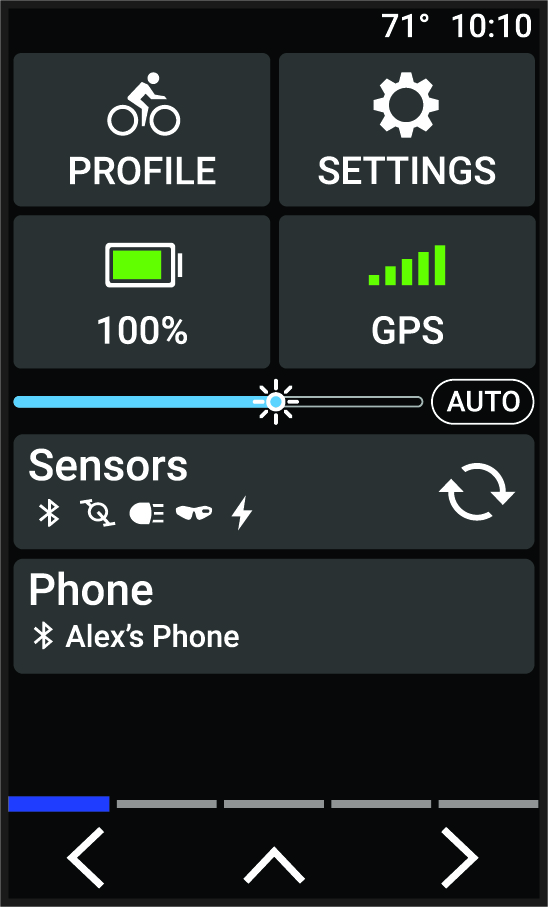
The status widget on your Edge® bike computer displays the status of the GPS, sensors, and wireless connections. See your Edge owner's manual for more information.
Select an option:
-
If your Edge bike computer uses a touchscreen, swipe down from the top of the home screen or a data screen.
-
If your Edge bike computer uses device buttons, press
 or
or
 from the widgets screen.
The status widget appears. A flashing icon means the device is searching. A solid icon means the signal was found or the sensor is connected.