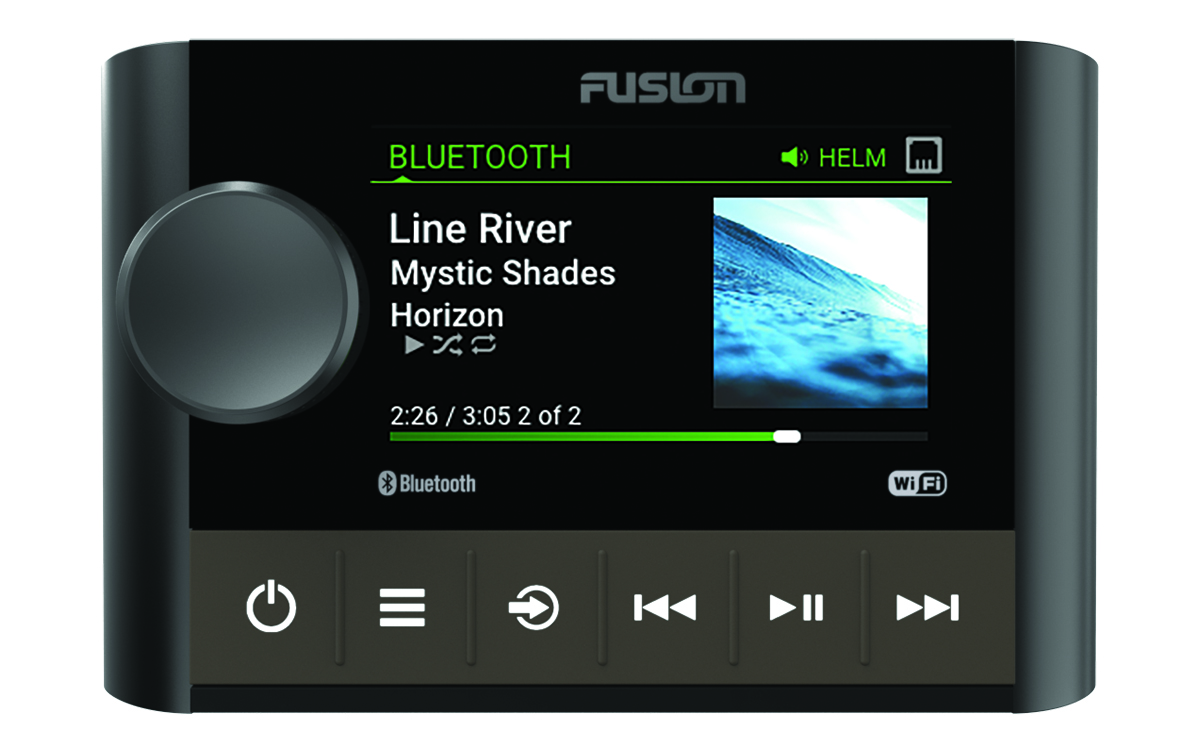
Stereo Controls


Front of the device

Dial

  • Turn to adjust the volume.

  • Turn to move through the menus or adjust a setting.

  • When in a menu, press to select the highlighted option.

  • Press and hold to activate certain functions such as opening the radio presets or muting all connected stereos from the mute screen (Muting all Connected Stereos).

Power button

  • Press to turn on the stereo.

  • Press to mute the audio.

  • Press and hold to turn off the stereo or all stereos on the network.

  • Press and hold for longer than 10 seconds to reset the stereo.

Menu button

  • Press to open the menu.

  • Press to return to the previous screen from the menu.

  • Press and hold to exit the menu.

Source button

Press to change the source.

TIP: You can turn the dial to browse, and press the dial to select the source.

Press and hold to open the GROUPS menu when connected to a Fusion PartyBus™ network (Fusion PartyBus Networking).

Back button

  • Press to skip to the beginning of the track or to the previous track, when using an applicable source.

  • Press and hold to rewind the track, when using an applicable source.

  • AM/FM:
    • Press to tune to the previous station or preset.

    • Press and hold for faster tuning (manual mode only).

Play and pause button

  • Press to pause or resume the current track, when using an applicable source.

  • AM/FM:

    • Press to cycle through the tuning modes (auto, manual, and presets).

    • Press and hold to save the current station as a preset.

Forward button

  • Press to skip to the next track, when using an applicable source.

  • Press and hold to fast-forward the track, when using an applicable source.

  • AM/FM:
    • Press to tune to the next station or preset.

    • Press and hold for faster tuning (manual mode only).

For information about controlling sources from a grouped stereo, see that stereo's owner's manual.

GUID-FE4984BF-37E5-4873-9A57-75A9FE8CA097 v9
September 2024